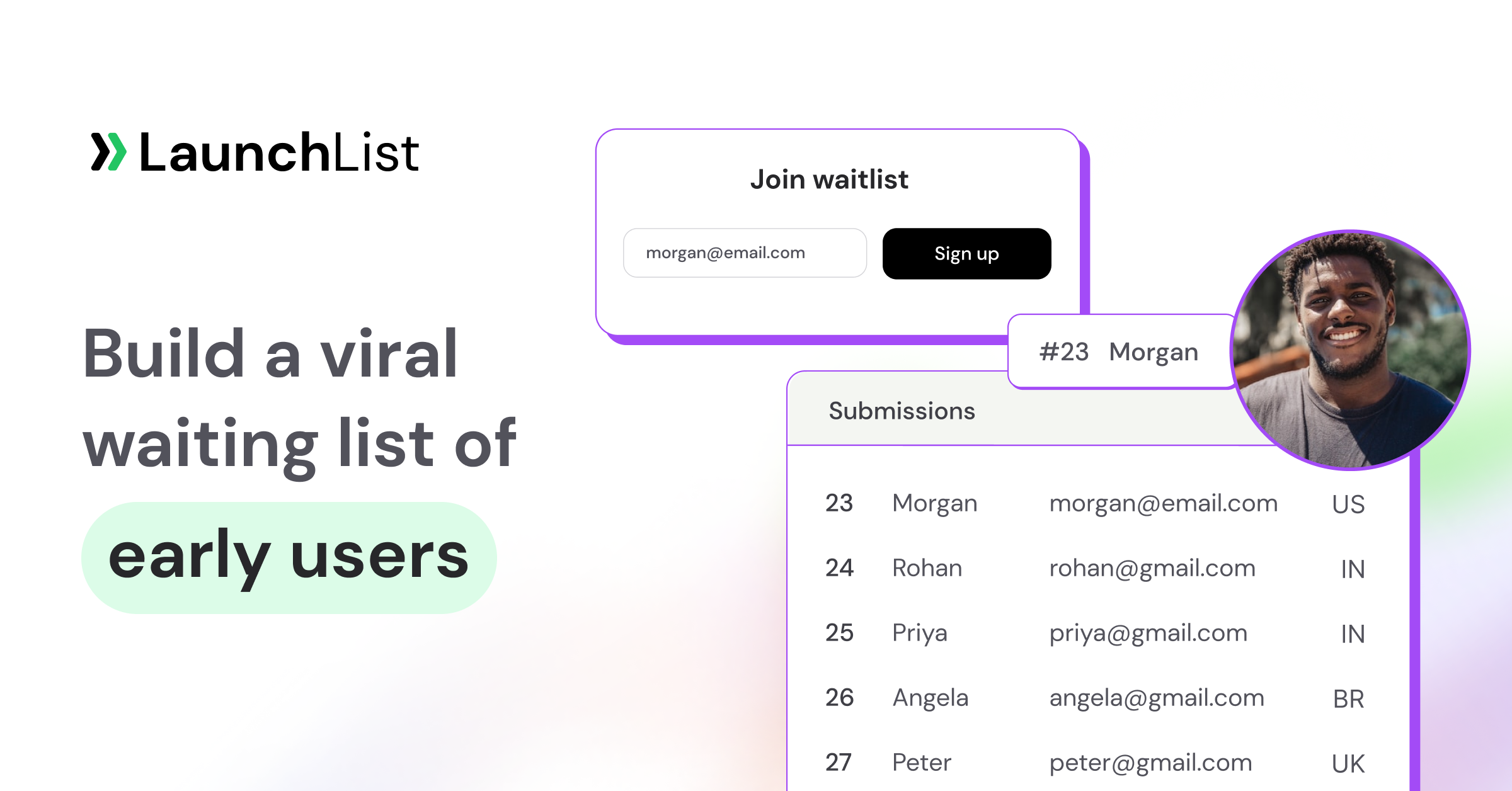
TL;DR: Getting your first 1,000 beta users isn't about hacks. It's about running a disciplined 90-day campaign across a small number of channels. The founders who hit 1,000 by launch day share a pattern: they ship a waitlist landing page in week 1, have a referral mechanic live before the first traffic, spend weeks 5–8 publishing in public on 2–3 channels, and amplify through Product Hunt, Hacker News and niche communities in weeks 9–12. This playbook walks through the full timeline, eight distribution channels that actually work, the metrics to track weekly and the mistakes that kill momentum, and maps each phase to the tool that runs it. With LaunchList, pre-launch waitlist software for founders, the page, referrals, spam protection, emails, beta invites, Launch Day and analytics all sit on one list, so nothing is lost between phases.
Most pre-launch SaaS marketing fails for the same reason: founders try ten channels for two weeks each, conclude nothing works, and quietly soft-launch to crickets. The teams that arrive at launch day with 1,000+ engaged beta users do the opposite: they pick 2–3 channels, commit for 90 days, and pair them with a tight conversion funnel.
Here's the playbook.
Why pre-launch waitlists matter for SaaS
Three reasons, in order of importance:
- Validation. A pre-launch landing page is the cheapest possible way to test whether your positioning resonates. If 100 visitors yield 2 signups, your headline or audience is wrong. Much better to learn that before writing the product.
- Day-one users. Launching to 1,000 warm beta users gives you immediate feedback, testimonials, case studies, and a referral base. Launching to zero means months of cold-start.
- Investor signal. A waitlist with thousands of engaged signups and a healthy referral coefficient is one of the strongest pre-revenue signals in a fundraising deck. It's evidence of demand, not just hope. It is only evidence if the signups are real, which is why fraud filtering matters more than most founders think (mistake 5 below).
The "should I bother with a waitlist?" question has been settled for over a decade by Dropbox, Robinhood, Superhuman, and dozens of others. The real question is how to run it. See our SaaS waitlist guide and the beta waitlist use case for industry-specific patterns.
Foundations: positioning and the landing page
Before any distribution work, you need three things locked in:
1. A specific, outcome-driven positioning
"AI-powered productivity for teams" is positioning death. "The fastest way to ship side projects" tells you who it's for and what it does in a handful of words. Your headline does most of the conversion work, so invest accordingly.
A useful test: read your headline to a friend who doesn't know your product. If they can't tell you (a) who it's for and (b) what they get, rewrite it.
2. A waitlist landing page that converts
The mechanics of a high-converting waitlist page are well-documented. Specific outcome-driven headline. Single above-the-fold call to action. Visible social proof if you have it (don't fabricate). Referral incentive on the page people see after signing up. No navigation distractions. We break down 15 real examples in waitlist landing page examples that convert. Read it before you ship yours.
3. A referral mechanic from day one
Adding a referral program later means your first 200 subscribers never had the chance to share. Set it up before driving any traffic. The mechanics (unique link per subscriber, position counter, leaderboard, milestone rewards) are covered in detail in the viral loop guide and rewards & milestones, which together are the natural companion to this playbook. The Dropbox referral case study is the canonical worked example.
The 90-day pre-launch timeline
| Phase | Weeks | Focus | Output |
|---|---|---|---|
| Foundations | 1–4 | Landing page, waitlist, referral, content base | Live waitlist with 50–150 signups |
| Build-in-public | 5–8 | Distribution on 2–3 channels, content cadence | 500–800 cumulative signups |
| Launch amplification | 9–12 | PH, HN, communities, press | 1,000+ at launch |
Weeks 1–4: Foundations
Goal: ship the waitlist, prove the funnel works, get to 50–150 signups via your warm network.
- Week 1: Lock positioning. Build the landing page and switch on the referral loop before anyone sees it. Keep email confirmation (double opt-in) on. Verify everything works on mobile. If you're torn between hosting the page and embedding a form on your own site, the hosted vs embedded comparison walks through the trade-off.
- Week 2: Email your warm network: friends, ex-coworkers, Twitter mutuals. Personal DMs convert at roughly 30–60%; a mass email at 5–10%. Aim for 50 signups from this alone.
- Week 3: Soft-post in 2 communities you're already a member of (Indie Hackers, niche Slack, Discord, subreddit). Be helpful, not promotional. Mention the waitlist once.
- Week 4: Audit conversion. If your landing page is below 20% visitor → signup, fix the headline before scaling traffic. If above 25%, you're ready to push.
By end of week 4, you should have 50–150 signups, a working referral loop, and a baseline conversion rate. Use the pre-launch marketing checklist to make sure nothing slips.
Weeks 5–8: Build-in-public and content
Goal: 500–800 cumulative signups via consistent content on 2–3 channels.
This is the phase most founders skip, and the reason most pre-launches fail. Distribution is a habit, not a campaign. Pick two channels and post 3–5x per week on each for four straight weeks.
The channels that work in 2026 (covered in detail below): X/Twitter build-in-public, LinkedIn long-form, IndieHackers, niche subreddits, podcast guesting, newsletter cross-promos, directories, targeted cold DMs. Pick the two that match where your ICP actually spends time. For the full ranked breakdown (effort scores, conversion ranges, one tactic per channel) see how to promote your waitlist.
By end of week 8, you should be at 500–800 signups and your referral coefficient should be visible.
Weeks 9–12: Launch amplification
Goal: cross 1,000 signups and convert them into day-one users.
- Week 9: Lock launch date (Tuesday or Wednesday). Reserve the Product Hunt URL slug. Identify a hunter or commit to self-hunting. Start the Product Hunt checklist.
- Week 10: Email the waitlist with the launch date. Offer a launch-day incentive (first 100 get free Pro for a year, or similar). Reach out to 15 journalists with an embargoed pitch.
- Week 11: Final asset prep. Walkthrough video. Gallery images. Maker first comment. Press kit. Brief your top 50 supporters individually. If you're letting people in before launch, send the first beta invites to your top referrers now.
- Week 12: Launch on Product Hunt. Same day, post on Hacker News (Show HN), IndieHackers, relevant subreddits, and your Slack/Discord communities. The full hour-by-hour playbook is in how to launch on Product Hunt in 2026.
Pair this phase with the SaaS launch checklist and the product launch waitlist use case for the full set of tactical reminders.
Running the playbook in LaunchList, phase by phase
The timeline above works with any stack. The reason to run it in one tool is that every signup, referral, email, invite and page view lands on the same contact record, so the list you build in week 1 is the list you email in week 10 and invite in week 11, with no exports in between. Here is what each phase uses, and the plan it needs.
| Phase | Job | LaunchList feature (menu) | Plan |
|---|---|---|---|
| Week 1 | Launch page | Hosted page with block editor and AI drafting (Pages, Edit page), or an embed on your site (Embed & API, Your website) | Every plan |
| Week 1 | Own domain, indexable | Custom domain with automatic HTTPS (Embed & API, Hosted page) | The Collect plan and up |
| Week 1 | Signup form | Forms: any identity, 20 field types, conditional logic, double opt-in | Every plan |
| Week 1 | Referral loop | Referral link, live position, leaderboard, status page (Audience, Referrals & rewards) | Every plan |
| Weeks 1–12 | Spam and fraud | Spam guard, Contact Trust verdicts, Held for review (Project settings, Privacy & spam) | Every plan |
| Weeks 2–8 | Reasons to share | Rewards and milestones, points tasks | The Collect plan and up |
| Weeks 5–8 | Build in public | Updates feed with RSS, page block and "What's new" widget (Updates) | Every plan; emailing an update needs the Collect plan |
| Weeks 5–12 | Keep the list warm | Broadcasts (Emails, Broadcasts) | The Collect plan and up |
| Weeks 5–12 | Emails that run themselves | Automations and saved segments (Emails, Automations) | The Launch plan and up |
| Weeks 9–12 | Send from your brand | Custom sending domain (Project settings, Email) | The Launch plan and up |
| Weeks 11–12 | Beta invites | Personal codes and batches (Audience, Invites) | Every plan (first 100 invites on the Free plan) |
| Weeks 11–12 | Codes for communities and launch posts | Shared codes with seat limits, open links with expiry | The Launch plan and up |
| Week 12 | Launch day | Launch Day screen: countdown, share link, readiness checklist | The Launch plan and up |
| Every week | Metrics | Analytics: Overview, Referrals, People, Invites, Emails | Every plan; source breakdown on the Grow plan |
| Any time | Let an AI agent do the busywork | MCP server, REST API, webhooks (Embed & API) | Every plan |
Foundations in LaunchList (weeks 1–4)
- Page. Start from the SaaS beta template (one of six, with Mobile app, AI tool, Event or course, Pre-order and One screen), or describe the product in one sentence and let the AI write the first draft. The editor has 19 block types, including a signup form, a live signup counter, a referral leaderboard and a countdown, and 8 style presets. AI page writing is free on every plan during the beta. Draft and live are separate, so share the signed preview link with two friends before you publish.
- Address. The page goes live at
your-slug.launchlist.page, which is shareable but never indexed by search engines. If you want the page to rank, connect your own domain on the Collect plan or higher: one DNS record, HTTPS issued automatically. - Or your own site. If you already have a Webflow, Framer, Squarespace, WordPress, Carrd or Shopify site, embed the form with one
<div>and one script tag. It renders inside a shadow DOM so your theme can't break it, and the same referral and trust pipeline runs either way. - Form. Keep it to one field. If your ICP lives in Discord or onchain, identify people by username or wallet address instead of email.
- Referrals. Every signup lands on a status page with their position, referral link, one-tap share buttons and referral count. That's on every plan, the Free plan included. Turn on rewards (Collect plan and up) in week 2 or 3 once you know what you can give away: early access, a founding-member badge, a jump up the line.
- Your own analytics tags. Add GA4, Plausible, PostHog, Meta Pixel or others to the hosted page under Project settings, Privacy & spam, with an optional consent banner.
- Week 4 audit. Analytics, Overview shows signups, the share of hosted-page visits that signed up, the confirmed share and the referred share, each against the period before. Use Test mode while you test so your own signups don't count.
Build in public in LaunchList (weeks 5–8)
- Updates. Post progress to your project's public changelog at
your-slug.launchlist.page/updates(with RSS). Add the latest-updates block to your page so it never goes stale, or the "What's new" widget to your own site. "Email this update" turns a post into a broadcast draft, so the X thread, the changelog and the email come from one piece of writing. - Broadcasts. From the Collect plan up, email everyone, a tag, or a segment, now or scheduled, all at once or in batches, with a test send and a pre-send checklist. Merge tags put each person's position and referral link in the email, which is the most useful line in any waitlist update. The email library has nine starting points, including Founder update, Referral nudge and Ask for feedback.
- Automations. On the Launch and Grow plans, build flows on a canvas: trigger on email confirmed, new signup, referral credited, stage changed, survey answered or launch day; then wait, send, tag, branch or A/B split. Every new project comes with a draft "Keep signups engaged" flow that asks for a referral only from people who haven't referred anyone yet.
- Segments. Filter your list on 25 fields (trust verdict, referral count, UTM source, country, survey answers and more) on every plan; saving a segment to reuse in sends is on the Launch plan and up.
Launch amplification in LaunchList (weeks 9–12)
- Launch date. Set it in Project settings, General: an exact day, a month or a quarter. A countdown block and widget read it.
- Week 10 email. A broadcast to the whole list. With your own sending domain (Launch plan and up, three CNAME records), it comes from your brand instead of a shared domain.
- Week 11 invites. Audience, Invites, Invite people: type 50 and LaunchList invites the 50 subscribed people with the most referrals first, each with a personal code by email. Batches go up to 1,000 and can be stopped mid-run. On the Launch plan and up, mint a shared code with a seat limit for a community or partner, or an open link with an expiry for launch day. The Free plan covers your first 100 invites; paid plans are unlimited.
- Week 12. On the Launch and Grow plans the Launch Day screen gives you a countdown, the link to share with one-tap share buttons that open a prefilled post (you press post), and a five-point readiness checklist: launch window set, landing page live, form accepting signups, announcement ready, people to launch to. A launch-day automation can send the announcement on the day, or 1, 3, 7, 14 or 21 days before it. Mark as launched flips the project to launched everywhere, with undo.
- After launch. Invited people move through your pipeline stages (waitlist, invited, joined, converted). The Claim button on their status page can send them to your own signup page with
?invite_code=, and your backend redeems it through the API.
Let an agent run the weekly checks
The busywork in this playbook (count this week's signups, find people one referral from a reward, tag everyone who answered "I'd pay", draft the update email) is what an AI agent is good at. LaunchList's MCP server, live on every plan, gives Claude, ChatGPT, Cursor and other MCP clients 35 tools over your workspace: read audience stats, search contacts, preview segments, tag people, invite up to 50 at a time, draft a page change, draft a broadcast. You connect with OAuth (you approve one workspace on a consent screen) or a scoped API key. Agents can't delete contacts or publish pages, page edits stay drafts, and sending a broadcast takes a separate confirmation step. For your own code there is a REST API with 53 operations and a public OpenAPI spec, and 27 signed webhook events.
8 channels that actually drive pre-launch SaaS signups
Pick two or three. Commit for 90 days. Don't channel-hop.
1. X/Twitter build-in-public
Still the highest-leverage channel for technical founders in 2026. Post weekly progress threads, demo clips, milestone screenshots, and lessons learned. The "build in public" subculture is generous with reposts when the content is genuine. Bake in a soft call to action to your waitlist in your bio and pinned post. Don't pitch every tweet.
What works: short loom-style demo videos, before/after screenshots, honest revenue/signup updates, contrarian takes on your space.
What doesn't: pure "sign up for my waitlist" tweets, fake "we just hit X users" milestones, engagement-bait threads.
2. LinkedIn long-form
LinkedIn rewards consistency more than X does. A founder posting 3x/week with substantive long-form (300–600 words) on lessons from building can build a 5–10K relevant audience in 90 days. Especially strong for B2B SaaS targeting operators, ops leaders, marketers, and revenue teams.
3. IndieHackers
IndieHackers' audience is exactly your ICP if you're a technical SaaS founder. Post milestones (with real numbers), ask genuine questions, share teardowns of your own funnel. Don't post pure waitlist promos; the community will downvote.
4. Niche subreddits
Reddit traffic converts disproportionately well if you post in the right subreddit and lead with value. Find 2–3 subreddits where your ICP genuinely hangs out (r/SaaS, r/Entrepreneur, r/devops, r/ProductManagement, depending on niche). Read the rules. Comment for 2 weeks before posting. When you post, lead with a story or learning, and mention the waitlist in passing.
5. Podcast guesting
For founders, podcast guesting is criminally underused. Mid-tier shows (5K–50K downloads/episode) book quickly, the audience is highly engaged, and a single episode can drive 100–500 signups for the right product. Pitch shows whose audience overlaps yours; bring a genuine point of view.
6. Newsletter cross-promos
Beehiiv, Substack, and operator newsletters in your space often run sponsorships or cross-promos. A relevant newsletter with 10K subscribers can drive 200–500 signups for a tightly-targeted offer. Cheaper and higher-converting than most paid social.
7. Directories
Submit to relevant directories: BetaList, Product Hunt's "Coming Soon," Indie Hackers Products, SaaS Hub, etc. Each one usually drives 20–100 signups and helps with backlinks for SEO. Low effort, modest payoff. Backlinks only help a page that can be indexed, so point directories at a page on your own domain.
8. Targeted cold DMs to ICP
Cold DMs work, if targeted and personalized. Identify 100 people who fit your ICP exactly. Send a 3-line message: "I'm building X for people doing Y. Saw you do Y at Z. Would love your perspective, and happy to give you free early access if useful." Expect 15–30% reply rate, 5–10% signup rate. Don't scale this past a few hundred; it stops being personal.
Know which channel is working
Tag every link you share with UTM parameters (?utm_source=reddit&utm_campaign=week6). LaunchList stores the UTM source, medium and campaign on each contact, so you can filter signups by channel on every plan. On the Grow plan, Analytics, Overview adds "Where signups come from": channels, landing pages and referring sites ranked for the range you pick.
What about paid ads?
Skip paid ads pre-launch. You don't know your LTV, your funnel isn't dialed in, and you'll burn cash optimizing a metric that doesn't matter yet. Validate organic conversion first. Once you're consistently above 25% landing page conversion, then test paid as an amplifier.
Conversion metrics to track weekly
Most pre-launch dashboards track signups and nothing else. Signups are a lagging indicator. Track these five weekly to actually steer:
| Metric | Target | What it tells you | Where to read it in LaunchList |
|---|---|---|---|
| Landing page conversion (visitor → signup) | 20–35% | Headline + offer fit | Analytics, Overview: "Page visits that signed up" (hosted page) |
| Referral participation (signup → referred at least one) | 20–40% | Post-signup page + email quality | Analytics, Referrals: signup-to-reward funnel |
| Referral conversion (share click → signup) | 10–25% | Landing page strength | Analytics, Referrals: referred share and referrals per referrer |
| Email health (waitlist updates) | Bounces under 2% | List quality + sender reputation | Analytics, Emails: delivered, bounced, unsubscribed, spam complaints |
| Activation intent score (e.g. survey or upgrade-interest signal) | Track over time | Whether you're building the right thing | Forms, Answers; survey answers as contact attributes |
If landing conversion is below 20%, the headline is the highest-leverage fix. If fewer than one in five signups refers anyone, the post-signup experience needs work: start with the viral loop guide and rewards & milestones. If bounces or spam complaints climb, you're mailing addresses that never wanted you or a sender with no reputation: keep double opt-in on, send from your own authenticated domain, and warm it up with small, regular sends before the launch email. LaunchList doesn't track opens or clicks (mail clients that pre-load images made open rates unreliable anyway); it reports delivery outcomes, and it pauses a workspace's sending for review if bounces reach 2% over 30 days.
For the intent score, a short survey after signup does the job. In LaunchList the answers become attributes on each contact that you can filter on, so "everyone who said they'd pay" is a list you can invite first.
Common pre-launch marketing mistakes
1. No referral mechanic until "later"
Every signup before you add the referral loop is a wasted growth opportunity. Set it up before the first traffic.
2. Channel-hopping every two weeks
Distribution is a compound interest game. Two months on one channel beats two weeks on six channels every time.
3. Vague positioning
"AI for SaaS" describes 50,000 products. If your headline doesn't pre-filter, your conversion rate will suffer no matter how much traffic you drive.
4. Email silence between signup and launch
A subscriber who hears nothing for 8 weeks has forgotten you. Send a real update every 1–2 weeks: progress, screenshots, asks. See waitlist email templates that get opened for cadence and copy.
5. Skipping fraud detection
Bots find new waitlist URLs within hours. Without rate limiting, disposable-email detection and email confirmation, your "1,000 signups" might be 600, and your referral leaderboard will be visibly fake. LaunchList runs rate limiting, a honeypot and time trap, disposable-address and MX checks, IP reputation and device clustering on every signup, on every plan, and gives each one a Contact Trust verdict (Verified, Valid, Unknown, Risky or Fake). A contact is only marked Fake when two independent signals agree. Suspicious signups are held for review rather than deleted, and held signups never count toward your bill. Email confirmation is on by default, and referral credit waits for it, so invented addresses can't climb the leaderboard; credit is taken back if a referred signup later turns out to be part of a device farm. A CAPTCHA is there for when you're actually under attack, with your own Turnstile, reCAPTCHA or hCaptcha keys.
6. Optimizing for vanity signups instead of fit
A 5,000-person waitlist of disengaged users converts worse than a 500-person waitlist of perfect-fit ICP. Run the right channels, not the biggest ones.
7. Treating launch day as the finish line
Your launch day is the start of the post-launch sequence. Have a 30-day onboarding plan ready: activation emails, founder calls with the top 50 supporters, case-study capture from week 2 users.
8. Not building in public
Quiet pre-launches almost never accumulate momentum. Even if you're shy about sharing, post weekly updates. Every founder who later said "I wish I'd started sharing earlier" started later.
Industry tweaks
The 90-day playbook works across SaaS verticals, but channel mix should shift:
- Developer tools: Heavy on X, IndieHackers, dev-focused subreddits, GitHub presence, technical blog content. Developers will also respect a signup that goes through your own API: LaunchList's REST API returns the referral code, queue position and trust verdict in one call.
- Sales/RevOps SaaS: Heavy on LinkedIn long-form, podcast guesting, operator newsletters
- AI startups: X build-in-public dominates; see the AI startup waitlist patterns; demos as content (the AI tool template is a fast start)
- Vertical SaaS: Niche communities, industry conferences, trade publications outweigh general channels; see the SaaS waitlist guide. A shared invite code restricted to a partner's email domain (Launch plan and up) suits industry partnerships.
- Consumer / mobile: TikTok, Instagram, and creator partnerships matter; less dev-community focus. The mobile app waitlist guide and app launch checklist cover the App Store specifics
- Crypto / token launches: Discord, Telegram, X threads dominate; the crypto waitlist guide covers the token-launch shape (a LaunchList form can identify people by wallet address instead of email)
- Global launches: the hosted page, status page and confirmation emails can be shown in 17 languages, including right-to-left Arabic, with a visitor language switcher.
What "1,000 beta users" actually means
A note on the number itself. "1,000" is a useful round goal but the more honest metric is engaged beta users: subscribers who confirmed their address, share their referral link, and would actually use the product on day one. Five hundred engaged users almost always outperforms two thousand inactive ones. A Verified trust verdict (they proved they own the address and nothing looked wrong) is a reasonable floor for counting someone.
If you're earlier than 90 days out, the goal isn't 1,000. It's the next 100. The playbook compounds. Run it consistently and the numbers take care of themselves.
Frequently asked questions
How long should a SaaS pre-launch waitlist run?
8–16 weeks is the sweet spot. Shorter than 8 weeks and the referral loop barely compounds; longer than 16 and subscribers go cold without a regular update. If you need more time, ship a meaningful update every week or two.
How many signups do I need before launching a SaaS?
There's no magic number, but 500+ engaged signups gives you enough day-one momentum for Product Hunt, Hacker News and direct activation. Below 200 a launch feels quiet; above 1,000 you're in good shape for both visibility and feedback.
Should I show the signup count publicly?
Yes, if it's real and helps you; no, if it's small or you'd be tempted to fake it. Until the total is worth showing, a milestone bar toward a goal frames a small number as progress, and faked counters destroy trust permanently if discovered.
How much should I budget for pre-launch marketing?
For most early-stage SaaS, $0–$500 is plenty: waitlist tooling, a domain, maybe one newsletter sponsorship. LaunchList's Free plan is $0 for 100 contacts, and the Collect plan starts at $9 a month, adding your own domain, rewards and email broadcasts (see LaunchList pricing).
Do I need a referral program if my product has organic virality?
Yes, in pre-launch. Organic virality only kicks in once people use the product, so before launch the referral mechanic is the only growth loop available. See the viral loop guide.
What's the best tool to run a SaaS pre-launch waitlist?
A purpose-built tool removes weeks of engineering. LaunchList is pre-launch waitlist software for founders that keeps the launch page, referrals with verified credit, a trust verdict on every signup, email broadcasts and automations, beta invites, Launch Day and analytics on one list, with a REST API, webhooks and an MCP server for AI agents on every plan.
When should I open the beta vs. keep people on the waitlist?
A rolling beta (invite 20–50 users a week) gives steady feedback and rewards top referrers first; a big-bang launch maximizes Product Hunt momentum but loses early feedback, and most teams blend the two. In LaunchList a rolling beta is a number in a box: invite the next 50 and it picks the people with the most referrals first, emails each a personal code and tracks who used theirs.
How do I keep a waitlist warm for 3 months?
Send a short email every week or two with one piece of real progress: a screenshot, a feature decision, a customer interview learning. Include each person's position and referral link, because every update is a chance to share.
Ship the playbook
90 days sounds long. It isn't. It's the minimum viable timeline to build genuine pre-launch momentum, and most founders wish they'd started earlier.
The two compounding pieces are the waitlist itself and the distribution habit. LaunchList handles the first, from the page to the launch email: a hosted launch page or an embed on your site, referrals with verified credit, a leaderboard and rewards, spam protection with a trust verdict on every signup, email campaigns and automations from your own list, and beta invites when you're ready to let people in. It is in beta and free to start. The Free plan holds 100 contacts; the Collect plan starts at $9 a month, the Launch plan at $19 and the Grow plan at $39, priced by list size, and yearly billing gives you 2 months free. Start free →
Related reading:
- Viral Loop: The Ultimate Guide to Exploding Your Growth
- Rewards & Milestones for Waitlists
- Dropbox Referral Program Case Study
- How to Promote Your Waitlist (15 Channels)
- Hosted Page vs Embedded Widget
- How to Launch on Product Hunt in 2026
- 15 Waitlist Landing Page Examples That Convert
- Waitlist Email Templates That Get Opened
- Convert Your Waitlist to Paying Customers
- Free SaaS Launch Checklist
- Free Pre-Launch Marketing Checklist
- Beta Waitlist Use Case