
Ecommerce waitlist software
for product drops
LaunchList puts a waitlist in front of a product drop or a restock on your own store. Each signup gets a place in line that moves up with every friend they bring.
Free for your first 100 contactsNo credit card needed
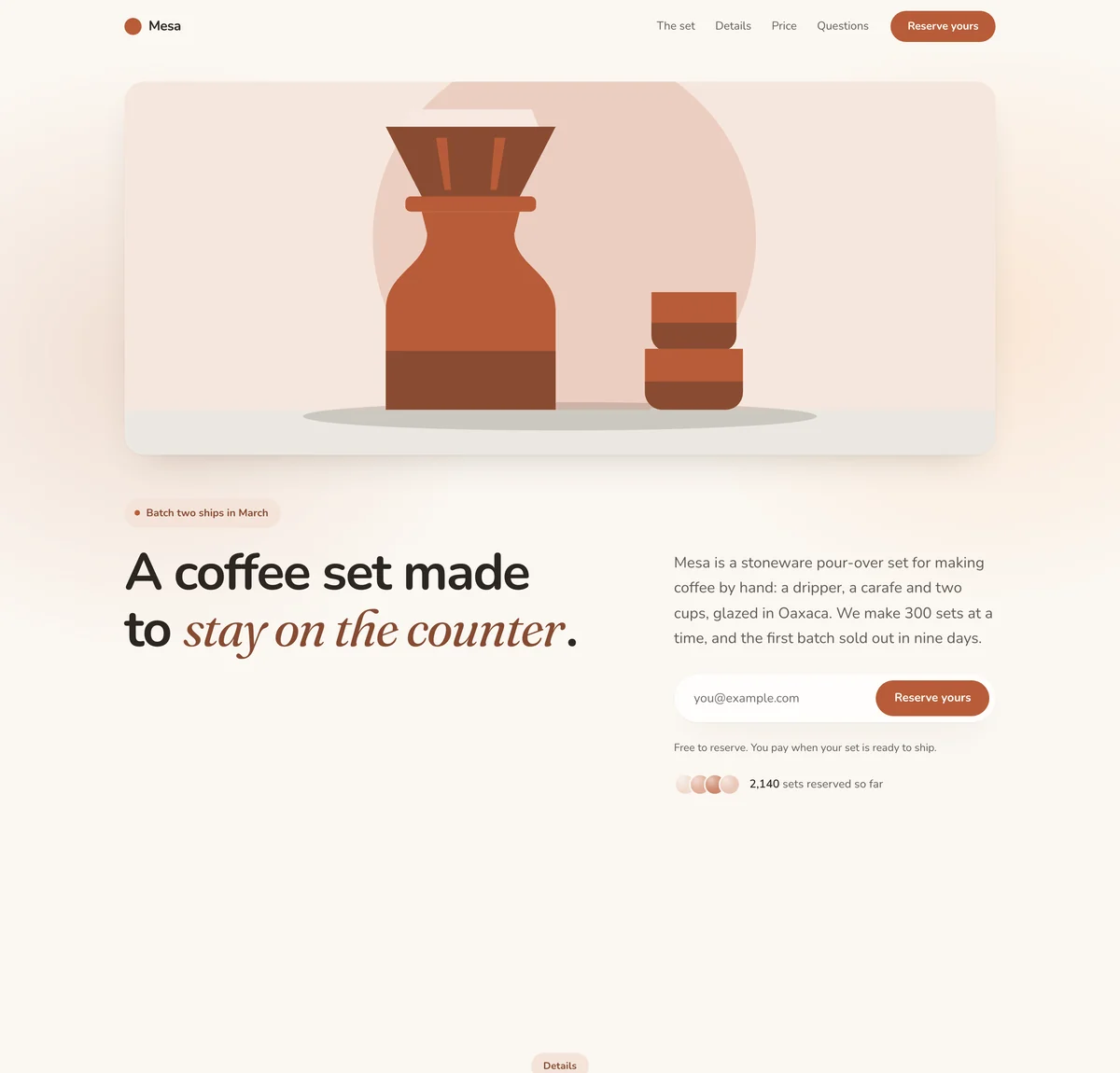
Calm. Soft and unhurried: a warm off-white page, rounded type, large soft shapes and no hard lines, with the accent color used lightly. Suits wellness, community and everyday consumer products.
Mesa is a made-up brand, so its prices and counts are examples, and its "Reserve yours" button only joins the list: LaunchList takes no payment. Your version is written around your own product.
At a glance
Updated
- What it is
- A line of buyers for a product that is not on sale yet, on a hosted page or in a form inside your store.
- Starting page
- Mesa, the pre-order template: one large product photo, a gallery, the details, prices and how many are reserved.
- Works with
- Shopify, with no app: the form sits in a theme section, including the password page a store shows before it opens. LaunchList never sees your products, stock or checkout.
- Price
- Free up to 100 contacts. Rewards for referrers are on the Collect, Launch and Grow plans.
How a product drop works on your own store, and which tool runs each part.
Shopify apps handle what happens on a product page that already exists. A drop list starts before that page does.
Back-in-stock alerts
Shopify apps such as Notify! Back in Stock or Amp add a restock alert to a sold-out product and send it by email, SMS or push when the product is back.
Sources: Shopify App Store, Notify! and Shopify App Store, Amp.
Use it when
The product already has a page and you only need to tell people it is back.
Pre-order apps
Shopify lets customers pre-order and pay for products before they are ready to ship, and shows it on your store through a pre-order app.
Source: Shopify Help Center, pre-orders
Use it when
You need the money, or a firm order, before you make the batch.
A drop on a set date
You announce a date and a time, gather the people who want in, and open the product to them first. Scarcity does the selling, so the list has to exist before the date.
Use it when
The product is new, the batch is small, and you want buyers waiting before it goes on sale.
Where LaunchList fits
Use the list while the product has no page, then a pre-order or back-in-stock app once it has one; on drop day, the list gives you the line in referral order.
A product drop waitlist or a Shopify app: which one fits.
A good fit when
- The product is new and has no product page yet.
- The people waiting should bring friends, not only wait.
- You sell in more than one place and want one list for the drop.
- You want to know which size or color to make more of before you make it.
Not the right fit when
- You want a back-in-stock button on each sold-out product: a Shopify back-in-stock app does that inside your theme.
- You want payment or a deposit up front: a pre-order app takes it, and LaunchList takes no payments.
- You need stock counts or inventory sync: LaunchList knows your list, not your stock.
A drop list on your Shopify store: form, question, email.
Put the form on your store
Copy your form's snippet from "Embed & API", "Your website", and paste it into a Custom Liquid section in Shopify. Or share your hosted page and skip the theme.On every planAsk what they want
Add a "Single choice" or "Multi-select" question for the size, color or bundle. The answers show how much of each to make, and you can filter Signups by any of them.On every planOpen the drop to the line
On drop day, email the product link to the built-in Top referrers segment first, then to everyone else.From the Collect plan
In the docs: adding the form to Shopify, asking for a size or color and emailing a segment.
Harry's and Nothing: a line before the first sale.
What they did
Nearly 100,000 email addresses in one week, 77% of them through referrals, with rewards at 5, 10, 25 and 50 friends: shave cream, a razor, a premium shave set, then a year of free shaving. Its co-founder wrote it up.
Take from it
A few clear reward levels, each one a thing you make, give people a reason to share. In LaunchList you set rewards at any number of referrals, on the Collect, Launch and Grow plans.
What they did
People joined a waitlist and moved up only when the friends they referred signed up too; each invite came by email with 48 hours to act, and the next step was a paid deposit. More than 20,000 were in the queue at the time.
Take from it
A queue that moves only for real signups, then a short window to buy. The paid step belongs in your store: LaunchList takes no deposits.
For drop day: a live count, rewards and a countdown.
A live count on your store
The counter widget shows how many people are waiting on a product or coming-soon page, and never who they are.On every planRewards that cost no margin
Choose what 3 or 10 referrals earn, such as an early pick of the drop. A jump up the line happens on its own; a product or a perk goes on a list for you to ship.From the Collect planThe drop page on your domain
Serve the drop page from a domain of yours; HTTPS is set up for you after the DNS check passes.From the Collect planBots kept off the line
Each signup gets a spam score, and throwaway addresses and fake signups never reach the line.On every planKlaviyo and Shopify through Zapier or Make
Pass each signup to Klaviyo, a Shopify customer list or a sheet, using LaunchList's apps for Zapier and Make.From the Launch planA countdown to drop time
Set the drop time and Launch Day counts down to it, with a checklist for the morning and posts ready to share.From the Launch plan
Shopify, drops and restocks, explained.
Does LaunchList work with Shopify?
How do I run a product drop with early access?
Can I give referral rewards without tanking my margin?
How does this work for limited-edition drops?
How do I validate ecommerce demand before manufacturing?
Can I make a Shopify waitlist landing page?
What does an ecommerce waitlist cost?
Fill the line before the drop opens.
On drop day, the people who brought friends get the link first, and your store does the selling.
Free for your first 100 contactsNo credit card needed