
Pre-launch waitlist software
for SaaS startups
LaunchList runs the waitlist in front of a SaaS private beta. You pick each batch by signup answers and referrals, and each person you let in gets an invite code.
Free for your first 100 contactsNo credit card needed
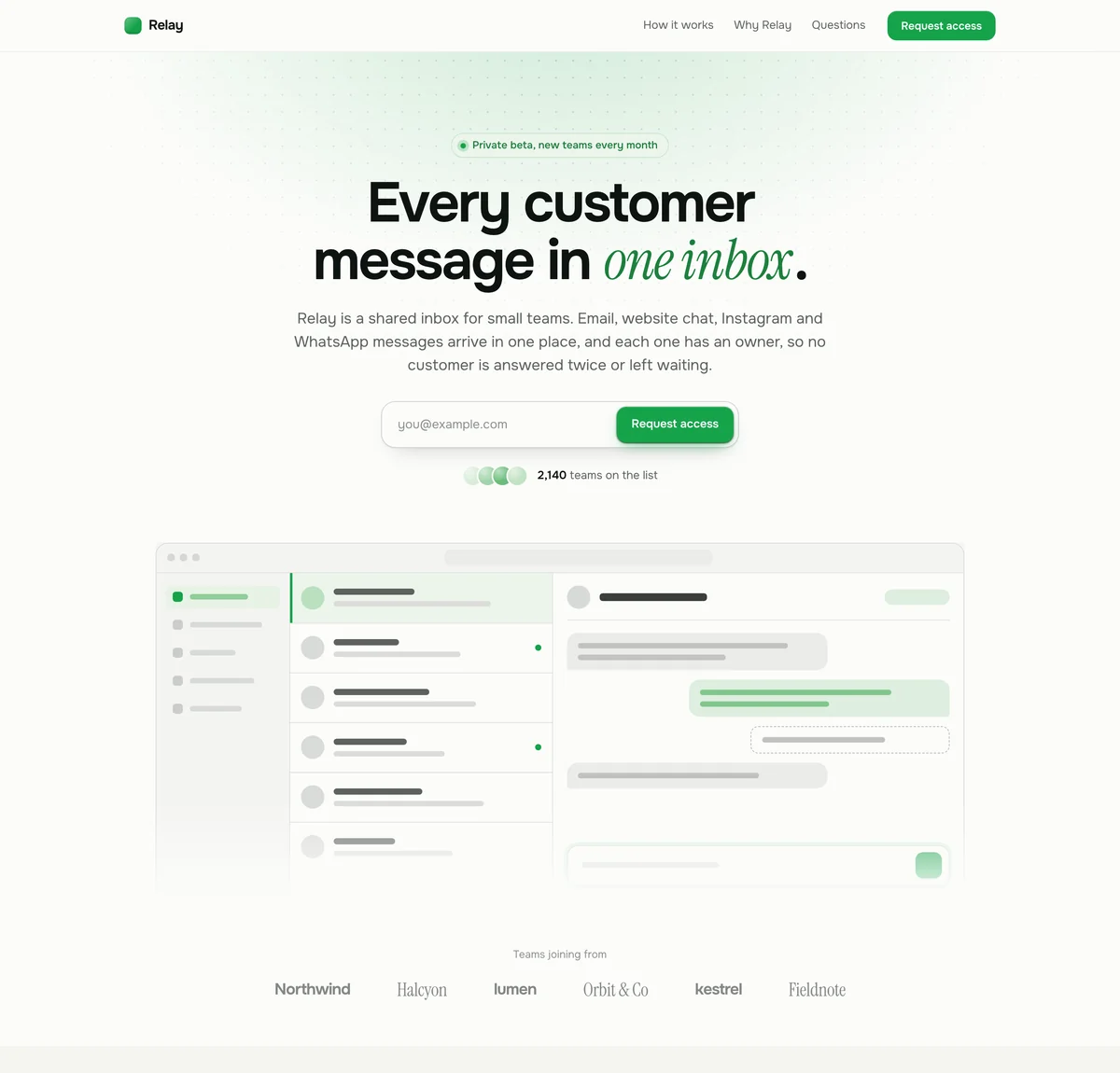
Studio. Bright and product-led: a warm white page, quiet gray bands and one dark band.
Relay is a made-up product, so its logos, numbers and quotes are examples. When you start from it, LaunchList writes the page about your product from the name and the line you give it, and a section it cannot fill, like a customer quote, stays off until you write it.
At a glance
Updated
- What it is
- A waitlist for software still in private beta: a hosted page or a form on your site, a place in line for each signup, and invite codes for each batch.
- Starting page
- Relay, the SaaS template: the headline and a product screenshot on the first screen, with room further down for your logos and quotes.
- Beta invites
- The Free plan sends the first 100 invites, and the Collect, Launch and Grow plans send unlimited invites. Each code works once.
- Into your app
- Your own signup page checks a code with one API call, and a signed webhook tells your backend when someone has used theirs.
- Price
- No charge up to 100 contacts and no card to start; past that, a plan sized to your list.
How a SaaS launch opens up, a few people at a time.
Each stage lets in more people than the one before, and each one starts from the same list of people who asked.
Design partners
A handful of teams who have the problem today, use early builds and talk to you every week. In return, they shape what gets built.
Use it when
The product is not usable yet and you need five to ten teams who will tell you why, not a crowd.
A private beta in batches
People come in a few at a time, so every batch gets a proper onboarding, and what it tells you shapes the build the next batch gets.
Use it when
The product works for some teams and you are fixing what stops the rest.
Invite codes
Each person gets a code that opens your signup page, so the product stays closed to everyone you have not chosen yet.
Use it when
Your signup page has to stay shut to anyone without an invite, even when the link gets shared.
Where LaunchList fits
LaunchList holds the line in front of all three and hands each stage its people. It never creates accounts in your product: your own signup page lets each person in.
Where a SaaS waitlist helps, and where it gets in the way.
A good fit when
- You are months from a beta and want the right teams waiting when it opens.
- You want to choose who gets in first, by role, team size or how many colleagues they brought.
- Your product needs onboarding, so you can only take a few teams a week.
- You want the people waiting to follow what you ship while they wait.
Not the right fit when
- You sell to a few large accounts you already know by name: a call and a pilot will do more than a waitlist.
- The product is ready for everyone today: let anyone sign up and skip the line.
- You need people to pay or put down a deposit to join: LaunchList does not take payments.
A private beta run from your waitlist, batch by batch.
Ask who is signing up
Add three questions in the form builder: a "Short text" for the company, a "Single choice" for the role and a "Dropdown" for team size. You can then filter Signups by any answer.On every planPick the next batch
Filter Signups by role or team size, sort by "Most referrals", select the people you want and press "Invite". Each one gets an email with a code of their own.On every planLet them into your app
In "Invite settings", set "Invite links open" to "My own signup page". "Claim access" then marks the code used and sends the person to your page with the code in its address.On every plan
In the docs: how early access works, the invitations API and building your signup form.
SaaS private betas that started on a waitlist.
What they did
Linear opened as an invite-only beta. Its waitlist signup led to a survey asking why people wanted it and what their current problems were; co-founder Karri Saarinen picked people from those answers and added about ten a week, from around 10,000 emails. From November 2019, a user could refer a friend past the invite waitlist.
Take from it
Ask one question at signup that tells you who fits, then invite small batches and learn from each one before the next.
What they did
Its founder said the waitlist was north of 250,000 people, that every customer was onboarded one to one in a half-hour video call, and that someone referred by a customer jumped to the top.
Take from it
Let in only as many as you can onboard well, and let referrals decide who goes first. In LaunchList, "Invite people" picks those with the most referrals first.
SaaS beta tools, from branded invite codes to webhooks.
Shared and branded codes
Give a design partner one code with a seat limit, use your own prefix, or accept only addresses at the domains you list.From the Launch planAutomatic invites
Invite people with an automation, for example when they reach 3 referrals or on launch day.From the Launch planSigned webhooks
New signups, referrals and used codes reach your backend as signed requests, with a delivery log and a resend button.On every planZapier, Make and Slack
Send each signup to your CRM or a spreadsheet through the official Zapier and Make apps, and to a channel through the Slack app.From the Launch planA public changelog
Post what you shipped to an Updates page with RSS, so the people waiting can watch the beta take shape.On every planDoubtful signups held back
Every signup is scored, and the doubtful ones wait in review for your decision instead of taking a place in the beta.On every plan
SaaS waitlist questions from founders.
Why use a waitlist for a SaaS startup instead of just an email list?
What makes a good SaaS pre-launch waitlist?
How do I validate SaaS demand before building?
Can I integrate LaunchList with my existing CRM?
How does pricing work for SaaS waitlists?
Can I use the SaaS waitlist for a closed beta?
Is there a SaaS waitlist landing page template?
Open your SaaS beta to the right teams first.
Put your page up before the product is ready, so the first teams you invite have been waiting for weeks and have told you who they are.
Free for your first 100 contactsNo credit card needed