
Newsletter waitlist landing page template: Solostack
Solostack is a LaunchList template for a newsletter's pre-launch page: who writes it and when it arrives, above a preview of an issue. Paste in your opening and sign it.
Free for your first 100 contactsNo credit card needed
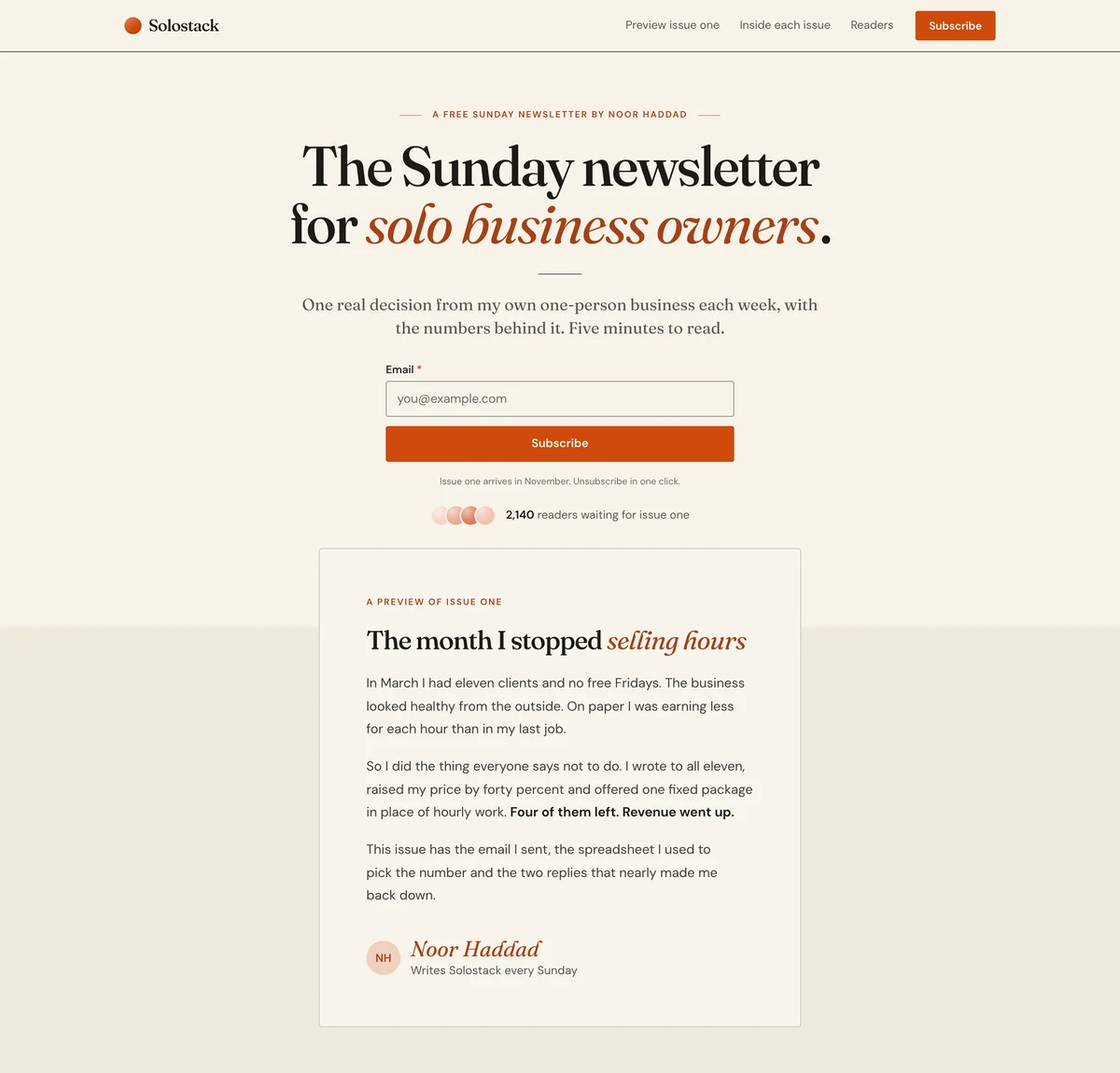
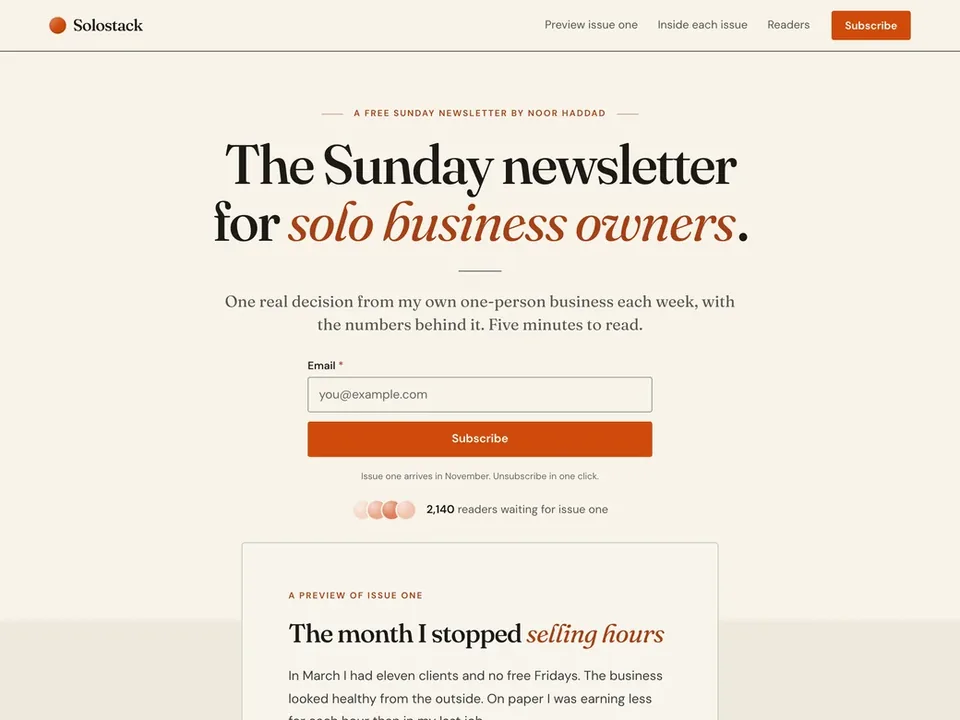
Editorial. Warm paper and serif headlines, with thin rules in place of cards and plenty of air. Suits solo founders, newsletters and story-led launches.
Solostack is a made-up product, so its numbers and quotes are examples. Your page is written about your product, and a section that needs facts only you have, like a price or a customer quote, is left out until you add it.
What is on this waitlist landing page
8 sections, top to bottom, each one yours to edit, move or remove in the editor. A sample issue under the headline, what every issue holds, what readers say and the form.
Navigation
Your name, links and a button at the top.
Hero
"The Sunday newsletter for solo business owners."
The headline, a line of support and the signup form.
Story
"The month I stopped selling hours"
A few paragraphs, or a signed note from you.
Benefits
"Every issue has the same three parts"
Reasons to sign up, as cards, columns or rows.
Updates
"Past issues"
Your latest published updates, with a link to all of them.
Quotes
"What readers of the drafts say"
What people say about it.
Signup form
"Start with issue one"
Your signup form on its own, anywhere on the page.
Footer
Small print and links, at the bottom of the page.
11 more blocks you can add
Solostack is a starting set, and the page is yours to build on. Add any of these from the editor's Add a block list, wherever you want it on the page.
Logos
A row of customer or partner names.Steps
How it works, in order, as columns or a timeline.Numbers
A few numbers that make the case.Questions
Answers to the questions people ask first.Pricing
Your plans side by side, with one marked as the pick.Media
One image, a video, or a gallery of screenshots.Countdown
The days, hours and minutes left until your launch date.Signup count
How many people have signed up, counted live.Leaderboard
The people who referred the most signups.Referral rewards
What people earn for referring friends.Call to action
A closing headline with the signup form.- See the page editor
Who this pre-launch landing page is for
A newsletter before issue one
The preview section lets a visitor read a sample, so the page has something to show before there is an archive.
A founder building in public
Post what you shipped as updates and the page lists the latest ones, so it stays current between launches.
A writer with one clear reader
Solostack names its reader in the headline. The page is short, so a narrow promise is enough to carry it.
What to change first
The preview issue
The letter under the headline is Solostack's sample. Paste in the opening of one of your own issues, and sign it with your name and what you write.
What every issue holds
Three rows describe the parts of an issue. Change them to your own format, so a subscriber knows what arrives each time.
Past issues
This section lists your latest published updates, up to six. It stays off the public page until you publish one, so post an issue as an update when you want an archive to show.
Change anything on the page
The template is where you start. Beyond its 8 styles, the editor lets you change how every part of the page looks and reads.
Your color, fonts and corners
Set the accent color, the fonts and the corners once, and every section follows.A few layouts for most blocks
Most blocks come in finished layouts, so a section can change shape and keep its words.Move, duplicate or remove
Drag a section to a new place, duplicate it or delete it. Add a block puts a new one where you want it.Ask for a change
Say what you want changed in a sentence and the page is edited for you, with an Undo on every change.Preview, then publish
Check the draft at desktop and phone width. Sections and words go live only when you publish; your logo and share preview change at once.Your logo and share preview
Add your logo, and set the title, description and share image a pasted link shows.
Questions about the Solostack template
Can I use this page before I have sent issue one?
Does LaunchList send the newsletter itself?
Do new subscribers confirm their email address?
Does publishing a past issue email my subscribers?
Can I build a waiting list of subscribers before I pick a newsletter tool?
Start building your product waitlist.
Create your page, collect your first signups, and grow from there.
Free for your first 100 contactsNo credit card needed