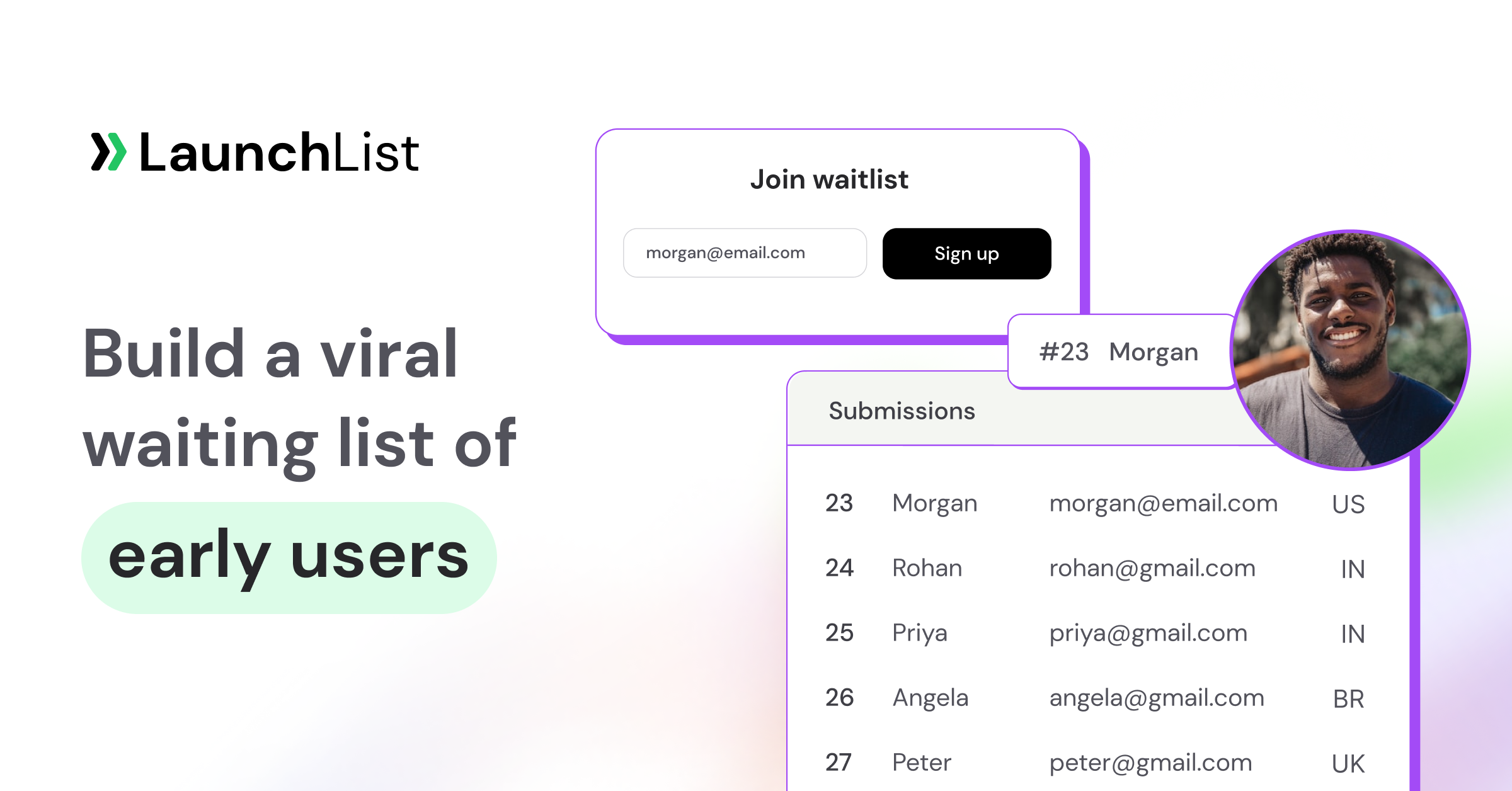
TL;DR: You don't need 50 tools to launch a product. You need the right 3–4 at each stage. This guide organizes the 25 best product launch tools by the four stages of the Startup Launch Stack: Validate (prove someone wants it), Build audience (collect demand before you ship), Launch day (turn one day into a spike that sticks), and First customers (convert interest into revenue). A lean version of this stack costs $0–50/month until you have paying users. Full disclosure where a pick is ours (LaunchList, pre-launch waitlist software for founders, covers the build-audience stage and parts of launch day and first customers), real competitors recommended everywhere else.
Why "by stage" instead of another 50-logo list
Search for "product launch tools" and you'll find lists that put a CRM, a screen recorder, and an invoicing app in the same bucket, as if launching were one activity. It isn't. A launch is a sequence, and each stage has a different job:
- Validate: find out if anyone wants this, before you build too much.
- Build audience: collect the people who want it, before launch day.
- Launch day: concentrate attention into a single spike.
- First customers: convert the spike into revenue and feedback.
We call this sequence the Startup Launch Stack. The tools below are organized by the stage where they earn their keep. Most founders need about a dozen of the 25: pick per stage, not from the whole list.
The launch stack at a glance
| Stage | Category | Top pick | Best for | Price from |
|---|---|---|---|---|
| Validate | Customer discovery forms | Tally | Unlimited free surveys without a paywall | Free (Pro $24/mo) |
| Validate | Audience research | Reddit + X search | Finding real pain points in your buyers' own words | Free |
| Validate | Demand research | Google Trends + Ahrefs free tools | Checking if anyone searches for the problem | Free |
| Validate | Prototyping | Figma | Clickable mockups before writing code | Free |
| Validate | AI MVP builder | Lovable | Shipping a testable v0 in a weekend | ~$25/mo |
| Build audience | Waitlist + referrals | LaunchList (that's us) | Turning signups into referral-driven growth | Free (100 contacts); paid from $9/mo |
| Build audience | One-page site | Carrd | The fastest cheap landing page on the internet | $19/yr |
| Build audience | Landing page builder | Framer | Design-quality pages without a developer | ~$10/mo |
| Build audience | Newsletter | Kit (formerly ConvertKit) | Free email list up to 10,000 subscribers | Free |
| Build audience | Build in public | Typefully | Drafting and scheduling X/LinkedIn threads | Free to start |
| Build audience | Web analytics | Plausible | Knowing your page conversion rate without cookie banners | $9/mo |
| Launch day | Launch platform | Product Hunt | The biggest single-day audience for new products | Free |
| Launch day | Demo video | Screen Studio | Launch videos that look produced, recorded solo | $9/mo (annual) |
| Launch day | Interactive demo | Supademo | "Try it before signup" product walkthroughs | Free tier |
| First customers | Payments | Stripe | Full-control payments infrastructure | 2.9% + 30¢ |
| First customers | Merchant of record | Polar | Selling globally without handling sales tax | 4% + 40¢ |
| First customers | Product analytics | PostHog | Events, funnels, and session replay free to 1M events/mo | Free |
| First customers | Support chat | Crisp | A shared inbox + chat widget a two-person team can run | Free (2 seats) |
| First customers | Feedback & roadmap | Featurebase | Turning user requests into a public roadmap | Free plan |
| First customers | Lifecycle email | Loops | Onboarding sequences for SaaS, designed for founders | Free to 1,000 contacts |
Now the detail: what each tool does, why it made the list, and what to skip.
Stage 1: Validate: prove someone wants it
The cheapest launch mistake to fix is the one you catch before building. Everything in this stage exists to answer one question: is this a real problem people will pay to solve?
1. Tally: customer discovery surveys
Tally is the form builder that made "free" actually mean free: unlimited forms, unlimited responses, no feature ransom. Use it for problem-discovery surveys, pricing-sensitivity questions, and post-signup "what made you join?" forms. Pro ($24/mo annual) adds custom domains and removes branding, but validation work rarely needs it.
Best for: founders who want unlimited free surveys without hitting a paywall mid-validation. (If your waitlist already runs on LaunchList, its Survey form type and the survey on each signup's status page handle the "what made you join?" question, with answers stored on the contact; Tally is still the better pick for open-ended discovery before you have a list.)
2. Reddit + X search: audience pain research
Before you survey anyone, read what they already complain about. Reddit and X are the best free source of pain-point language you'll ever find. Search for "is there a tool that," "why is there no," "alternative to [incumbent]," and "[incumbent] is so frustrating," sort by recent, and keep a swipe file of the exact phrases people use. Those phrases become your landing page copy. (GummySearch was the go-to tool here for years; it shut down in late 2025 when Reddit's API licensing fell through, and the newer paid alternatives like PainOnSocial come and go; the manual search habit is the part that lasts.)
Best for: finding unfiltered pain-point language you'd never get from a survey.
3. Google Trends + Ahrefs free tools: demand research
Two free checks before you commit: Google Trends tells you whether interest in the problem is growing or dying, and Ahrefs' free keyword generator tells you roughly how many people search for it monthly. Thirty minutes here can kill a bad idea politely.
Best for: a fast, free sanity check on whether demand exists at all.
4. Figma: prototyping
Still the default for a reason. A clickable Figma prototype in five user interviews teaches you more than a month of building. The free tier covers everything a pre-launch founder needs.
Best for: testing the product's shape before paying the cost of building it.
5. Lovable: AI MVP builder
The 2026 entry on this list. Lovable (and peers like Bolt and v0) turn a written product description into a working web app. The output isn't your production codebase. It's the fastest way to put a functioning prototype in front of ten potential users and watch where they get stuck.
Best for: non-technical founders shipping a testable v0 in a weekend.
Free tools for this stage: our Idea Validation Scorecard scores your idea across demand, competition, and distribution before you build, and the TAM / SAM / SOM Calculator sizes the market in five minutes. Both free, no signup.
Stage 2: Build audience: collect demand before you ship
This is the stage founders skip most often, and the one that decides launch day. A launch with no audience is a tweet into the void. The goal here: a pre-launch waitlist that grows while you build.
6. LaunchList: waitlist + referral growth (disclosure: this is our product)
LaunchList is pre-launch waitlist software for founders. It turns a signup form into a growth loop: every person who joins gets a referral link and a queue position, and moves up by bringing friends, with credit only once the friend confirms their email, so the leaderboard stays honest. The idea that ties it together is one set of data for the whole launch: the page, the signups, the referrals, the emails and the beta invites all sit on the same contact records.
- Page or embed. A hosted launch page with a block editor (19 block types, 8 styles, 6 templates, and AI that drafts the page from one sentence, free during the beta), on your own domain from the Collect plan up. Or embed the form on Carrd, Framer, Webflow, WordPress, Squarespace, Shopify or any site that takes custom HTML.
- Forms that fit the audience. Identify people by email, phone, username or wallet address, with 20 field types, conditional logic and survey forms.
- Trust. Every signup gets a Contact Trust verdict (Verified, Valid, Unknown, Risky or Fake) and suspicious ones are held for review, so launch-day numbers are real humans.
- Growth. Referral links, live positions, a leaderboard and social-proof widgets on every plan; rewards and points tasks from the Collect plan.
- Email and invites. Broadcasts from the Collect plan; automations, saved segments and your own sending domain from the Launch plan; beta invites with personal codes on every plan (first 100 on Free), shared codes and open links from the Launch plan.
- Developers and agents. A REST API, 27 signed webhook events and an MCP server for AI assistants, on every plan.
It is in beta: the Free plan is $0 for 100 contacts, and paid plans start at $9 a month on the Collect plan, priced by list size (pricing).
We're obviously biased, so compare for yourself: here's our honest rundown of the best free waitlist software in 2026, competitors included.
Best for: turning a passive email list into referral-driven pre-launch growth.
7. Carrd: one-page sites
$19 a year for a fast, clean one-pager. If you're pre-validation and pre-revenue, this is the right amount of money to spend on a website. Pair it with a waitlist embed and you have a complete coming soon page in an afternoon.
Best for: the cheapest credible landing page on the internet.
8. Framer: landing page builder
When the launch deserves better design than a template, Framer produces agency-quality pages without a developer, with hosting included. It's become the default for design-conscious indie launches; Webflow (~$14/mo) is the heavier alternative once you need a full multi-page marketing site with a CMS.
Best for: design-quality launch pages without hiring anyone.
9. Kit (formerly ConvertKit): newsletter
Kit's free tier now covers 10,000 subscribers, which makes the old "which email tool can I afford pre-revenue?" question obsolete. Use it for the launch update emails that keep your waitlist warm. Beehiiv (free to 2,500 subscribers) is the pick if the newsletter is the product rather than a channel.
Best for: a free email list that won't need migrating for a long time.
10. Typefully: build in public
An audience you build while building the product compounds into launch-day distribution. Typefully makes the build-in-public habit sustainable: draft X and LinkedIn threads, schedule them, see what resonates. The discipline matters more than the tool, but the tool makes the discipline cheaper.
Best for: founders building a launch audience one thread at a time.
11. Plausible: web analytics
You need exactly one number from analytics pre-launch: what percentage of visitors join the waitlist. Plausible gives you that in a one-page dashboard, GDPR-clean with no cookie banner, from $9/mo. (Wondering what a good conversion rate is? Check yours against our free Waitlist Benchmark.) If your page is a LaunchList hosted page, you can add your Plausible, PostHog or GA4 tag to it under Project settings, Privacy & spam, and LaunchList's own Analytics already shows the share of page visits that signed up, against the period before.
Best for: conversion tracking without the Google Analytics learning curve.
Before you move on: steal the pre-launch marketing checklist: it sequences this whole stage week by week, and the Waitlist Growth Simulator shows what referral mechanics will do to your signup curve.
Stage 3: Launch day: turn one day into a spike that sticks
Launch day is a concentration game: gather every bit of attention you've earned into a window short enough to trend. Two rules: launch where your buyers already gather, and don't launch only once: a soft launch to your waitlist before the public one catches the embarrassing bugs.
12. Product Hunt: the launch platform
Still the single biggest one-day audience for new products, and still free. It rewards preparation brutally: hunters with warm audiences do well, cold launches sink by 9am. Read our complete Product Hunt launch guide, then run the Product Hunt launch checklist the week before.
Best for: products whose early adopters are tech workers, makers, and SaaS buyers.
13. Uneed, Hacker News, and the long tail of launch platforms
Product Hunt isn't the only door anymore. Uneed runs calmer, longer-lasting launches for indie products; a Show HN post can outdraw Product Hunt if your product is technical; and there are dozens of directories, communities, and newsletters that each add a brick. We maintain the full map: 99 places to promote your startup for free.
Best for: stacking smaller launches so the spike doesn't depend on one platform's algorithm.
14. Screen Studio: demo video
The launch video that looks like a motion designer made it: automatic zooms, smooth cursor, clean backgrounds, recorded by you alone at your desk. $9/mo on the annual plan. macOS only.
Best for: a launch-day demo video that looks produced without a video editor.
15. Supademo: interactive demo
Launch-day visitors don't want to book a call; they want to poke the product. Supademo turns a screen capture into a clickable walkthrough you can embed on the landing page or link from the Product Hunt gallery. Free tier covers a launch.
Best for: letting skeptical launch traffic try the product before signing up.
Your waitlist on launch day
The list you built in Stage 2 is your launch-day audience, so the waitlist tool has a job on the day too. In LaunchList, on the Launch and Grow plans, the Launch Day screen shows a countdown, the link to share with one-tap share buttons that open a prefilled post (you press post; nothing posts on its own), and a five-point readiness checklist. A launch-day automation emails the whole list on the day or up to 21 days before, followed by a last call, and an open link with an expiry lets launch-week visitors skip the waitlist entirely.
Will you trend? The Launch Day Forecaster predicts your Product Hunt ranking from your audience size and launch prep. Free, takes two minutes. Shipping a SaaS? The SaaS launch checklist covers the non-marketing stuff (status page, error tracking, support inbox) founders forget.
Stage 4: First customers: convert the spike into revenue
The launch spike decays in 48 hours. What you keep is decided by what happens next: can people pay you easily, can you see where they get stuck, and do they have somewhere to tell you what's missing?
16. Stripe: payments
The default for a reason: best-in-class checkout, subscriptions, invoicing, and developer experience at 2.9% + 30¢. If you have engineering capacity and want full control, it's Stripe.
Best for: SaaS products with a developer on the team and global ambitions.
17. Polar: merchant of record
The indie-friendly 2026 alternative: Polar acts as the merchant of record, which means they handle global sales tax, VAT, and compliance, the paperwork that ambushes solo founders about three months after launch. 4% + 40¢, open source, built for developers selling software.
Best for: solo founders who'd rather pay a point of margin than file tax in 40 jurisdictions.
18. PostHog: product analytics
Funnels, session replay, feature flags, and surveys in one tool, free up to a million events a month, which for an early product is effectively free forever. Watching five session replays of real users will reshape your roadmap faster than any survey.
Best for: seeing exactly where your first users get stuck, at $0.
19. Crisp: support chat
A chat widget and shared inbox that a one- or two-person team can actually keep up with. Free for two seats; ~$25/mo when you outgrow it. Early support conversations are product research in disguise: make them easy to start.
Best for: founder-led support that doubles as discovery interviews.
20. Featurebase: feedback & roadmap
A public space where users request features, vote, and watch the roadmap move. It closes the loop that keeps early access users engaged after the novelty fades, and the voting data settles roadmap arguments. Canny is the established (pricier) alternative.
Best for: turning launch-week feedback chaos into a prioritized roadmap.
21. Loops: lifecycle email
Email built for SaaS onboarding: welcome sequences, activation nudges, and transactional email in one place, with a founder-friendly editor. Free up to 1,000 contacts, then from $49/mo. This is the tool for the product emails; Kit (Stage 2) keeps the marketing list.
Best for: the onboarding sequence that turns signups into activated users.
Handing the waitlist to these tools
None of the Stage 4 tools know who was on your waitlist unless you tell them. With LaunchList, an invited person's Claim button sends them to your product's signup page with ?invite_code=, your backend redeems it with one API call, and when they pay you mark them converted in the pipeline (waitlist, invited, joined, converted), so the waitlist-to-paying number lives in one place. Webhooks such as invite.redeemed and contact.stage_changed can feed Loops, PostHog or your CRM through Zapier, Make or n8n webhook triggers; LaunchList has no native Zapier, Slack or Loops app.
The handoff that makes this stage work: your waitlist is the warmest traffic you will ever have. Here's exactly how to convert waitlist signups into paying customers: sequencing, early-bird pricing, and the access rollout. The Pre-launch MRR Projector estimates what your list is worth in revenue.
How to choose: the lean stack vs the full stack
The honest math, because most lists pretend every tool is essential:
- Lean stack (validation → launch): $0–50/month. Tally + Google Trends + Figma, a Carrd page with a LaunchList waitlist, Kit's free tier for update emails (LaunchList's Free plan doesn't send campaign email; its Collect plan, from $9 a month, does, which can replace Kit for the waitlist itself), Product Hunt. You can run the entire pre-launch motion on roughly the cost of a Carrd subscription.
- Full stack (through first customers): ~$100–200/month. Add Framer, Plausible, Screen Studio, Crisp, and Loops as revenue starts covering them. Stripe/Polar cost nothing until you're making money, which is the correct direction for costs to point.
Three rules that survive contact with reality:
- Adopt tools by stage, not in advance. Buying Stage 4 tools during validation is how founders end up "managing their stack" instead of talking to users.
- Free tiers are genuinely enough until launch day. Every Stage 1–2 pick here has a usable free plan. Spend the money on reaching people instead.
- The stack is a means, not a moat. Nobody ever launched successfully because of their tools. They launched because they validated a real problem and built an audience that cared. Tools just lower the friction.
Doing the middle of the stack with LaunchList
If you pick LaunchList for Stage 2, here is what it can take off your list of tools, and what it can't.
| Job | In LaunchList | Plan |
|---|---|---|
| Landing page | Hosted launch page with AI drafting; custom domain with automatic HTTPS | Every plan; custom domain from the Collect plan |
| Waitlist and referrals | Referral link, live position, leaderboard, verified-only credit | Every plan |
| Spam and fraud | Spam guard, Contact Trust verdicts, device clustering | Every plan |
| Update emails to the list | Broadcasts with a 9-email library | The Collect plan and up |
| Email sequences | Branching automations; own sending domain | The Launch plan and up |
| Build in public | Updates feed with RSS, page block and widget | Every plan |
| Beta access | Personal invites in batches; shared codes and open links | Personal on every plan; shared and open from the Launch plan |
| Launch day | Launch Day screen, launch-day automation | The Launch plan and up |
| Signup analytics | Signups, conversion, referrals, invites, email delivery, against the period before | Every plan; source and device breakdowns on the Grow plan |
| Validation research, payments, product analytics, support chat | Not covered: use Tally, Stripe or Polar, PostHog and Crisp | n/a |
LaunchList doesn't track email opens or clicks, and it has no native Zapier, Make or Slack app; webhooks reach all three. If you work with an AI assistant, its MCP server lets Claude, ChatGPT or Cursor read your list, tag and invite people, and draft broadcasts and page changes (35 tools, every plan), while deleting contacts and publishing pages stay with you.
Frequently asked questions
What tools do you need to launch a startup?
Four jobs need covering: validation (a survey tool like Tally plus pain research on Reddit and X), audience building (a landing page plus a waitlist tool with referral mechanics), launch distribution (Product Hunt and the platforms where your buyers gather), and conversion (payments via Stripe or Polar, analytics via PostHog). Most founders need 10–12 tools total across all four stages, not 50.
How much does a product launch tool stack cost?
A lean pre-launch stack runs $0–50/month using free tiers: Tally, Figma, Kit, and a waitlist tool are all free to start, and Carrd is $19/year. The full stack through first customers runs $100–200/month, but most of that cost only makes sense to add once revenue exists.
What's the best free product launch tool?
Depends on the stage: Tally for validation surveys, Kit for email (free to 10,000 subscribers), Product Hunt for launch distribution, and PostHog for post-launch analytics (free to 1M events/month). LaunchList's Free plan covers the waitlist and referrals for your first 100 contacts. There's also a set of free launch calculators and tools (benchmarks, forecasters, and projectors) that require no signup at all.
Is there one tool that covers the whole launch?
Not yet, and that's why this list is organized as a stack. Waitlist tools stop at launch day, launch platforms don't do pre-launch, and analytics tools start after. Founders today stitch the stages together from 10+ tools. LaunchList covers more of the middle than most (launch page, signups, referrals, email to the list and beta invites on one set of data), but it doesn't do validation research, payments or product analytics, so you still need a tool from Stage 1 and Stage 4.
Do I need a separate email tool if my waitlist tool sends email?
Not for the waitlist itself if your waitlist tool sends broadcasts: LaunchList's Collect plan, from $9 a month, emails your list, and its Launch plan adds automations. You still want a product email tool such as Loops for onboarding once people are using the product.
Can an AI agent run my launch tools?
Partly. LaunchList's MCP server gives Claude, ChatGPT, Cursor and other MCP clients 35 tools to read signups, tag and invite people, and draft pages and broadcasts on every plan, but agents can't delete contacts or publish pages, and a broadcast needs a separate confirmation step.
When should you start using launch tools?
Earlier than feels natural. The validation tools belong before you build, and the waitlist should go up the day you commit to the idea: audience-building is the slowest compounding asset in the stack, so it needs the longest runway. Only launch-day tooling (videos, demos, checklists) belongs in the final weeks.
Building toward a launch? Start with the stage you're actually in, and if that's pre-launch, put up a waitlist today. It's the one tool on this list where starting a month earlier visibly changes the outcome.