
Waitlist software for
online course launches
LaunchList keeps a waitlist for your next course or cohort while enrollment is closed, so the people who asked come first when doors open. Payment and lessons stay on your platform.
Free for your first 100 contactsNo credit card needed
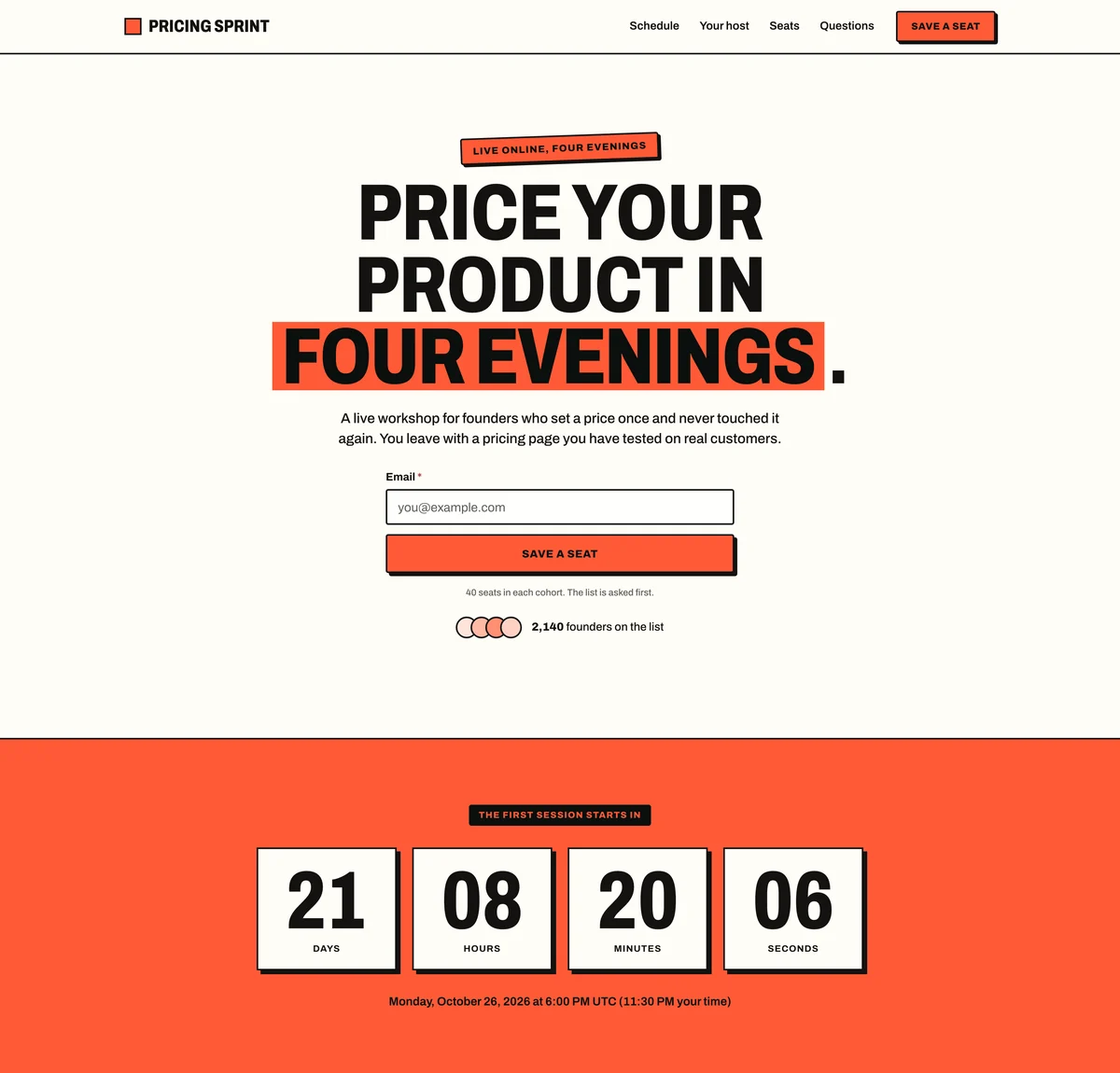
Poster. Loud and confident: oversized condensed capitals, thick dark rules, hard offset shadows and flat blocks of the accent color. Suits consumer launches, events, drops and bold founders.
Pricing Sprint is a made-up workshop, so its dates, seats and price are examples, and "Save a seat" joins the waitlist rather than taking payment. Your copy of it describes your course instead.
At a glance
Updated
- What it is
- A list of students for a course or cohort that is not open yet, kept on a page that stays up between launches.
- Starting page
- Pricing Sprint, the event template: the date and a live countdown at the top, the schedule as a timeline, a note from the host and the seats.
- Works with
- Kajabi, Podia, Teachable or any other course platform, beside LaunchList rather than inside it. There is no direct connection: signups move by webhook, Zapier, Make or a CSV file.
- Price
- 100 contacts at no cost and with no card; emailing the list when doors open is on the Collect, Launch and Grow plans.
How a course launch works between one cohort and the next.
Cohort courses sell in short windows, and a window is only as good as the people waiting for it. Most of the work happens while enrollment is closed.
Your platform's own waitlist
Kajabi has a waitlist or coming-soon funnel, Podia can set a product to Waitlist, and Maven emails your waitlist when you open a cohort.
Sources: Kajabi Help Center, Podia Help Center and Maven Help Center.
Use it when
Your course already lives on that platform and a form there is all you need.
An open-cart window
Enrollment opens for a few days, closes, and opens again for the next cohort. A short window gives people a reason to decide, and a list gives the window people to decide.
Use it when
You teach live cohorts with a start date and a seat limit.
A pre-sale before the course exists
Teachable lets you sell access before the official launch, and Thinkific has a pre-order status that lets students enroll before the content is ready.
Sources: Teachable support and Thinkific support.
Use it when
You want money, not only interest, before you record the lessons.
Where LaunchList fits
Use your platform's waitlist when one form there is enough, and LaunchList when the list has to outlive each launch, grow by referral and be yours to email.
A course waitlist between cohorts: when it earns its place.
A good fit when
- You run cohorts with enrollment closed between them.
- You want to know how many people want the next cohort before you set its date.
- Students who bring friends should get something, like an earlier invite or a bonus session.
- Your sales page closes after each launch and loses the people who arrive late.
Not the right fit when
- Your course is always open: send people straight to checkout.
- You need a waitlist for a full class at a school or university: that is class enrollment software.
- You want students to pay on the waitlist: LaunchList takes no payments; your course platform does.
Filling the next cohort from the waitlist.
Keep a page up between cohorts
Point your sales page's "Join the waitlist" link at your LaunchList page, or add the form to your website, so visitors who arrive after the cart closes still get on the list.On every planAsk what the next cohort needs
Add a "Single choice" question for their level or the dates that suit them. The answers set the next cohort's date and size, and each is a filter on Signups.On every planOpen enrollment to the list first
Email the list your enrollment link a day before you announce it anywhere else.From the Collect plan
In the docs: keeping your page up, adding a dates question and emailing the whole list.
What two course creators learned from their waitlists.
What they did
442 people joined the waitlist for his live program, and 9 of them converted. He found that people added automatically through a link had inflated the count.
Take from it
Count the people who chose to join and confirmed, not everyone added on the way. In LaunchList, the built-in Waiting for verification segment shows everyone who was sent a link to verify their email and has not clicked it yet.
What they did
She built interest with a waitlist through social media and her newsletter, then sold to her email audience: 91 buyers from 6,800 emails, a 1.3% conversion from email to paid.
Take from it
Expect a small share of a list to buy, and give the people waiting the first chance before the public launch.
Referral rewards, reminders and a countdown for course creators.
Rewards for students who refer
Pick the referral counts that earn something, such as a bonus session at 3 friends. Moving up the line and bonus points are given automatically; a session or a discount code is yours to send.From the Collect planA countdown to doors open
Launch Day keeps the day enrollment opens on track: a countdown, a checklist and posts written for it.From the Launch planReminders before the cart opens
An automation can email the list a week before launch day, wait, then email it again on the day.From the Launch planSignups sent on to your other tools
Send each signup to Kit, Mailchimp or the other tools Zapier and Make connect, through the official apps for both.From the Launch planNotes from the course in progress
Share what the next cohort will cover as posts on an Updates feed, which students can follow by RSS while they wait.On every planThe waitlist on your domain
Give the waitlist an address on your own site, such as join.yourcourse.com, secured with HTTPS automatically.From the Collect plan
Course waitlists, asked and answered.
Why do online course creators use waitlists?
How do I use course referrals without discounting everyone?
Does this work with Kajabi, Podia, or Teachable?
Can I run a pre-sale from the course waitlist?
What if I am running an evergreen course, not a cohort?
What does an online course waitlist cost?
Open enrollment to people who already asked.
The next cohort fills from people who already raised their hand, before the link goes anywhere else.
Free for your first 100 contactsNo credit card needed