
Pre-launch waitlist software
for mobile apps
LaunchList gives your iPhone or Android app a waitlist before the App Store or Google Play. Add one question asking which phone each person uses, and every beta build goes to the right testers.
Free for your first 100 contactsNo credit card needed
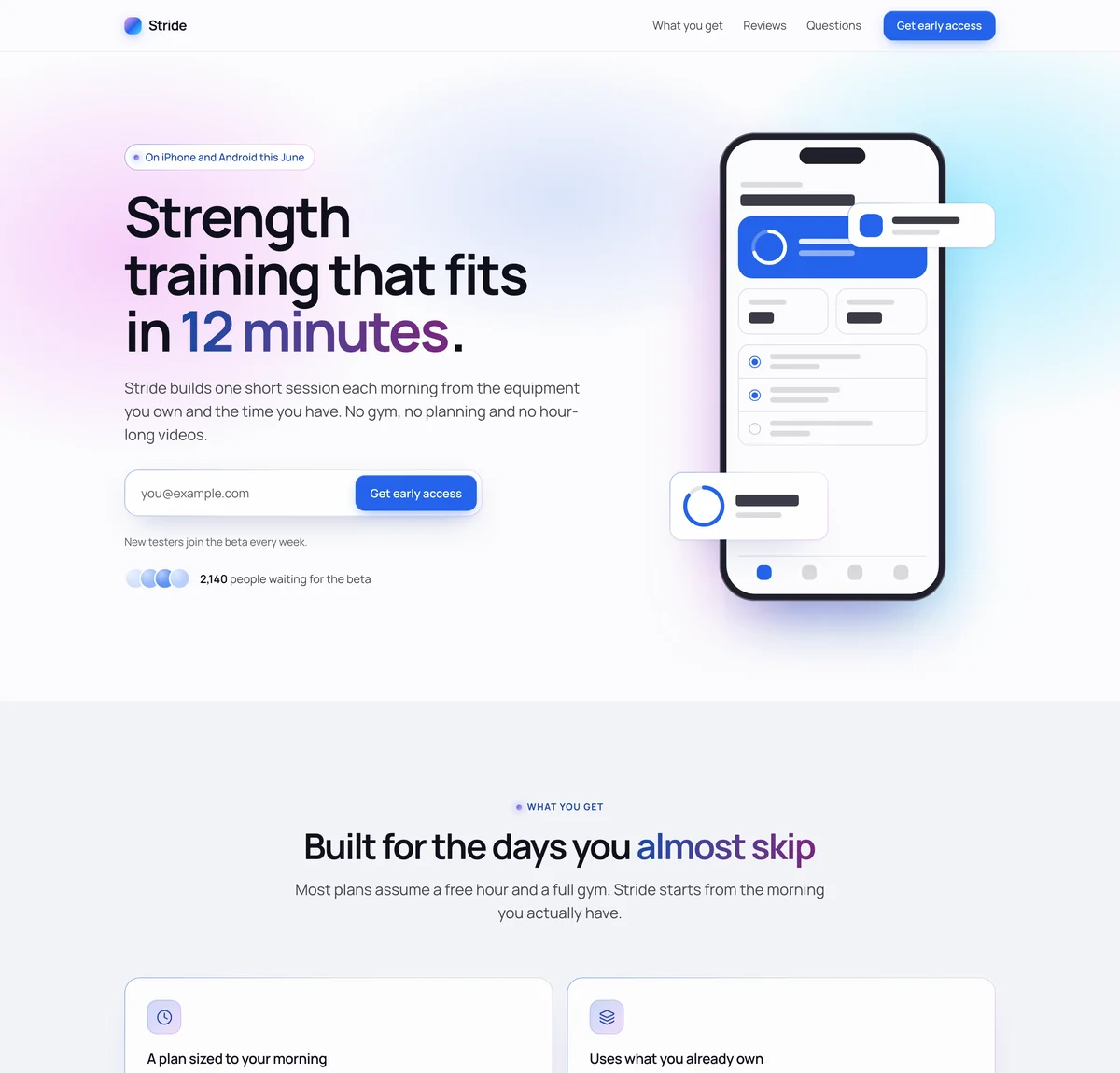
Aurora. Light and luminous: a soft glow of the accent color behind the headline and the closing section, glass cards with hairline edges and gradient emphasis. Suits AI products and consumer apps.
Stride is a made-up app, so its numbers and quotes are examples. Start from this page and LaunchList writes it about your app from its name and a line you give, leaving off anything only you know until you add it.
At a glance
Updated
- What it is
- A waitlist for an app that is not in the stores yet: a hosted page, a signup form and a referral line, before you have a website.
- Starting page
- The mobile app template: your app on a phone beside the headline, then what it does, its numbers and what testers say.
- Works with
- TestFlight and Google Play testing, through a CSV file you export from Signups. There is no direct connection to App Store Connect or Play Console.
- Device
- LaunchList saves the system of the device each person signed up on, such as iOS or Android, and Signups can filter by it. A question on your form is surer, since some people join from a laptop.
- Price
- Free for your first 100 contacts. Emailing the list is on the Collect, Launch and Grow plans.
How an app launch works before the App Store and Google Play.
Apple and Google each have a way to reach people early, and each needs a build or a store listing first. A waitlist can start on the day you have a name.
TestFlight
Apple's beta app for iPhone. You can invite up to 10,000 external testers by email, a public link or a CSV file; Apple reviews the first build, and each build can be tested for up to 90 days.
Sources: App Store Connect Help on TestFlight and App Store Connect Help on testers.
Use it when
You have an iPhone build and want people outside your team using it before the App Store sees it.
Google Play testing
Internal testing takes up to 100 testers, and closed testing takes lists of up to 2,000 email addresses each. A personal developer account made after November 13, 2023 must run a closed test with at least 12 testers, opted in for 14 days in a row, before it can apply to publish or open pre-registration.
Sources: Play Console Help on testing and Play Console Help on new accounts.
Use it when
You have an Android build and need testers, including the 12 a new account must have.
Pre-orders and pre-registration
On the App Store, a first release can go up for pre-order 2 to 180 days ahead and downloads itself on release day. On Google Play, people can pre-register on your listing for up to 90 days; on launch day they get a notification, and eligible phones install the app.
Sources: App Store Connect Help on pre-orders, Apple pre-orders and Play Console Help on pre-registration.
Use it when
Your store listing is approved and your launch date is set.
Where LaunchList fits
When a build is ready, its testers come from the waitlist, and when your listing is approved, email everyone on it your pre-registration or pre-order link, on the Collect, Launch and Grow plans, so they are signed up in the store before release day.
Does your app need a waitlist before launch?
A good fit when
- You are weeks or months from a build and want people waiting when TestFlight opens.
- Your app is coming to both stores and you need one link to share before either listing exists.
- You need testers on iPhone and on Android, and want to know who has which.
- You want your first downloads and reviews to come from people who asked for the app.
Not the right fit when
- You only need a few testers you already know: add them to TestFlight or Google Play internal testing yourself.
- Your app is already in both stores: send people to the listings instead.
- You want to take payment or a deposit before launch: LaunchList does not take payments.
An app waitlist that fills TestFlight one batch at a time.
Ask which phone they use
Open the form builder and add a "Single choice" question with iPhone and Android as its options. Each answer is kept with the signup, so Signups can show just one group.On every planLet referrals order the line
Each person who joins gets a status page showing their spot in the line, plus a referral link to pass on. A friend who joins through it and confirms their email moves them up, so your keenest people reach the front.On every planHand a batch to each store
Filter Signups to iPhone, export that view as a CSV file and invite those people to TestFlight from App Store Connect. Do the same with Android for a closed test in Play Console.On every plan
In the docs: building your signup form, filtering your signups and referral rewards.
App waitlists that ran before the App Store.
What they did
Downloading the app reserved a place in line, and people could watch the line move as reservations opened. More than 250,000 signed up for the iOS launch, according to its lead designer.
Take from it
Show each person where they stand and let them see it change. On LaunchList, each signup's status page says how far they have come, as in "Moved up 19 since your last visit".
What they did
The app reached the App Store after two years of development and 500,000 waitlist signups. The company planned to let the waitlist in within two months, then add the people who signed up that day.
Take from it
A long build is a long time to grow a list, so open the waitlist with the first mockups, and plan how quickly you will let people in once the app is out.
App launch tools in LaunchList, beyond the waitlist.
A page before your website
Your page lives at its own launchlist.page address and works on any phone, so the waitlist can open before the app has a site.On every planYour own domain
Move the page to a domain you own, and LaunchList sets up its certificate once the DNS record checks out.From the Collect planRewards for referrers
Set a reward at 3 friends, 10 or any number. LaunchList moves people up the line, gives bonus points or adds a tag itself; a reward like an earlier beta invite waits in a list for you to send.From the Collect planSpam kept off the list
Every signup is scored as it arrives, and spam, disposable emails and fake signups are kept off the list you invite testers from.On every planThe launch-day email
Send the whole list one email with your store links on the morning the app goes live, within your plan's emails a month.From the Collect planLaunch Day tools
A countdown, a launch checklist, a "Go live" button and share posts written for launch day.From the Launch plan
Mobile app waitlist questions, before the stores.
Why do indie app makers use a pre-launch waitlist?
How do I connect LaunchList to TestFlight?
Does LaunchList work for Android and Google Play testing?
What should I reward mobile app referrers with?
Can I use the waitlist if I am not running a beta?
What does a mobile app waitlist cost?
How do I build a waitlist for my app?
Have people waiting before the App Store.
TestFlight and Google Play open to people who were already waiting for your app.
Free for your first 100 contactsNo credit card needed