
AI startup waitlist landing page template: Marlo
Marlo is a LaunchList template for an AI product's pre-launch page: a demo under the headline, then six cards, each a customer's question. Rewrite the cards for your tool.
Free for your first 100 contactsNo credit card needed
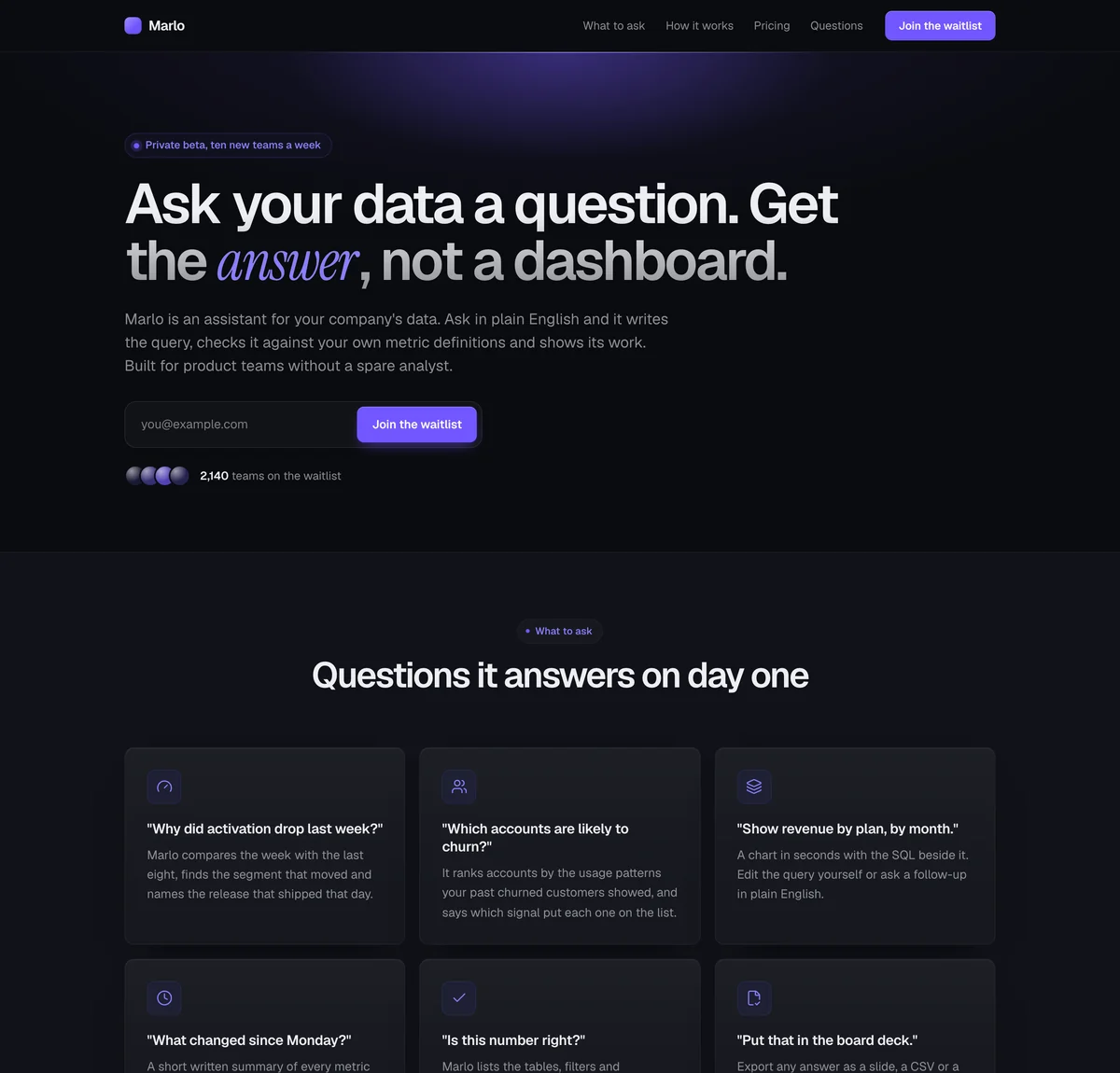
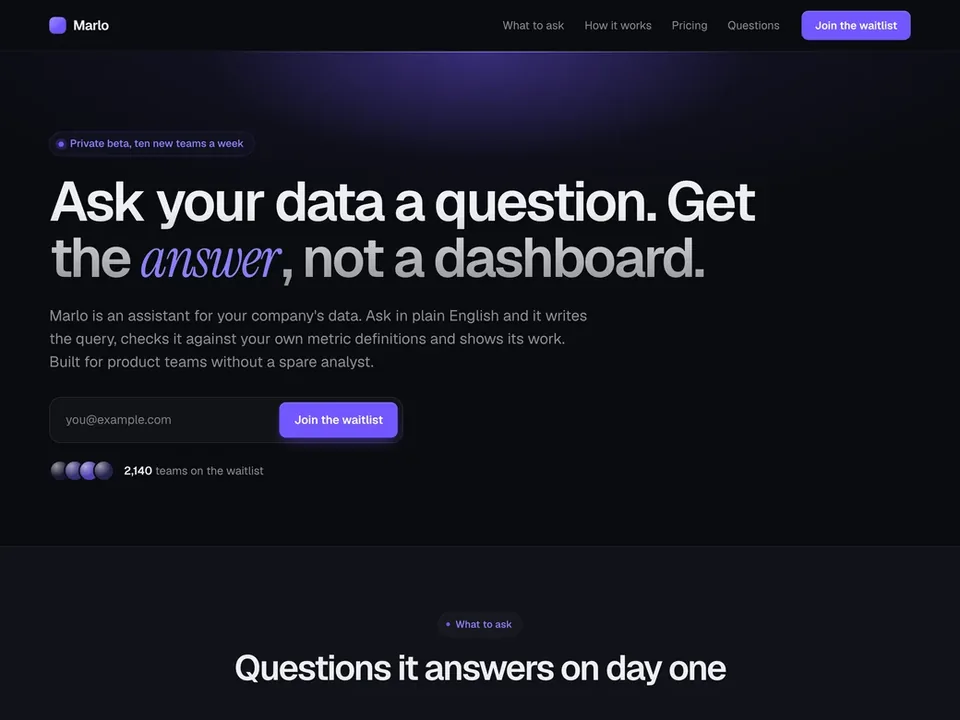
Midnight. Dark and focused: a near-black page with a soft glow behind the headline and cards that read as lit surfaces. Suits AI, developer and fintech products.
Marlo is a made-up product, so its numbers and quotes are examples. Your page is written about your product, and a section that needs facts only you have, like a price or a customer quote, is left out until you add it.
What is on this waitlist landing page
11 sections, top to bottom, each one yours to edit, move or remove in the editor. A text-led page with a product demo, the questions it answers as cards, and pricing.
Navigation
Your name, links and a button at the top.
Hero
"Ask your data a question. Get the answer, not a dashboard."
The headline, a line of support and the signup form.
Media
One image, a video, or a gallery of screenshots.
Benefits
"Questions it answers on day one"
Reasons to sign up, as cards, columns or rows.
Steps
"Connected in an afternoon"
How it works, in order, as columns or a timeline.
Numbers
A few numbers that make the case.
Quotes
What people say about it.
Pricing
"Prices set before launch"
Your plans side by side, with one marked as the pick.
Questions
"Before you connect anything"
Answers to the questions people ask first.
Call to action
"Ask the first question"
A closing headline with the signup form.
Footer
Small print and links, at the bottom of the page.
8 more blocks you can add
Marlo is a starting set, and the page is yours to build on. Add any of these from the editor's Add a block list, wherever you want it on the page.
Logos
A row of customer or partner names.Story
A few paragraphs, or a signed note from you.Countdown
The days, hours and minutes left until your launch date.Signup form
Your signup form on its own, anywhere on the page.Signup count
How many people have signed up, counted live.Leaderboard
The people who referred the most signups.Referral rewards
What people earn for referring friends.Updates
Your latest published updates, with a link to all of them.- See the page editor
Who this pre-launch landing page is for
Assistants and copilots
A product people talk to is easiest to explain by example, and this page gives the examples a whole section.
A tool that has to earn trust
Marlo's page answers what data it reads, whether it trains on that data and how to check an answer. Keep that structure if your buyers ask the same things.
A launch with prices already decided
A pricing section sits near the end with one plan marked as the pick, for buyers who want the cost before they join.
What to change first
The six cards
Each card on Marlo's page is a question in quotes with what the product does about it underneath. Replace them with prompts for your own tool, in the words your customers use.
The demo
The picture under the headline is a drawn stand-in. Add a screenshot of your product answering a real request, with a caption that says what it shows.
The numbers, the quote and the prices
Marlo's answer times, its data lead and its three plans are invented. Use your own, and delete any of those blocks you cannot fill truthfully yet.
Change anything on the page
The template is where you start. Beyond its 8 styles, the editor lets you change how every part of the page looks and reads.
Your color, fonts and corners
Set the accent color, the fonts and the corners once, and every section follows.A few layouts for most blocks
Most blocks come in finished layouts, so a section can change shape and keep its words.Move, duplicate or remove
Drag a section to a new place, duplicate it or delete it. Add a block puts a new one where you want it.Ask for a change
Say what you want changed in a sentence and the page is edited for you, with an Undo on every change.Preview, then publish
Check the draft at desktop and phone width. Sections and words go live only when you publish; your logo and share preview change at once.Your logo and share preview
Add your logo, and set the title, description and share image a pasted link shows.
Questions about the Marlo template
Can I show a recording of my product instead of a still picture?
Do I have to show prices before launch?
Can the form ask for a role or a use case, not only an email?
Can the assistant write this page about my product?
Can I run a waiting list for an AI product in private beta with Marlo?
Start building your product waitlist.
Create your page, collect your first signups, and grow from there.
Free for your first 100 contactsNo credit card needed