

Segments
Slice your audience by anything you know about it with a live rule that re-evaluates itself, then reuse it to filter, count and target campaigns.
A segment is a saved slice of your audience. Instead of filtering the audience table by hand every time, you save the filter once and reuse it everywhere: to browse, to count, and to target an email campaign. A segment never spends credits and never touches your contact count, because it is a view of people you already have.
How a segment decides who is in#
A segment is a live rule. You build it from what you know about a contact: their status, stage, tags, referral count, when they joined, whether they received a broadcast, their attributes, and more. You combine conditions into and / or groups. "Verified, in the invited stage, referred three or more people" is one rule; everyone who matches is in, and the moment a contact crosses that line they join the segment on their own. Nothing to re-run.
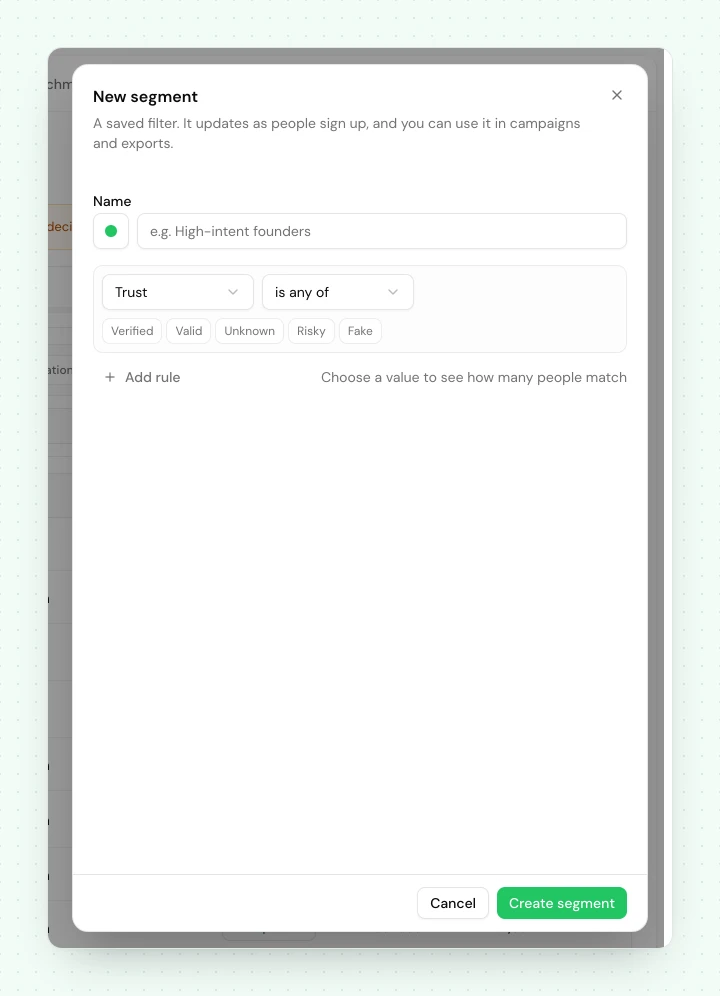
The received broadcast condition reads "received" or "did not receive" against one or more of your past broadcasts, and can add "at least N days ago" so it becomes a delay rather than an instant check. It is what a follow-up is built from: save a segment for "received the launch email, at least 3 days ago", exclude anyone who already replied or converted, and point your follow-up broadcast at it.
Segments carry a Dynamic badge for a rule like this. You will also see a synthetic Test cohort whenever a project has test-mode contacts, so they browse through the same UI without mixing into your real segments.
Simple rules are counted from a maintained projection rather than by scanning the table, so a segment on a single condition like status, stage, country or referral count answers "how many" instantly at any list size. Richer rules, meaning several conditions, an or group, a date window, or anything on trust, deliverability or a custom field, are counted live against your audience. Those take a moment longer and are still fast; the difference only becomes visible on a very large list.
Pinning#
Segments live on Audience → Signups, in the row of pills above the table. Press New segment to build one, and Manage to open the library, which groups segments into Pinned and Library. Pin the handful you reach for daily and they stay as pills above the table; everything else stays one click away in the library. Your project ships with a few useful segments already defined.
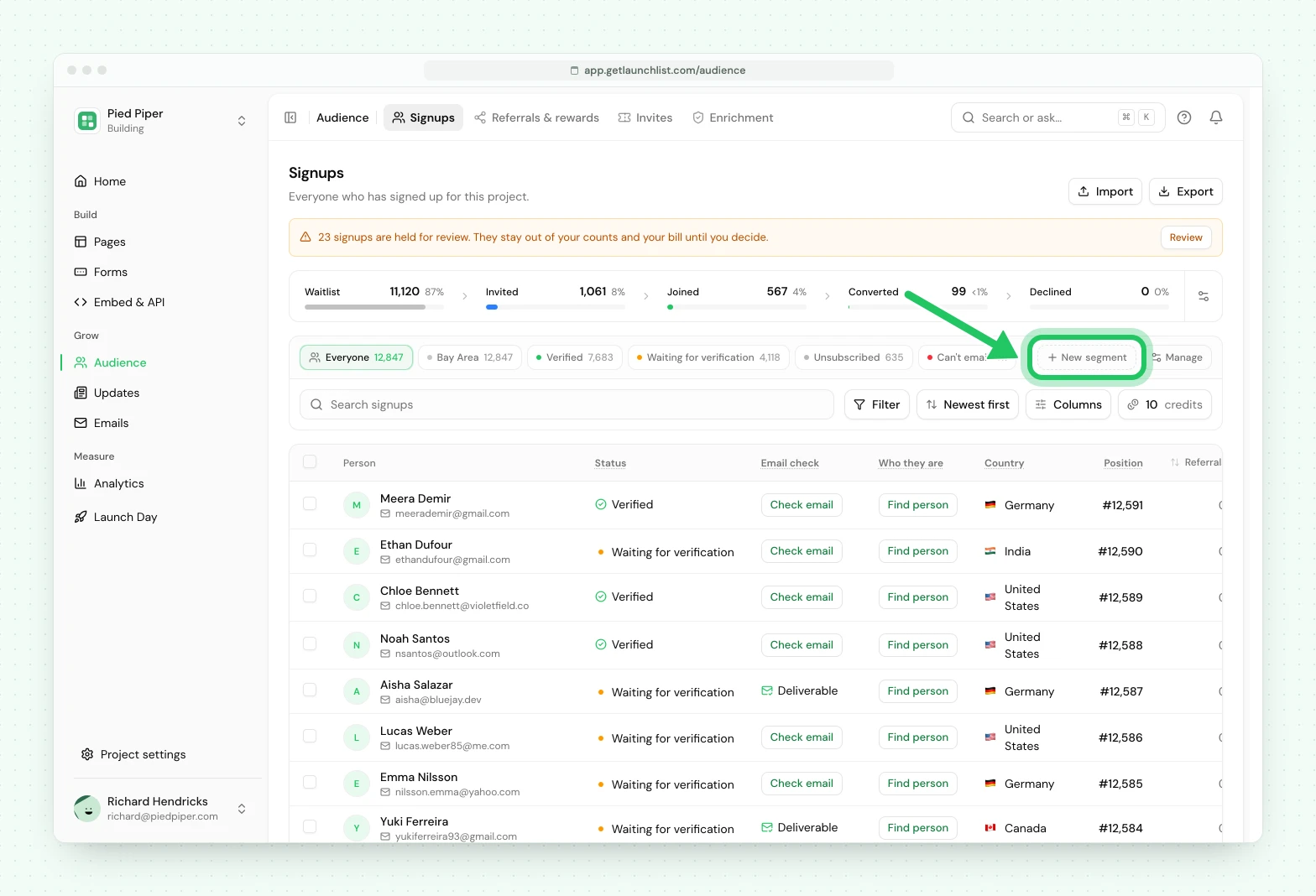
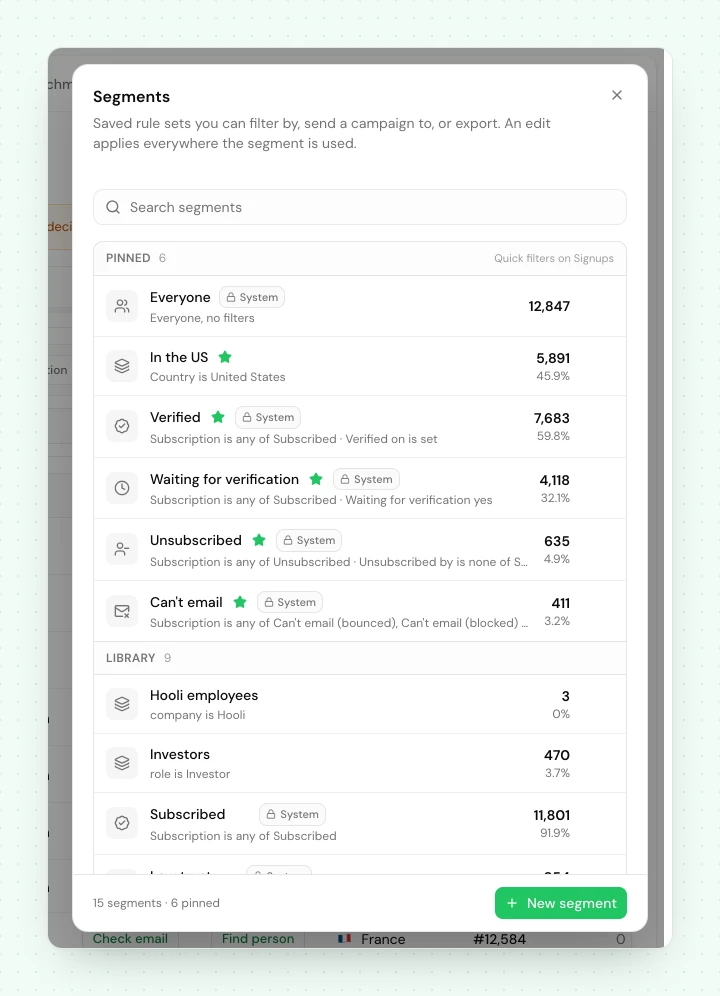
The pinned ones your project starts with are Everyone, Verified (subscribed and verified their email), Waiting for verification (subscribed, sent a link to verify their email and not clicked it yet, including anyone whose link expired), Unsubscribed and Can't email. Verified and Waiting for verification are the same people a broadcast's Verified email and Waiting for verification choices reach, and nobody is in two of the pinned views. They do not add up to Everyone: a subscribed person who was never asked to verify (a form that does not ask, the API, an import) has the Status Not verified and is in none of them, and neither is someone with No email or someone Not subscribed. Filter by Status to find them. In a rule of your own, the Waiting for verification condition picks the same people as the view; Verified on is not set is wider, because it also takes in the people never asked.
Using a segment#
- Filter the audience: pick a segment and the table shows only the contacts in it.
- Target a campaign: every broadcast and automation takes a segment as its recipient set. The send gate still applies on top, so anyone unsubscribed, bounced, complained, or not subscribed is skipped even if they match the rule, and a broadcast's Who in this audience choice narrows it further.
- Count: read a live size for the cohort without paging through it.
Next#
- Importing a list: bring an audience in to segment
- Broadcasts to point a campaign at a segment
- Spam and trust: the signals a segment can filter on
Common questions
Can I build a fixed list of hand-picked contacts?
Segments are live rules that keep their own membership current. To group specific contacts by hand, add a tag to them and filter or segment by that tag; a tag stays exactly the set of contacts you applied it to.
Do segments cost anything or affect my contact count?
A segment never costs credits and never adds to your contact count, because it is a saved view of contacts you already have. Every plan can use the segments your project ships with. Building and saving your own needs Launch or Grow.
Can I email a segment?
Yes. Every broadcast and automation targets a segment as its recipient set, and the send gate still applies on top, so anyone unsubscribed, bounced or not subscribed is skipped even if they match the rule.