

Custom domain
Serve your launch page from your own domain, with HTTPS issued automatically. One DNS record, then it verifies and secures itself.
Serve your launch page from your own domain, launch.yourbrand.com or yourbrand.com, instead
of the your-slug.launchlist.page address it ships with. Custom domains are on Collect, Launch
and Grow: Collect includes one, Launch three and Grow unlimited. Free pages stay on their
LaunchList address, which is live and shareable on every plan.
There is no charge per domain. When you need more than your plan includes, move up a plan.
If you move to a plan that includes fewer domains, the ones you connected first keep serving and the rest pause: visitors to a paused domain are sent to the page's LaunchList address, so the page itself keeps working. Nothing is disconnected or deleted: the domain, its DNS and its certificate stay in place, and a paused domain serves again the moment your plan covers it.
Pages on your own domain can be indexed by search engines on every paid plan. Pages on a LaunchList address stay live and shareable, but ask search engines not to index them.
Connect a domain#
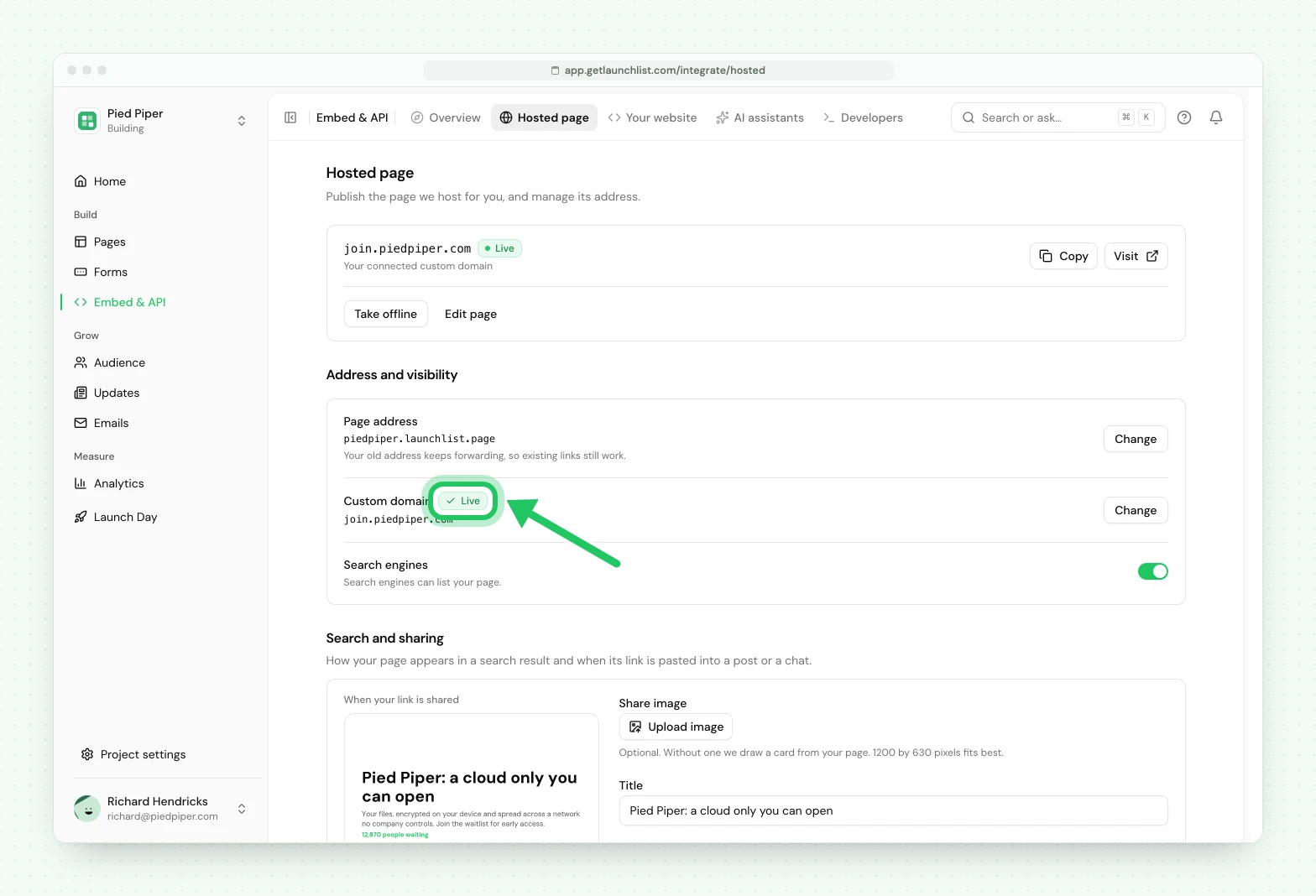
- Open Embed & API, go to the Hosted page tab, and press Set up on the Custom domain row. A panel opens.
- Type your domain and press Connect. The panel then shows the record to create, a single record that points the domain at us.
- At your DNS provider, create that record. That is the whole setup. Leave the rest to LaunchList, or press Check now to re-check right away.
The domain carries more than the launch page: your status page and your referral links move to it too, so a signup stays on your address from the page to the link they share.
What happens next#
The domain moves through a few states on its own, and the settings screen shows where it is:
| State | Meaning |
|---|---|
| Waiting for DNS | Your record has not resolved to us yet. Nothing for you to do. |
| Securing | DNS is good; the HTTPS certificate is being issued. |
| Live | Done. The page serves from your domain over HTTPS. |
| Not working | The record could not be verified. Recheck it at your registrar. |
A live domain your plan no longer covers shows Paused until the plan covers it again.
The certificate is issued and renewed automatically, so there is nothing to install and nothing to renew. The verification check re-runs on its own while it waits, which is why a slow DNS propagation does not need you to come back and click anything.
It does not retry forever. If the record has still not resolved after a long stretch, the domain settles on Not working and stops polling. Nothing is lost: fix the record at your registrar and re-check it, and it picks up from there.
One domain, one page#
Today a project has a single launch page, and every connected domain serves it. When multiple pages are switched on, each connected domain will be able to point at its own page, so an A/B test or a partner-specific landing page can live on its own hostname.
Next#
- Your launch page: the page a domain points at
- Your sending domain: the separate story for email
Common questions
Do I need a paid plan for a custom domain?
Yes. Free pages live on a LaunchList address. Collect includes one custom domain, Launch three and Grow unlimited. For more domains, move up a plan. There is no charge per domain.
Do I have to set up HTTPS myself?
No. The certificate is issued automatically once your DNS resolves, and it renews itself. There is nothing to install and nothing to renew.
How long does it take to go live?
As long as your DNS takes to propagate, often minutes and sometimes longer. The check re-runs on its own, so you do not need to come back and click anything.
Can I use my root domain, like yourbrand.com, instead of a subdomain?
A subdomain such as launch.yourbrand.com is the smoothest path and works with every DNS provider. A root (apex) domain also works, but many providers cannot put the required record on a bare domain. If yours supports ALIAS or ANAME records, which Cloudflare, DNSimple and Route 53 do, point that at the address we show. Otherwise use a subdomain.