

Credits
A small prepaid balance that covers the few actions with a real per-use cost. Every workspace starts with some, and they never expire.
Credits are a small prepaid balance, one per workspace, that covers the handful of actions with a real cost every time they run. Everything else, including your page, forms, contacts, referrals, broadcasts and automations, is covered by your plan and never touches credits.
What you start with#
Every workspace opens with 10 free credits, granted once at creation. They never expire.
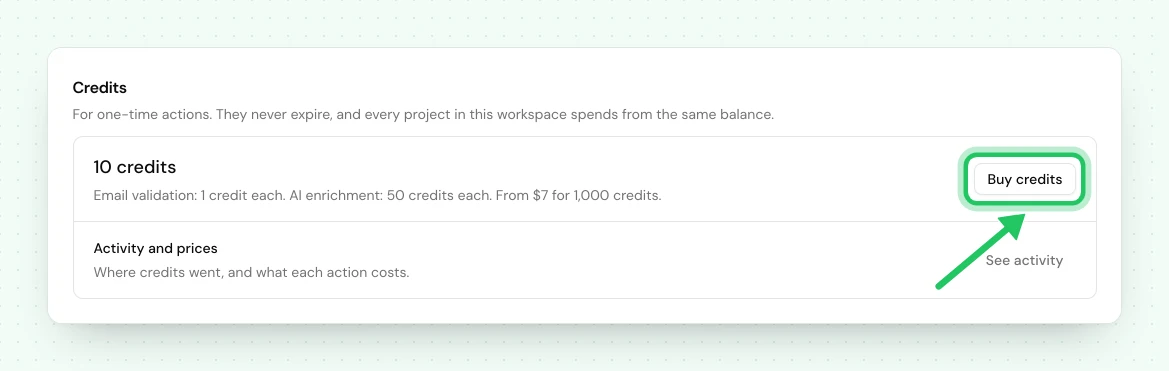
When you need more, press Buy credits on Workspace → Billing, in the Credits section. Packs start at $7 for 1,000 credits, and every pack's price is shown there before you pay. Nothing recurs and nothing expires: the balance is yours until you spend it. Credits are separate from your plan, so changing plan or canceling never touches them.
What credits pay for#
Credits pay for data services that cost us something each time they run.
| Action | Status |
|---|---|
| Email validation results | Live |
| AI enrichment | Coming soon |
Today the one thing that spends credits is email validation: a credit checks one signup's email address and shows you the answer. AI does not use credits.
What a check shows you#
Checking a signup tells you whether the address is deliverable (a real inbox), risky (it might bounce), disposable (a temporary inbox) or undeliverable (it will bounce). The answer goes on the contact, into your CSV export, into the API, and into the set of things a segment can filter on. A signup you have not checked shows nothing on any of those, which is why a deliverability filter describes the part of your audience you have actually checked.
A credit is used only when we get an answer.
Where you see a result#
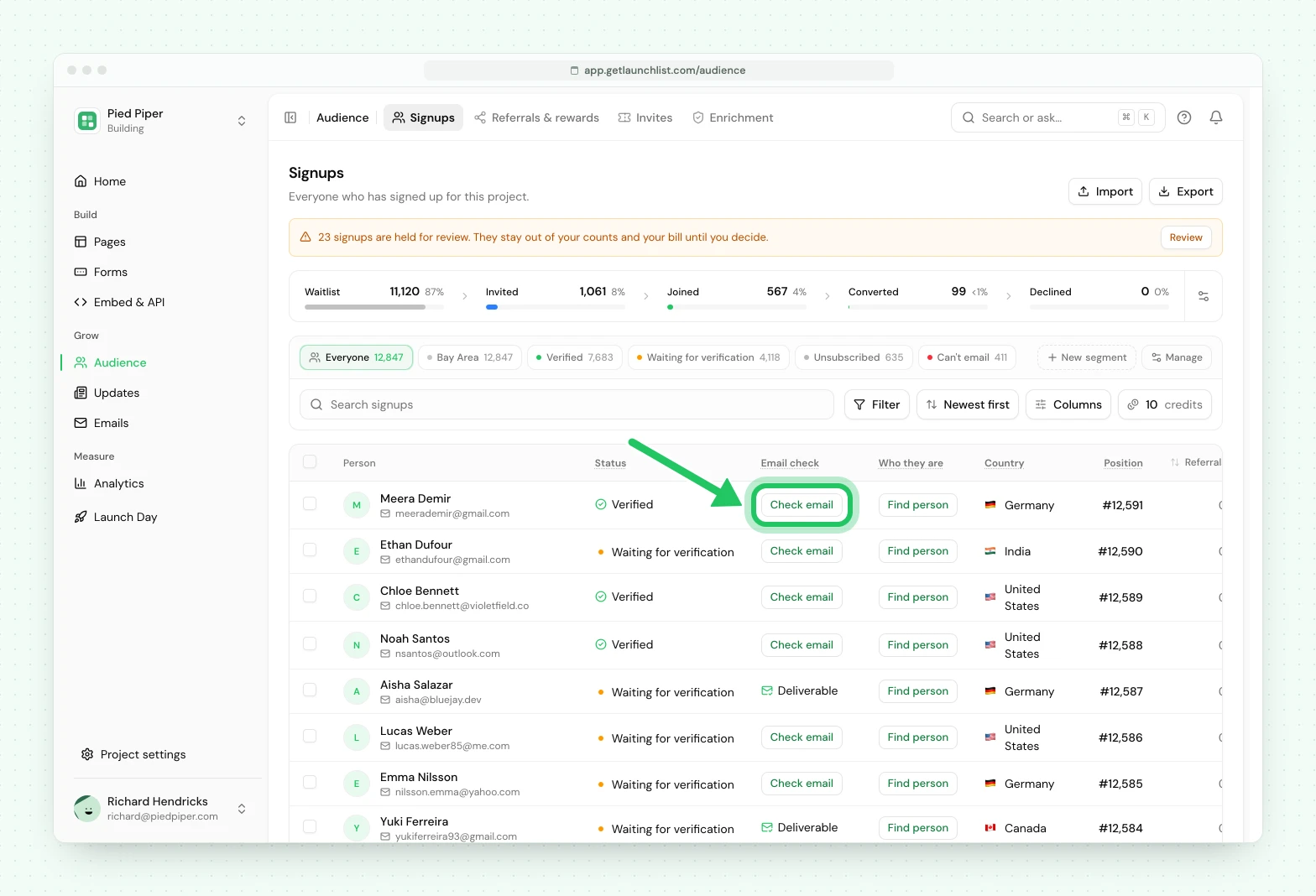
- One signup: on Audience → Signups, the Email check column shows a Check email button on every signup you have not checked. Press it and the answer replaces the button. It takes 1 credit, and nothing if we could not get an answer.
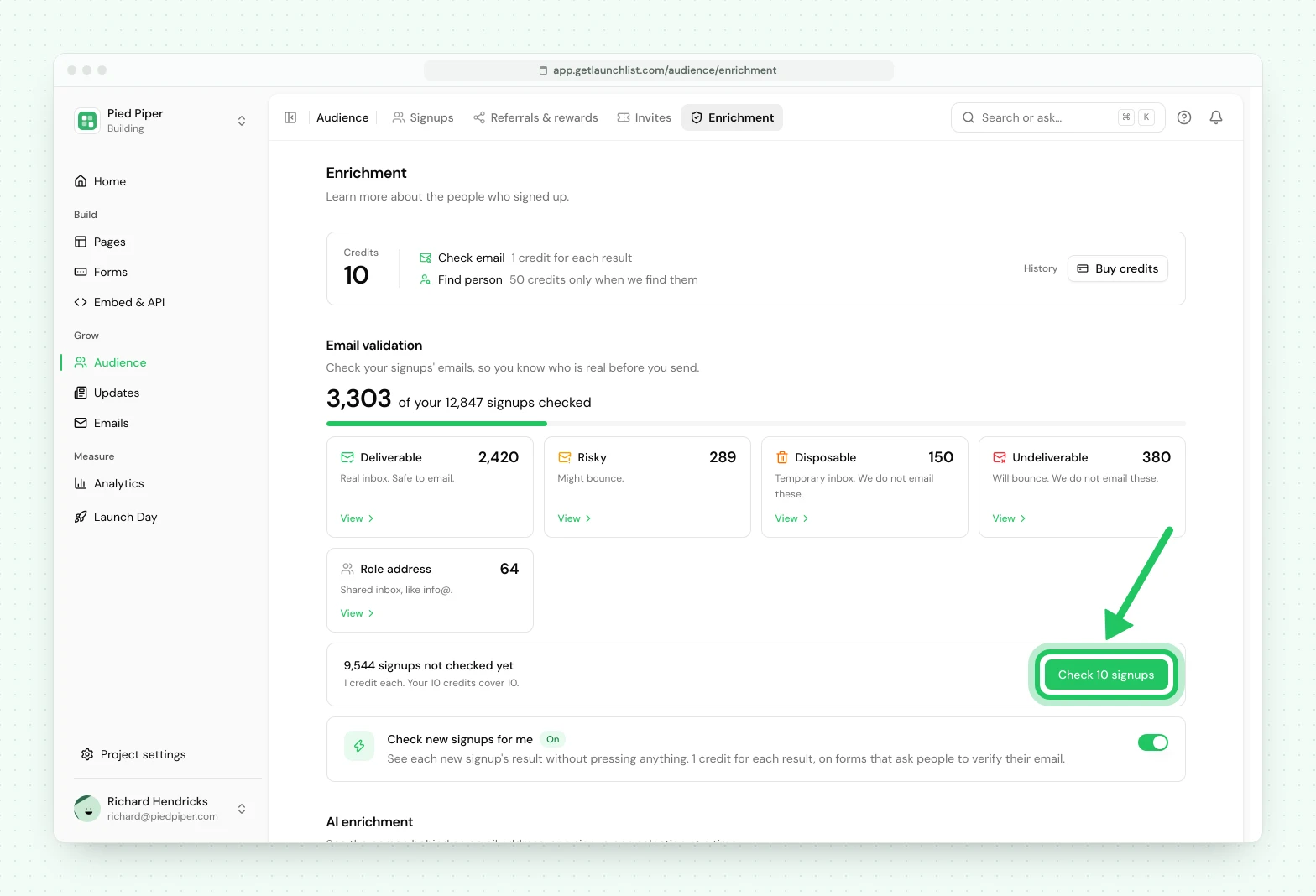
- Everyone at once: Audience → Enrichment shows how many signups are not checked yet and has one button to check them, sized to the credits you hold.
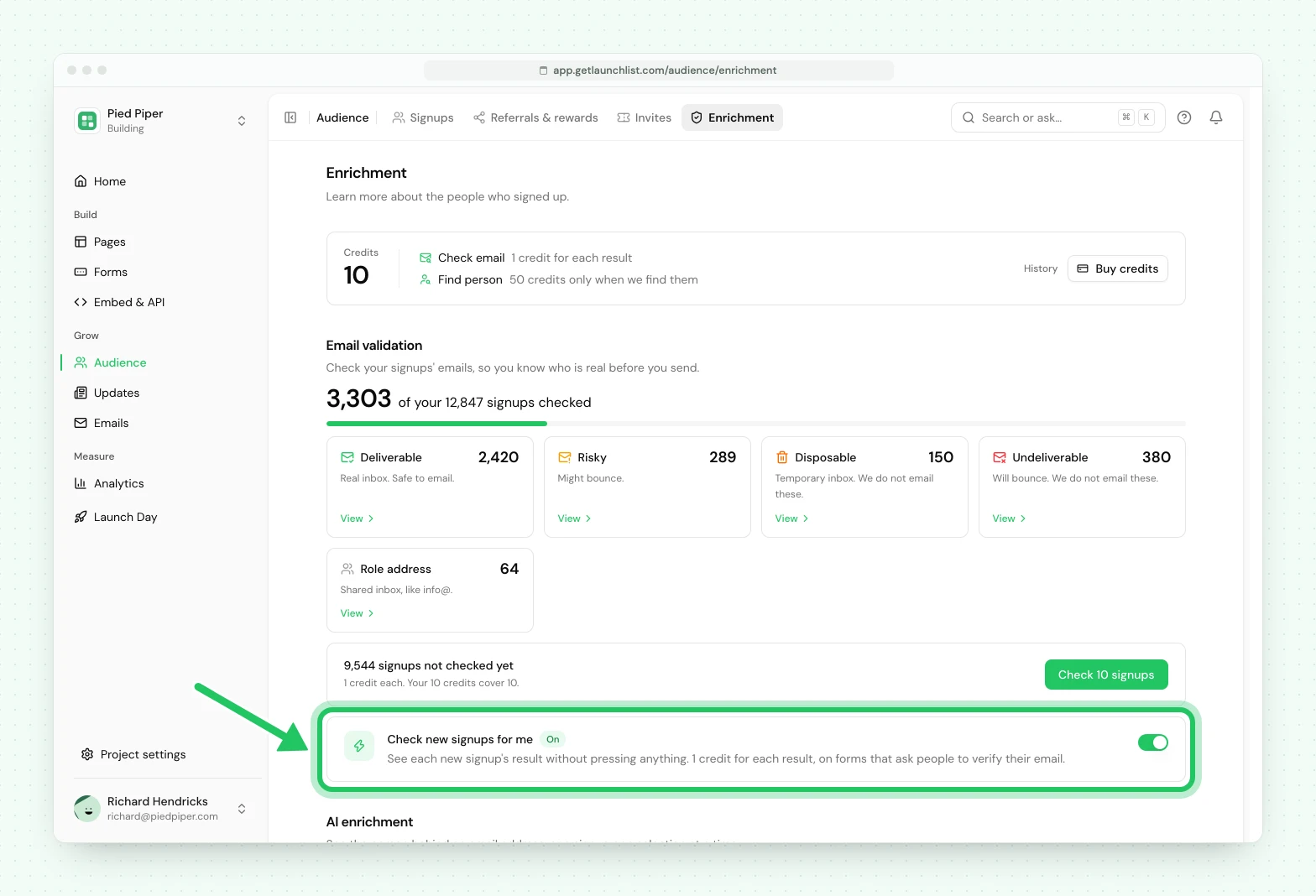
- New signups, automatically: on Audience → Enrichment, under Email validation, turn on Check new signups for me. When a new signup is sent a verification email, you then see whether their address is real. It takes 1 credit a signup, and nothing when we could not get an answer. It turns itself off when the balance reaches zero, and the row says so when that has happened. With it off, you can still check a signup one at a time.
AI enrichment (finding the name, role and company behind a signup's email address) is not available yet. Each action sets its own price, shown under See activity in the Credits section of Workspace → Billing before you spend anything.
Next#
- Plans and billing: how your plan and list size work
- Email verification: the opt-in email, which does not spend credits
Common questions
Do I have to buy credits to use LaunchList?
No. Every workspace opens with a free credit grant that never expires, and the core product (pages, forms, contacts, referrals, campaigns) does not spend credits at all. Credits only cover a few actions that cost real money each time they run.
Do credits expire or renew monthly?
Neither. Your balance is prepaid and permanent. Nothing is added each month and nothing is swept away, so a grant you receive the week you launch is still there months later.
What does a credit buy in email validation?
The answer for one signup, meaning whether the address is deliverable, risky, disposable or undeliverable. It appears on the contact, in your export, in the API and in a segment. When we could not get an answer, no credit is used.
Does AI use credits?
No. AI page creation is included on every plan during beta, subject to fair use, and the assistant that answers your questions is free on every plan. Neither spends credits.