

Pipeline stages
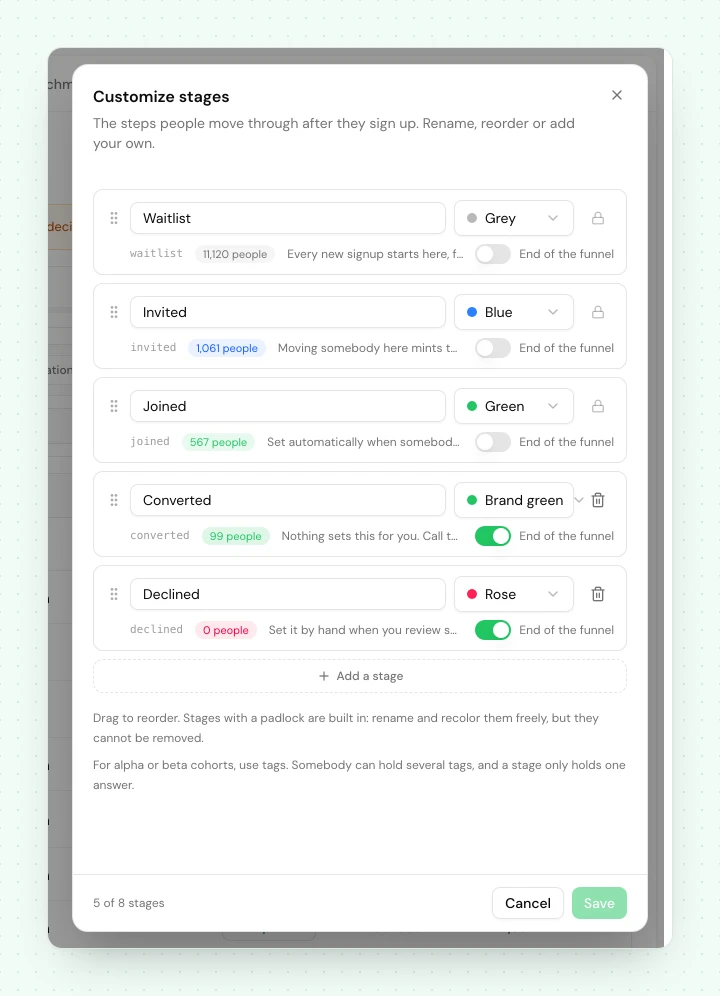
The funnel your contacts move through, from waitlist to joined to converted. Rename it, reorder it, or add stages to fit how your launch actually works.
A pipeline stage is where a contact sits in your funnel. Every project starts with a sensible default funnel, and you can shape it to match how your launch actually runs.
The default funnel#
| Stage | Who is here |
|---|---|
| Waitlist | Signed up and waiting. Where everyone starts. |
| Invited | Given early access, not yet in. |
| Joined | Redeemed their access and using the product. |
| Converted | Became a paying or fully activated customer. |
| Declined | Opted out or was turned down. A terminal stage. |
Make it yours#
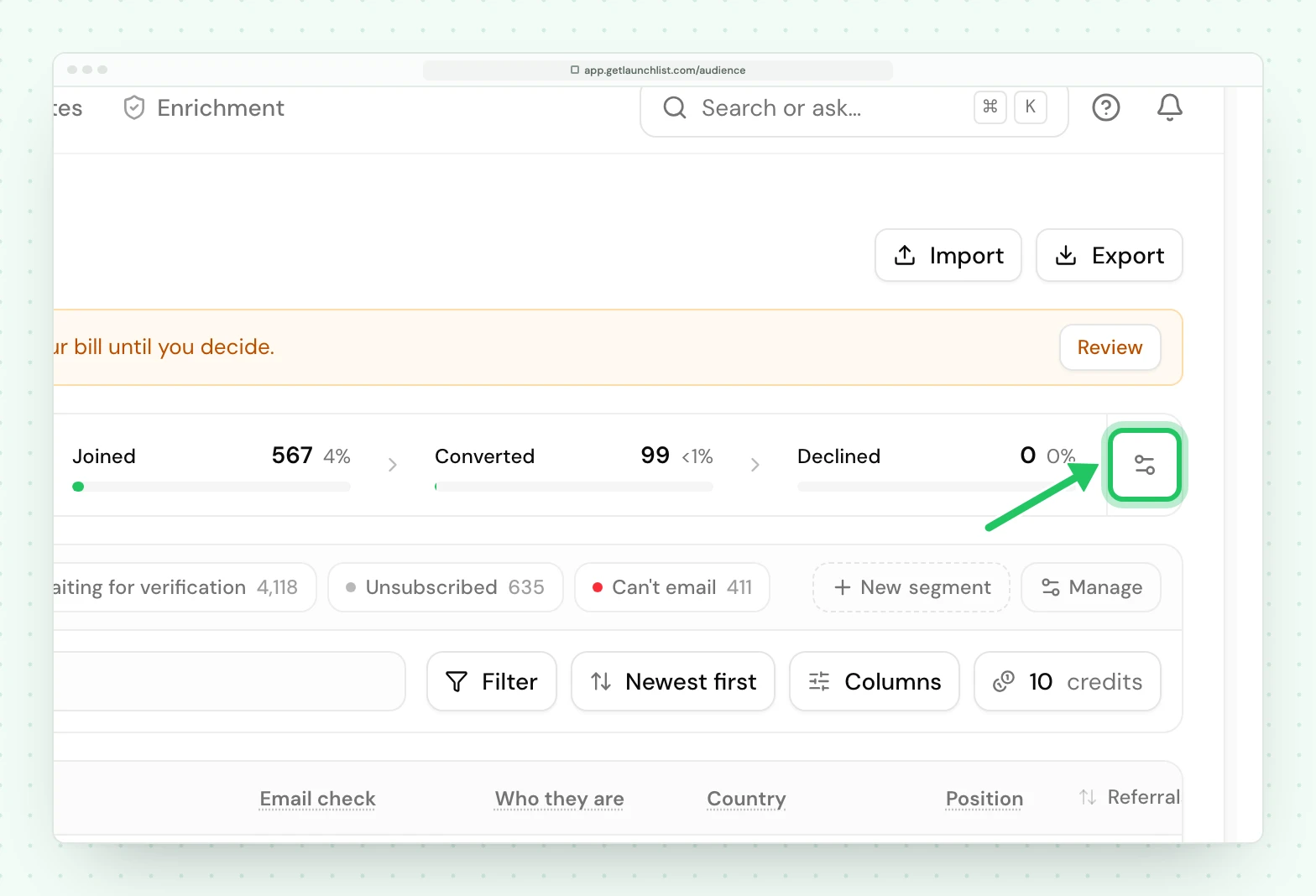
The funnel is founder-editable: rename a stage to your own language, reorder the middle, or add stages that match your process. Open Audience → Signups and press Customize stages, the small icon at the end of the pipeline strip above the table. LaunchList tracks each stage by an underlying role, not by its name, so renaming "Joined" to "Onboarded" leaves every automation and invitation that depends on it working untouched.
How contacts move#
A contact changes stage through one of a few controlled paths:
- an invitation moves them to invited, and redeeming it moves them on;
- an automation change stage step;
- the API, via update a contact;
- or by hand in the audience.
Every move runs through the same single path, so your stage counts and each contact's history stay consistent no matter how the change was triggered.
Using stages#
Stages are one of the most useful things to build on:
- Segment by stage: everyone in invited who has not joined, for a nudge.
- Trigger an automation when a contact's stage changes, or branch one on the stage they are in.
Next#
- Segments: slice your audience, including by stage
- Early access: how invitations move contacts through the funnel
Common questions
Can I rename or add stages?
Yes. The funnel is yours to edit. Rename a stage, reorder it, or add your own. LaunchList tracks each stage by its role behind the scenes, so renaming one never breaks an automation or invitation that depends on it.
What is the declined stage for?
It is the terminal stage for someone who opted out or was turned down. They stay in your audience and in your history, they are just out of the active funnel.
How does a contact move between stages?
Through an invitation, an automation step, an API call, or by hand in the dashboard. Every move goes through one controlled path, so counts and history stay consistent.