

The success page
What someone sees the moment they sign up: a message, their status page with a referral link, or a redirect to anywhere you choose.
The success page is what a signup sees the instant they submit. It is the highest-intent moment you get, because someone just said yes, so it is worth setting deliberately.
Three ways to send someone off#
| Behavior | What happens |
|---|---|
| Inline | A success card replaces the form, or appears below it, with your own copy. |
| Status page | They land on their personal status page: position, referral link, share. |
| Custom URL | They are redirected to any page you choose, set as the Redirect URL. |
Set this per form, in Form settings → After submission → Success screen, and it behaves identically everywhere the form appears: the hosted page, an embed, the popup.
A waitlist form starts on the status page, because the queue and the referral link are the point of a waitlist. Survey and marketing forms start on an inline message instead, where there is no queue to show. Change it on any form at any time.
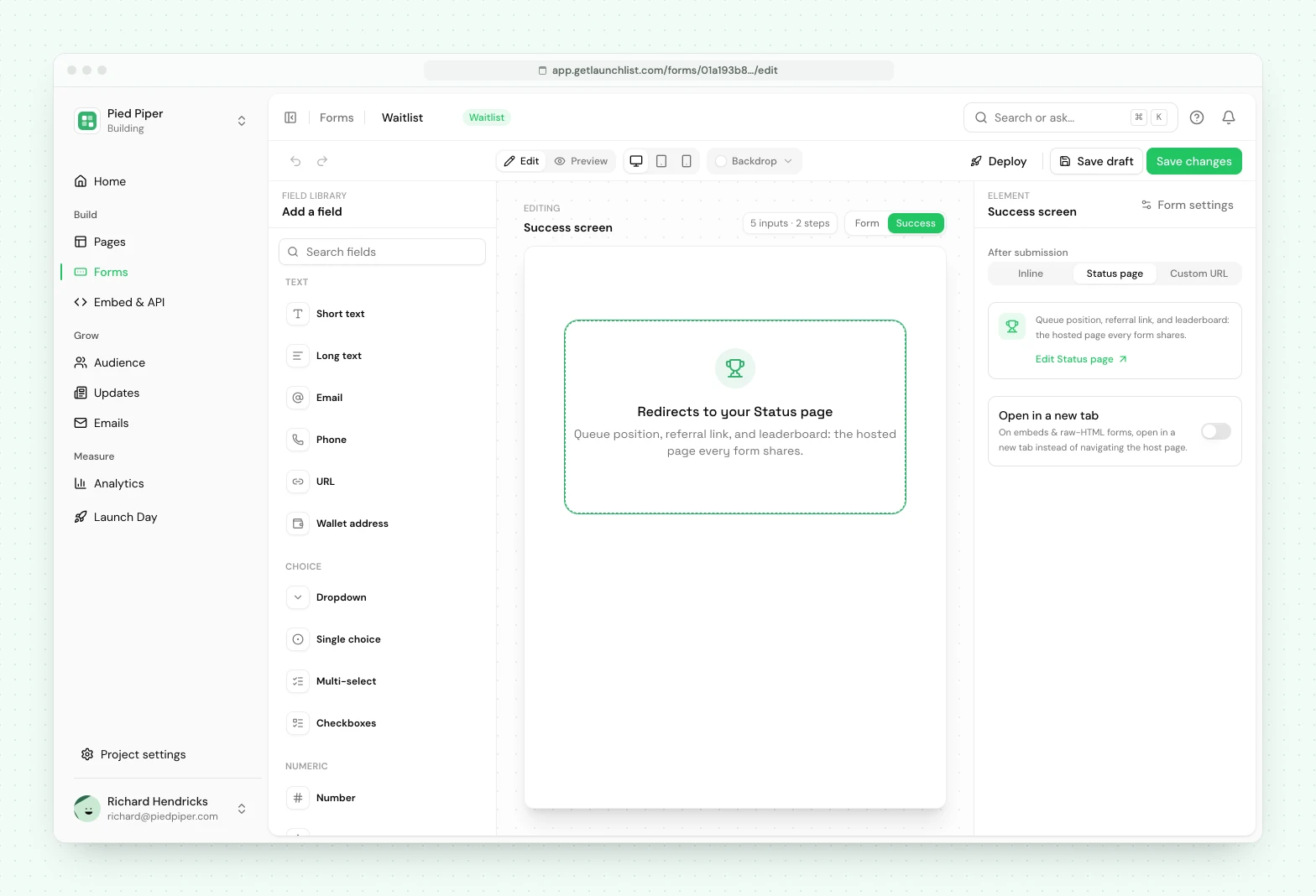
The message is entirely yours#
The success message is yours to edit, and it is the whole message: nothing is rendered above or below it that you cannot see and rewrite. A good one confirms they are in and tells them the one thing to do next.
Variables fill themselves in, so an inline message can still be personal: {POSITION} (or
#{POSITION} for the #), {TOTAL}, {REFERRED} and {REFERRAL_LINK}. You can also set an emoji,
an image or GIF, alignment, and a one-shot confetti burst.
The status page is where referrals happen#
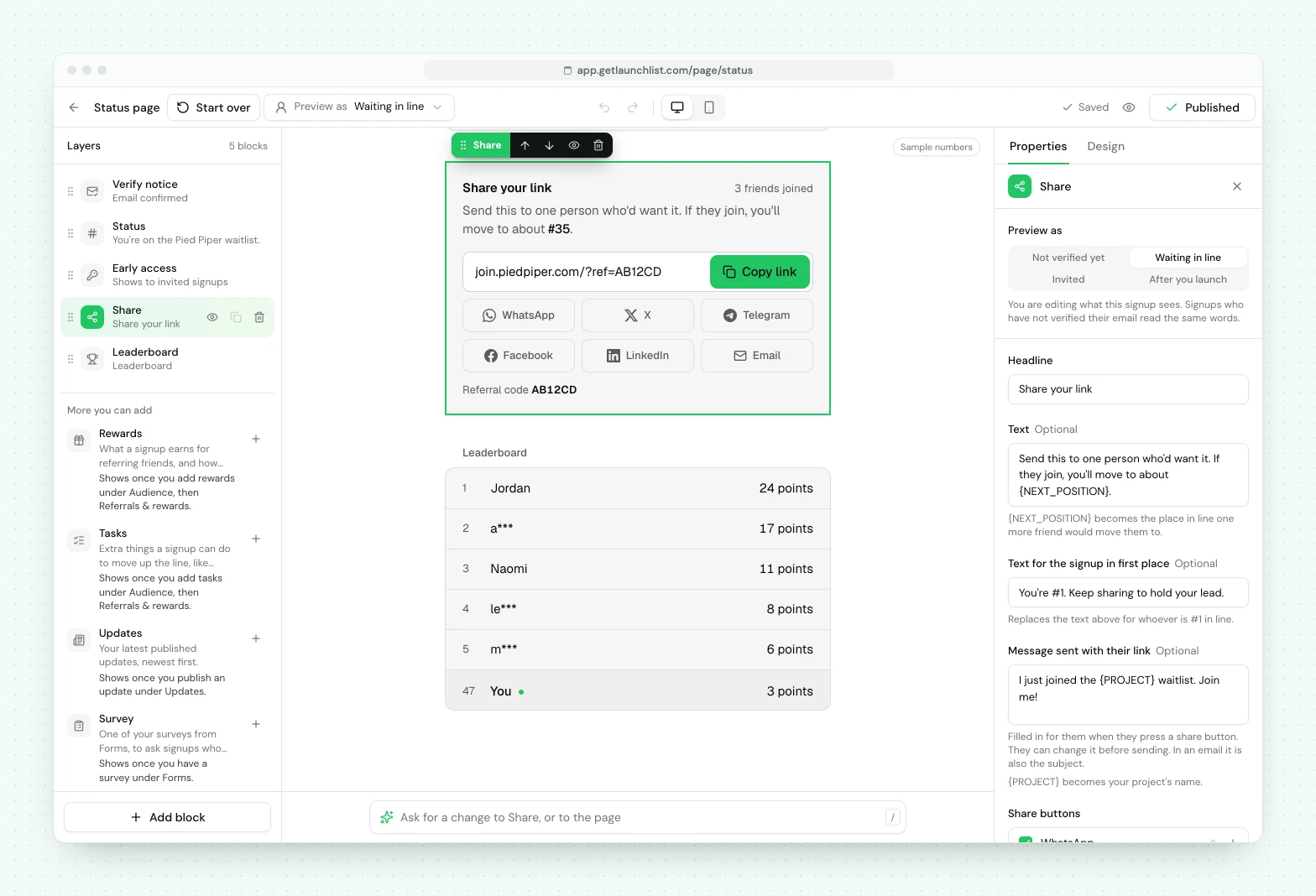
Routing to the status page is what turns a signup into a referrer. Their page shows their queue position and a personal referral link with share buttons, so the moment they are most excited is the moment they are handed a way to bring a friend. See how referrals work.
Hiding someone's place in line#
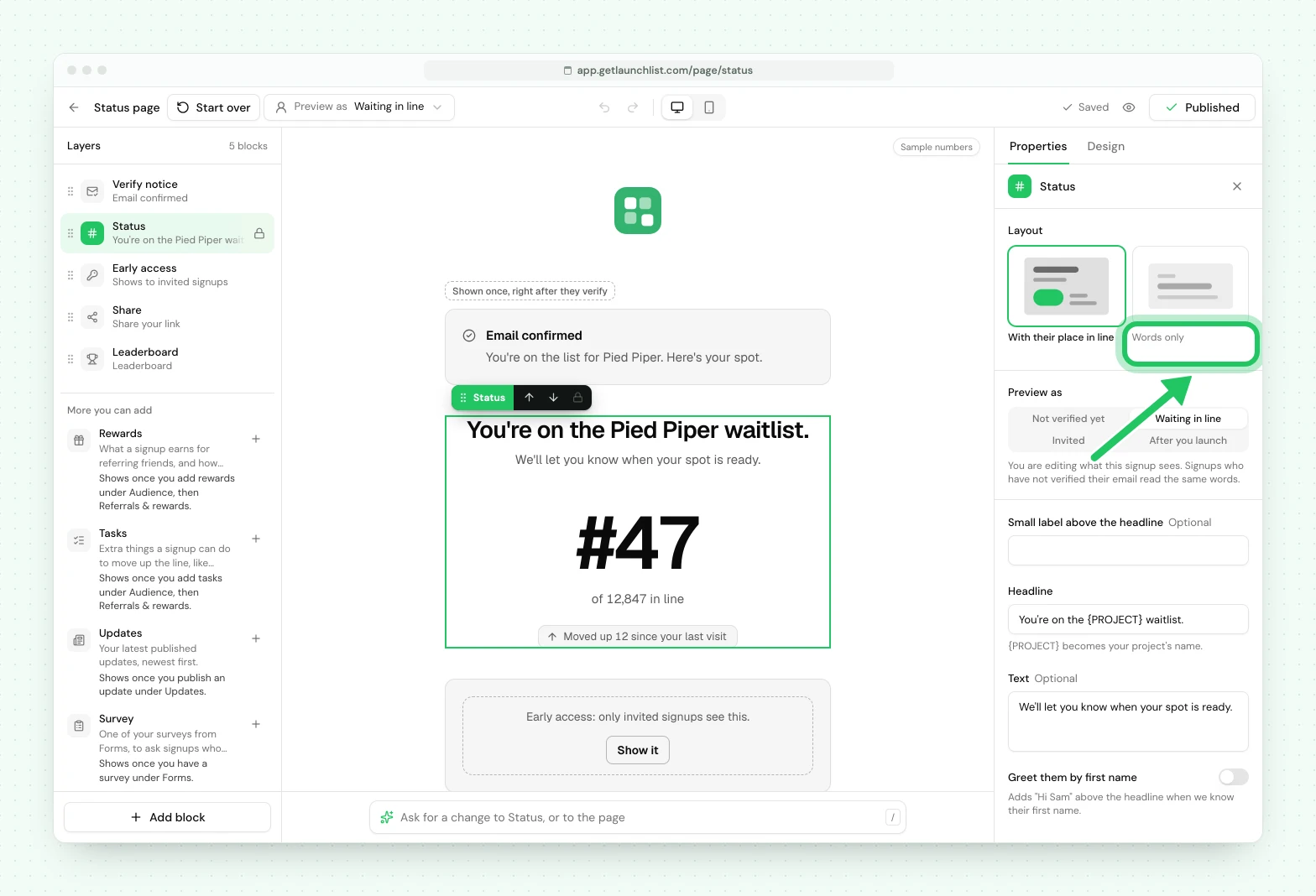
You can keep positions to yourself. You always see every signup's position in Signups, and your signups only see theirs where you show it. To hide it from them:
- Status page: open Pages, then your status page, click the Status block and choose the Words only layout. The page stops showing their place in line, and the share card stops saying how far a referral would move them up. If you added a Leaderboard block, it ranks your top referrers, so remove it too.
- Inline message: take
{POSITION}out of your form's success message. A waitlist form's starting message includes it. - Emails: take
{{position}}out of any email that uses it, including the Referral nudge starter.
Referrals keep working either way: friends who join still move someone up, and rewards still unlock.
Next#
- Building your signup form: where the success behavior is set
- How referrals work: what the status page unlocks
Common questions
What does someone see right after they sign up?
Whatever you choose. An inline thank-you message, their personal status page with their referral link and position, or a redirect to a URL of your own. A waitlist form sends people to the status page by default; survey and marketing forms show an inline message.
Where does the referral link appear?
On the status page. Route your success behavior to the status page and each signup lands on their own page showing their position and a personal referral link to share. You can also drop the {REFERRAL_LINK} variable into an inline success message.
Does the success page tell them to check their email?
Only if you write it. The success message is entirely yours, and the default deliberately says nothing about verifying, because that sentence would go stale the moment you turned Ask people to verify their email off. If you route to the status page, someone who has not verified yet is told there.