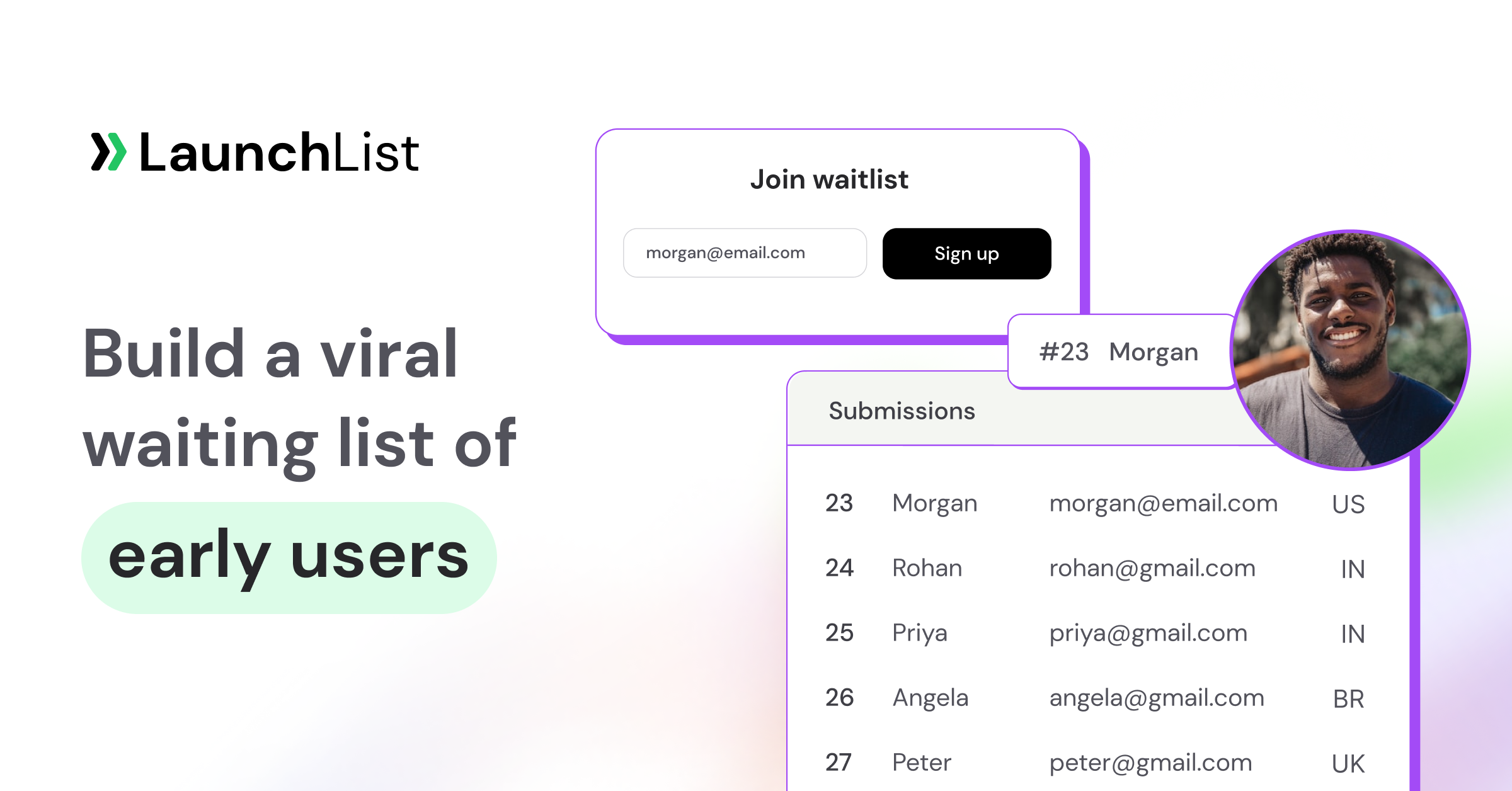
TL;DR: No tool validates an idea. A method does; the tool just makes the method cheaper. This guide organizes the 15 best idea validation tools by the seven methods that produce real signal, ordered from cheapest to most honest: demand research (what people search), pain research (what they complain about), surveys and interviews (what they tell you), smoke tests (what they do), prototypes and AI MVPs (whether they can use it), and pre-sales (what they pay). The whole sequence costs $0–50, takes two to four weeks, and this is Stage 1, Validate, of the Startup Launch Stack, the four-stage path from idea to revenue: Validate → Build audience → Launch day → First customers. For the smoke-test rung, LaunchList (ours) gives you a hosted page with a waitlist, a survey and a referral link in one place, free for 100 contacts.
Tools don't validate ideas: methods do
Search for "idea validation tools" and you'll get a pile of survey builders, AI app generators, and keyword tools dumped into one list, as if validation were one activity. It isn't. Validation is a ladder of evidence, and each rung up costs more effort but produces a more honest answer:
- What people search: cheap, anonymous, and already happening.
- What people complain about: unprompted pain, in their own words.
- What people tell you: useful, but humans are polite liars.
- What people do: clicks and signups don't flatter you.
- What people pay: the only signal that can't lie.
Most founders camp on rungs one through three because they're comfortable, then build for six months on evidence that was always going to say yes. The fix isn't more tools. It's climbing the ladder on purpose. Each method below is one rung, with the one to three tools that make it fast. You'll use most of them, in roughly this order.
The validation stack at a glance
| Method | Tool | Best for | Price from |
|---|---|---|---|
| Demand research | Google Trends | Whether interest in the problem is growing or dying | Free |
| Demand research | Ahrefs free keyword tools | Rough monthly search volume, for free | Free |
| Demand research | Glimpse | Real search-volume numbers layered onto Google Trends | Free (≈10 searches/mo) |
| Pain research | F5Bot | Auto-alerts when your keywords hit Reddit/HN | Free |
| Pain research | Reddit + X search | Pain research with zero new tools | Free |
| Surveys & interviews | Tally | Unlimited free surveys without a paywall | Free (Pro $24/mo) |
| Surveys & interviews | Typeform | Conversational surveys people actually finish | ~$29/mo |
| Surveys & interviews | Calendly | Booking user interviews without email tennis | Free |
| Smoke tests | Carrd | The cheapest credible fake-door page | $19/yr |
| Smoke tests | LaunchList (that's us) | A waitlist as a measurable validation signal | Free to 100 contacts; the Collect plan from $9/mo |
| Prototypes | Figma | Clickable mockups before writing code | Free |
| AI MVP builders | Lovable | A working v0 in a weekend | ~$25/mo |
| AI MVP builders | v0 + Bolt | UI-first and in-browser AI prototypes | Free credits |
| Pre-sales | Stripe Payment Links | Taking real money with zero code | 2.9% + 30¢ |
| Pre-sales | Gumroad | Pre-selling a digital product in an afternoon | 10% per sale |
Now the detail: what each method proves, which tool to use, and what to skip.
Method 1: Demand research. Find out if anyone searches for the problem
The cheapest rung. Before you talk to a single human, thirty minutes of search data answers two questions: does anyone look for this problem, and is interest growing or shrinking? It can't tell you to build, but it can tell you not to, which is worth more than founders admit.
1. Google Trends: trajectory, not volume
Free, instant, and still the best first check. Type the problem (not your product name, which doesn't exist yet) and look at the five-year curve. Compare it against an adjacent problem you know is real to calibrate. Flat-to-rising is fine; a steady multi-year decline is the market politely telling you the window closed.
Best for: a two-minute read on whether the problem is growing or dying.
2. Ahrefs free keyword tools: rough volume and real phrasing
Google Trends shows direction but hides volume. Ahrefs' free keyword generator and difficulty checker fill the gap: approximate monthly searches for the problem, plus the exact phrases people type, like "alternative to X" and "how to stop Y." Those phrases are validation gold twice over: they prove demand, and they become your landing page copy later.
Best for: putting a rough number on demand without paying for an SEO suite.
3. Glimpse: absolute numbers on top of Google Trends
Glimpse is a browser extension that overlays Google Trends with absolute search volumes and trend forecasting, turning Google's relative squiggle into actual numbers. The free tier covers about 10 searches a month, enough to check one idea properly. Paid plans start around $99/mo, which is research-agency money; for validation, stay on free and spend those 10 searches carefully.
Best for: converting Google Trends' relative curves into real search volumes.
Before you climb further: run the idea through our free Idea Validation Scorecard. It scores demand, competition, and distribution in a few minutes and shows you exactly where the idea is weakest, which tells you which method below to run next. If the demand numbers look promising, size the market with the TAM / SAM / SOM Calculator. Both free, no signup.
Method 2: Pain research. Read what they already complain about
Search data tells you demand exists; it doesn't tell you what the pain feels like. For that, go where people complain when nobody's selling to them: Reddit threads, X replies, community forums. This is the most underrated method on the list because it's free, unprompted, and written in the exact language your future customers use.
4. F5Bot: pain alerts on autopilot
GummySearch was the go-to here for years, but it shut down in late 2025 when Reddit's API licensing fell through, a useful reminder not to build your validation routine on a tool that can disappear. F5Bot is the durable answer: it's completely free, tracks up to 200 keywords, and emails you whenever they appear on Reddit, Hacker News, or Lobsters. Set alerts for the language of pain ("alternative to [incumbent]," "is there a tool that," "[incumbent] is so slow") and let the complaints come to you for weeks while you keep building. Save the strongest quotes; they're your interview script, your survey questions, and your headline copy, pre-written by the market.
Best for: passively collecting pain-point language over time without scrolling.
5. Plain Reddit and X search: the zero-tool version
F5Bot catches mentions going forward; to mine what's already been said, search directly. Reddit's own search plus X search with the right queries ("is there a tool that," "why is there no," "alternative to [incumbent]," "[incumbent] is so frustrating") surfaces the same raw material, just slower. Sort by recent, screenshot everything, and keep a swipe file. If you can't find a single thread of people complaining about the problem, that's data too.
Best for: pain research when you'd rather spend an evening than a dollar.
Method 3: Surveys and interviews. Make them say it out loud
Now you talk to humans, carefully. People are polite: ask "would you use this?" and they'll say yes to be nice, then never think about you again. The fix is asking about past behavior, not future intent: "what do you currently do when X happens?", "what have you tried?", "what did that cost you?" Someone already paying for a bad workaround is worth twenty enthusiastic maybes.
6. Tally: discovery surveys without a paywall
Tally is the form builder where free actually means free: unlimited forms, unlimited responses, no feature ransom halfway through your research. Use it for problem-discovery surveys and pricing-sensitivity questions, and end every form with "can we talk for 15 minutes?" plus a calendar link. Pro ($24/mo annual) adds custom domains and removes branding; validation work rarely needs either.
Best for: founders who want unlimited free surveys without hitting a paywall mid-validation.
7. Typeform: when completion rate matters more than cost
Typeform's one-question-at-a-time format gets more people to the end of longer surveys, and the logic jumps let you branch: non-buyers skip pricing questions, power users get the deep ones. It starts around $29/mo, which only makes sense if you're surveying a bigger audience or the survey is the research. For most validation sprints, Tally free does the job.
Best for: longer, branching surveys where completion rate is worth paying for.
8. Calendly: get the interviews actually booked
The gap between "sure, happy to chat" and a booked call is where most user interviews die. A Calendly link in your survey thank-you page, Reddit DMs, and outreach emails removes the back-and-forth entirely. The free tier (one event type, unlimited bookings) covers everything validation needs. Five booked interviews beat fifty survey responses.
Best for: converting "happy to help" into a calendar slot before the goodwill fades.
Method 4: Smoke tests. Put up a door and count who knocks
This is where validation stops being conversation and becomes behavior. A smoke test (or fake-door test) is a coming soon page that describes the product as if it's nearly real and asks visitors to commit something small, usually an email. It works because it costs the visitor something. Nobody hands over their email to be polite.
The cleanest measurable version is a pre-launch waitlist: the page makes a specific promise, and the percentage of strangers who sign up is your demand signal, in one number. (New to the concept? Here's the full primer on what a pre-launch waitlist is and how it works.)
9. Carrd: the $19 fake door
Carrd builds a clean one-page site in an afternoon for $19 a year, which is exactly the right amount of money to spend on an unvalidated idea. One headline stating the problem, three lines on how you solve it, one form. Resist the temptation to make it beautiful. You're testing the promise, not your design taste.
Best for: the cheapest credible landing page on the internet.
10. LaunchList: the waitlist as a validation instrument (disclosure: this is our product)
A plain email form tells you someone was mildly curious. A waitlist tells you more. LaunchList is pre-launch waitlist software: every signup gets a queue position and a referral link on their own status page, so you're measuring two signals at once. Do strangers want this (signup rate), and do they want it enough to tell friends (referral rate)? That second number is word-of-mouth, tested before the product exists. Referral credit only counts once the new signup verifies, and every contact gets a trust verdict from verified down to fake, so the signal you're reading is real people, not bots or self-referrals.
Two more things make it useful as a test rig. You can skip the site entirely: describe your product in a sentence and LaunchList's AI drafts a hosted launch page you edit in a block editor, and the analytics shows what share of page visits signed up. Or embed the form on your Carrd page with two lines. And you can ask one survey question after signup, on the status page, so the people who said yes also tell you why. The Free plan holds 100 contacts, which is about what a first smoke test needs; signups past that are still captured and held, never deleted, and the Collect plan starts at $9 a month for 500 contacts.
Best for: turning a fake-door test into numbers you can actually compare.
What it doesn't do: LaunchList is not an idea-scoring or validation suite, and it doesn't take payments. It measures behavior on a page you send traffic to; the reading is yours.
One honest caveat: a smoke test with no traffic is a mirror, not a test. You need a few hundred visitors who've never met you, and the communities you researched in Method 2 are the obvious source. Our guides on getting your first 100 waitlist signups and the SaaS pre-launch marketing playbook cover the traffic side in detail.
Method 5: Prototypes. Watch five people try to use it
A smoke test validates the promise; a prototype validates the shape. Before you build anything real, put a clickable mockup in front of five people from your target audience and say nothing while they try to complete a task. Where they hesitate, your design is wrong. What they expect to happen next, your roadmap should hear.
11. Figma: still the default, still free
A clickable Figma prototype takes a weekend and answers questions no survey can: does the core flow make sense, do people understand the value screen by screen, where do they stall? The free tier covers everything a pre-launch founder needs. Five moderated walkthroughs of a Figma prototype will teach you more than a month of building in silence.
Best for: testing the product's shape before paying the cost of building it.
Method 6: AI MVP builders. Test the real interaction without the real build
The newest rung on the ladder. AI app builders turn a written product description into a working web app: not your production codebase, but a functioning thing real users can poke. For products where the magic is in the interaction (not just the promise), this closes the gap between "they said they'd use it" and "I watched them use it."
12. Lovable: a testable v0 in a weekend
Describe the product, iterate in chat, ship a working web app with real data behind it. At ~$25/mo for the Pro plan, one month of Lovable is the cheapest functional MVP in startup history. The discipline that matters: treat the output as a test instrument, not a head start on the real build. Put it in front of ten users, watch where they get stuck, throw it away without guilt.
Best for: non-technical founders putting a functioning prototype in front of users in days.
13. v0 and Bolt: the alternates
Same category, different strengths: v0 (by Vercel) is strongest at generating polished UI from a prompt, ideal when the validation question is "does this interface make sense?", while Bolt builds and runs fuller apps in the browser. Both start with free credits, which is enough to know if the approach fits your idea before paying anyone.
Best for: trying the AI-MVP method without committing to one tool.
Method 7: Pre-sales. The only signal that can't lie
Every method so far measures interest. This one measures the thing interest is supposed to predict: payment. A pre-sale (real money for a product that doesn't exist yet, clearly labeled as such, refundable if you don't ship) is the strongest validation signal available. One stranger paying outranks a hundred kind survey replies.
14. Stripe Payment Links: charge real money with zero code
A Payment Link is a checkout page you create from the Stripe dashboard in two minutes: no code, no site required. Put "Pre-order: early-bird price, full refund if we don't ship by [date]" on your landing page and link it. Standard pricing (2.9% + 30¢) and nothing to cancel later. Be explicit that it's a pre-order; honesty is what makes the signal clean.
Best for: SaaS and product pre-sales where you want the signal straight from the source.
15. Gumroad: pre-sell a digital product in an afternoon
If the idea is a digital product (a course, a template pack, a paid community), Gumroad is the fastest route from idea to checkout page. The flat 10% per sale is the most expensive cut on this list, but during validation you're buying speed, not margin: list the product as a pre-order today, share it in the communities from Method 2, and know by Friday.
Best for: validating info-products and digital goods where listing speed beats fee math.
Pre-sales answer a second question: how long can you afford to keep building? Feed your savings and pre-sale revenue into the free Startup Runway Calculator and turn validation results into an actual build deadline.
Running a smoke test on LaunchList, step by step
If you use LaunchList for Method 4, this is the setup that keeps the numbers honest. Everything here is on the Free plan unless noted.
- Draft the page from one sentence. In Pages, Edit page, describe the product and the AI writes a full launch page with the signup form wired in. It never invents customers, quotes, numbers or prices you didn't give it, which matters when the page is a test. Pick one of 6 starting templates (SaaS beta, Mobile app, AI tool, Event or course, Pre-order, One screen) if you'd rather start from a layout.
- Ask the qualifying question in the form. The form builder has 20 field types, including select, rating and NPS, with conditional logic and multi-step forms. One question such as "What do you use for this today?" turns every signup into a tiny interview, and answers become filterable contact attributes under Forms, Answers. For a longer discovery survey, add a separate Survey form to the same project.
- Turn on test mode while you check it. Project settings, General, Test mode lets you submit test signups and simulated referrals that never count in analytics.
- Send cold traffic and read one number. Analytics shows signups and hosted-page visit-to-signup conversion against the period before. Contact Trust holds suspicious signups for review, so bots from a Reddit post do not flatter the result. The breakdown of where signups came from (channels, referring sites) is on the Grow plan; on other plans, add your own Plausible or GA4 tag under Project settings, Privacy & spam.
- Read the referral rate. Analytics, Referrals shows referred signups and referrals per referrer. A referral only counts once the friend verifies, so it is a clean read on whether strangers tell other people.
- Climb to pre-sales. Set the form's after-submit behavior to redirect to a Stripe Payment Link, so the people who just said yes see the pre-order next (they skip the status page and its referral link, so do this once you have read the referral rate). Then email the most engaged signups an interview invite with a broadcast (the Collect plan, $9 a month for 500 contacts).
If the idea fails, archive the project; if it passes, the same list becomes your launch audience with nothing to migrate. Developers can also pull the numbers into a script with the REST API, or ask Claude or ChatGPT about them through the MCP server, both on every plan.
How strong is strong enough? Validation thresholds
The question every founder asks next: what number means "build it"? The honest answer is that no single threshold exists, but the shape of strong signal is consistent:
- Demand research: searches for the problem exist, the trend is flat or rising, and people are searching solution-shaped phrases ("tool for," "alternative to"), not just symptom-shaped ones.
- Pain research: the same complaint appears across multiple independent communities, and people describe workarounds they've built or money they've spent on bad solutions. Pain with spending attached is the tell.
- Interviews: people describe the problem before you name it, they're already paying for or duct-taping a solution, and at least one person asks, unprompted, when they can use yours.
- Smoke test: your waitlist conversion rate (signups divided by visitors) is the number to watch, but context decides what it means. Warm traffic (friends, your followers) converting tells you almost nothing; cold strangers converting is the signal. We won't quote a magic industry percentage here, because anyone who does is making it up. Instead, compare your rate against real data from similar pages with the free Waitlist Benchmark.
- Pre-sales: any meaningful number of strangers paying. This is the only method where even a small absolute number is decisive.
The practical rule: don't proceed on one green light. Strong validation is three or more methods agreeing: search demand exists, the pain shows up unprompted, cold traffic converts, and somebody pays. When the methods disagree, believe the one furthest down the ladder: what people pay beats what they do, which beats what they say.
That's Stage 1 done. In the Startup Launch Stack, a passed validation flows straight into Stage 2, Build audience, and conveniently, your smoke test already started it: the waitlist you built as a test instrument is now the seed of your launch audience.
Frequently asked questions
What are the best free idea validation tools?
You can run the entire ladder on free tiers: Google Trends and Ahrefs' free keyword tools for demand, plain Reddit search for pain, Tally for surveys, Calendly for interview booking, Figma for prototypes, and LaunchList's Free plan (100 contacts, with a hosted page) for the smoke test. There's also a set of free validation calculators (the scorecard, TAM calculator, and waitlist benchmark) that require no signup at all. The only common paid items are Carrd ($19/yr) and one month of an AI builder (~$25).
How do you validate a startup idea?
Climb the evidence ladder in order: check search demand (30 minutes), read what your audience complains about (an evening), interview five people about their past behavior (a week), run a smoke test with a landing page and waitlist against cold traffic (one to two weeks), and, if everything holds, ask for a pre-order. Each step is cheap enough that a "no" costs you days, not months.
How much does it cost to validate a business idea?
$0–50 for most ideas. The free tiers above cover methods 1 through 5; Carrd adds $19 a year and an AI MVP builder adds ~$25 for one month, and both are optional. If validation is costing you hundreds of dollars, you're probably building instead of validating.
How long should idea validation take?
Two to four weeks of part-time effort for a typical SaaS or digital product idea: long enough to get cold traffic through a smoke test, short enough that you haven't fallen in love with the solution. If validation has been "in progress" for three months, it's usually avoidance dressed up as rigor. Pick the scariest method you've been skipping (almost always pre-sales) and run it this week.
Can you validate an idea without building anything?
Yes, that's the point of the first four methods. Demand research, pain research, interviews, and smoke tests require zero product. A landing page plus a waitlist plus a pre-order link can take you all the way to "strangers paid for this" before you write a line of code. Prototypes and AI MVPs only enter when the open question is the product's shape rather than the demand.
Is a waitlist a good way to validate an idea?
Yes, if cold strangers are the ones signing up. A waitlist measures behavior rather than opinion, and a referral link adds a second signal: whether people want it enough to tell friends. LaunchList credits a referral only after the friend verifies, so that second number is not inflated by bots or self-referrals.
Can I survey my waitlist signups?
Yes. In LaunchList you can add questions to the signup form or run a separate Survey form, with 20 field types including rating and NPS, on every plan. Answers become filterable contact attributes you can read per form.
Can LaunchList take pre-orders?
No, LaunchList does not collect payments. Redirect people to a Stripe Payment Link or Gumroad page after they sign up, using the form's after-submit redirect, which works on every plan.
The fastest way to start is the fake door: a one-page promise with a waitlist behind it. Start one free on LaunchList and you can have the test live tonight, and your first honest signal by the weekend.