TL;DR: The reason most products launch into silence isn't the product. It's that the founder built the thing before building the audience. Pre-launch marketing is the work of collecting demand while you build, so launch day has somewhere to land. This is the deep-dive on the Build audience stage of the Startup Launch Stack (the four stages: Validate → Build audience → Launch day → First customers). Below are 15 pre-launch marketing tools across six jobs (waitlists, landing pages, email, build-in-public, community, and demand research) with honest picks, real 2026 pricing, and one disclosure where the tool is ours. A complete pre-launch stack runs $0–30/month until launch day. If you want one tool to anchor it, LaunchList (ours) covers the capture job and overlaps with hosting, email and measurement: a hosted launch page or an embed, referrals that only count verified signups, built-in email and analytics, free for 100 contacts.
What "pre-launch marketing" actually means
Pre-launch marketing isn't running ads for a product nobody can buy yet. It's the deliberate work of building a warm audience before you ship, so the day you open the doors there's a crowd already waiting. Done right, it turns launch day from a cold start into a release valve.
In the Startup Launch Stack, this is Stage 2: Build audience. Validation (Stage 1) tells you the problem is real. Audience-building is what you do next, and it's the stage founders skip most, because it's slow, unglamorous, and pays off only later. That's exactly why it matters: an audience is the slowest-compounding asset in the whole stack, so it needs the longest runway. The waitlist you put up today is worth far more than the same waitlist put up the week before launch.
The job breaks into six pieces, and the tools below are organized by which piece they do:
- Capture: a pre-launch waitlist that turns interest into a list you own and a referral loop that grows it.
- Host: a landing page or coming soon page for people to land on.
- Nurture: email to keep the list warm between "I'm interested" and "it's live."
- Attract: building in public so strangers discover you while you work.
- Gather: a community where early believers can talk to you and each other.
- Research: demand and audience research so you market to real language, not guesses.
Most founders need one tool per job: six tools, not sixty. Here's the at-a-glance, then the detail.
Pre-launch marketing tools at a glance
| Job | Category | Top pick | Best for | Price from |
|---|---|---|---|---|
| Capture | Waitlist + referrals | LaunchList (that's us) | Turning signups into verified, referral-driven growth | Free to 100 contacts; the Collect plan from $9/mo |
| Host | One-page site | Carrd | The cheapest credible landing page online | $19/yr |
| Host | Landing page builder | Framer | Design-quality pages without a developer | Free (Basic ~$10/mo annual) |
| Nurture | Newsletter | Kit (formerly ConvertKit) | A free email list up to 10,000 subscribers | Free |
| Nurture | Creator newsletter | Beehiiv | When the newsletter is the product | Free to 2,500 subs |
| Attract | Build in public | Typefully | Drafting and scheduling X/LinkedIn threads | Free to start |
| Attract | Social scheduling | Buffer | Scheduling across more than one network | Free plan |
| Gather | Community (free) | Discord | A free home for your first believers | Free |
| Gather | Community (paid) | Circle | A branded, course-ready community space | ~$89/mo (annual) |
| Research | Reddit demand | PainOnSocial | Finding pain-point language in real threads | Free tier |
| Research | Search demand | Google Search Console | What people actually search for, free | Free |
| Research | SEO/keyword | Ahrefs free tools | Rough search volume before you commit | Free tools |
| Measure | Web analytics | Plausible | Your page-to-signup conversion rate | $9/mo |
| Outreach | Email finder | Hunter.io | Finding press/partner emails for outreach | Free (25/mo) |
Now the detail: what each tool does, why it earned the spot, and what to skip.
Capture: the waitlist that turns interest into a growth loop
This is the center of pre-launch marketing. Everything else (the landing page, the threads, the community) exists to drive people to one place where they raise their hand. That place should do two things: own the relationship (a list you control, not a follower count a platform can throttle), and grow itself through referrals.
1. LaunchList: pre-launch waitlist software (disclosure: this is our product)
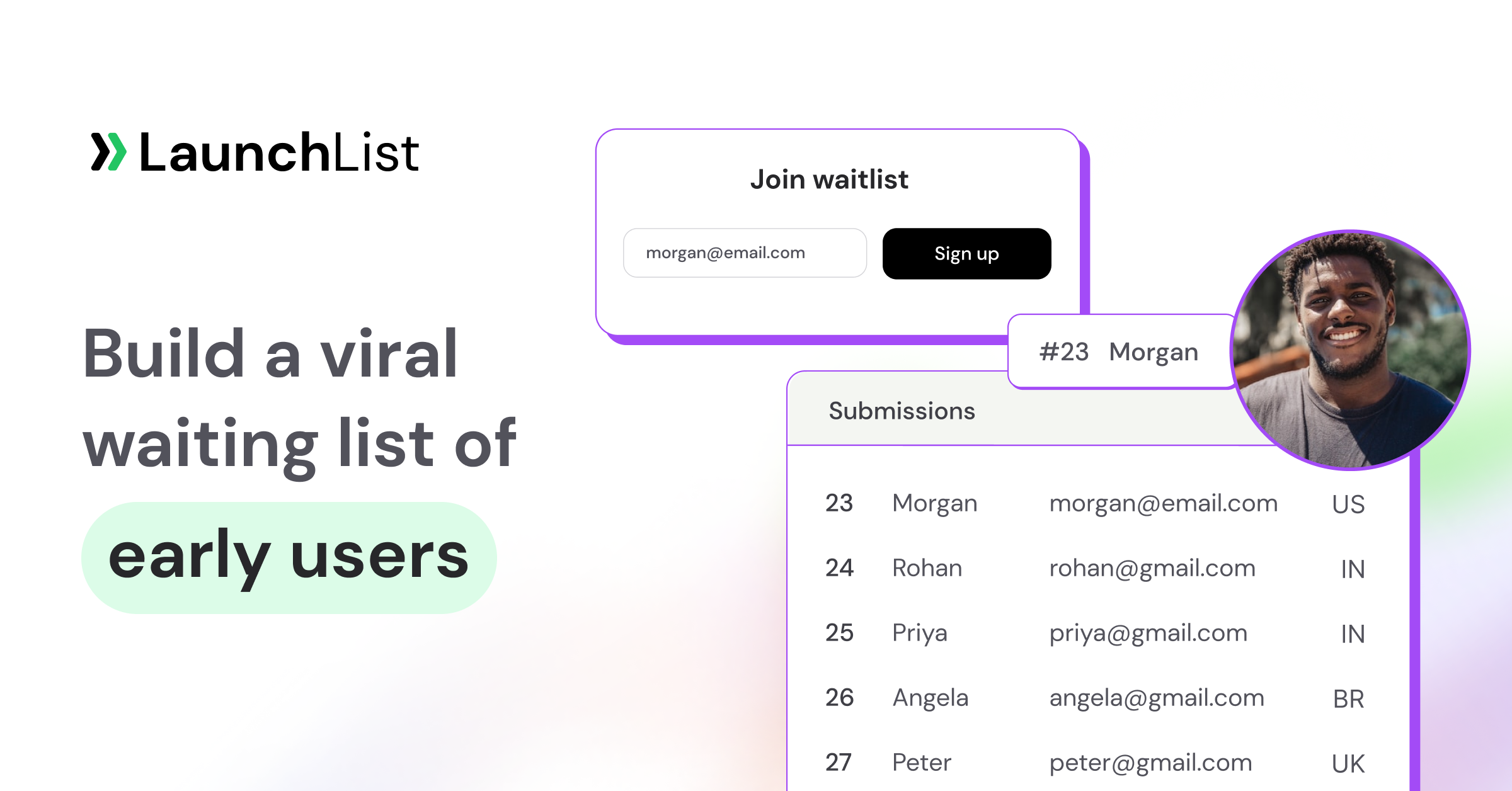
LaunchList is pre-launch waitlist software for founders. It turns a signup form into a growth loop instead of a static list. Every person who joins gets a referral link and a queue position on their own status page, and moves up the line by bringing friends, so each signup can pull in the next one instead of dead-ending. You can publish a hosted launch page built in a block editor if you don't have a site yet, or drop a one-line embed into the site you already have (Webflow, Framer, Carrd, WordPress, Squarespace and anything else that takes custom HTML). The referral leaderboard is on every plan; milestone rewards start on the Collect plan.
If you're starting from nothing, describe the product in one sentence and LaunchList's AI drafts the whole launch page (free on every plan during the beta), then you adjust it in a visual editor with 19 block types, 8 style presets and 6 starting templates. Forms are not email-only: people can sign up with an email, a phone number, a username or a wallet address, and a survey form can ask the questions you'd otherwise send in a separate tool.
Two things matter more for pre-launch than they sound. First, trust: every signup gets one verdict (verified, valid, unknown, risky or fake) from layered checks such as disposable-address blocking, a honeypot, rate limits and device clustering, and referral credit only lands once the new signup verifies. The number you stare at on launch day is real people, not a bot inflation you'll regret when nobody converts. Second, the list doesn't sit in a silo: you can email it from inside LaunchList (broadcasts from the Collect plan, automations on the Launch plan), and a REST API and signed webhooks push signups into the rest of your stack. Rewards for hitting referral milestones and points for follows and shares come with the Collect plan. The Free plan holds 100 contacts with no campaign email, which is enough to prove the page converts; the Collect plan starts at $9 a month for 500 contacts. It's in beta and open to everyone, with no card to start.
We're obviously biased, so don't take our word for it. Compare honestly. Here's our rundown of the best free waitlist software in 2026, competitors included, and a waitlist referral program guide if you want to understand the mechanics before picking anything.
Best for: turning a passive email list into verified, referral-driven pre-launch growth.
Free tools for this job: the Waitlist Growth Simulator shows what referral mechanics do to your signup curve before you commit to a strategy, and the Waitlist Benchmark tells you whether your signup numbers are actually good. Both free, no signup.
Host: somewhere for people to land
A waitlist needs a page around it. You don't need a real website pre-launch. You need one clear page that explains the problem you solve and puts the signup field above the fold. Two tools cover almost everyone (and if your waitlist tool hosts the page itself, you may not need either yet).
2. Carrd: one-page sites
$19 a year for a fast, clean one-pager. For a pre-revenue founder, this is exactly the right amount of money to spend on a website: enough to look credible, cheap enough that you won't agonize over it. Drop a waitlist embed onto it and you have a complete coming soon page in an afternoon. If you want to see what good looks like first, study these waitlist landing page examples that convert before you build.
Best for: the cheapest credible landing page on the internet.
3. Framer: landing page builder
When the launch deserves better design than a template, or you want animations, multiple sections, and a CMS later, Framer produces agency-quality pages without a developer, hosting included. It has a free plan (Framer subdomain, Framer branding); the Basic plan from ~$10/mo on annual billing adds a custom domain, which is the point at which a pre-launch page starts to feel real. It's become the default for design-conscious indie launches. Webflow is the heavier alternative once you genuinely need a full multi-page marketing site.
Best for: design-quality landing pages without hiring anyone.
Before you ship the page: run the pre-launch marketing checklist. It sequences this whole stage week by week so you're not guessing what to do next.
Nurture: email that keeps the list warm
A waitlist you never email is a waitlist that forgets you. The gap between "I signed up" and "it's live" can be months; email is how you survive it. The goal isn't to sell. It's to stay present, share progress, and give people a reason to still care on launch day. Get the cadence right and your launch email lands on a warm list instead of a cold one.
One thing to decide first: whether you want a second tool at all. If your waitlist tool sends email itself (LaunchList does, from the Collect plan, from a shared domain or your own on the Launch plan), you can run the progress updates and launch email from the same list that holds the referral data, with nothing to sync. If you want a newsletter that outlives the launch, the two below are the picks.
4. Kit (formerly ConvertKit): newsletter
Kit's free tier covers 10,000 subscribers, which quietly killed the old "which email tool can I afford pre-revenue?" question. Use it for the progress updates and launch sequence that keep your waitlist warm. Its automations and tagging are strong enough that you won't outgrow it for a long time, and the free ceiling is high enough that most pre-launch founders never pay. When you're ready to write those emails, steal from these waitlist email templates that get opened.
Best for: a free email list that won't need migrating for a long time.
5. Beehiiv: creator newsletter
If the newsletter is the product (you're building an audience-first business, or the content is the on-ramp to the product), Beehiiv is the pick. Free to 2,500 subscribers, with growth tools (referral programs, recommendations, a built-in subscribe-network) aimed at people whose primary asset is the list itself. For a SaaS where email is one channel among several, Kit is the simpler choice; for a media-shaped launch, Beehiiv.
Best for: founders whose audience is the product, not just a channel to it.
Attract: build in public so strangers find you
The cheapest distribution you can build before launch is an audience you grow while building. "Building in public" (posting your progress, decisions, and numbers as you go) turns the work you're already doing into marketing. It compounds: every thread is a small ad for the waitlist, and by launch day you have a few hundred people who feel like they helped build the thing.
6. Typefully: build in public
Typefully makes the build-in-public habit sustainable: draft X and LinkedIn threads, schedule them, and see what resonates, all in a calm writing-first editor. It's free to start (the free tier is limited and best treated as a trial of the workflow), with paid plans from roughly $8–12.50/mo on annual billing once you're posting regularly. The discipline matters more than the tool, but a tool that makes posting frictionless is how the discipline survives a busy week.
Best for: founders building a launch audience one thread at a time.
7. Buffer: social scheduling
If your audience lives across more than one network (LinkedIn plus Instagram plus a Facebook group, say), Buffer schedules to all of them from one place and has a genuinely usable free plan for a handful of channels. Typefully is sharper for X/LinkedIn thread-writing specifically; Buffer is the better generalist when "build in public" means more than threads. Pick one and post consistently. Consistency beats reach at this stage.
Best for: scheduling across several networks without paying for an enterprise tool.
Where else to post: building in public is one channel. For the full map of places to put your pre-launch product in front of people, we maintain 99 places to promote your startup for free and a practical guide on how to promote your waitlist.
Gather: a community for your first believers
Not every launch needs a community before it ships, but the ones that do tend to launch harder. A small group of early believers who can talk to you and each other gives you faster feedback, a launch-day street team, and the kind of word-of-mouth no ad buys. The trick is not to build a community before you have anything for it to gather around.
8. Discord: free community
The default free option, and the right one for most pre-launch products. Spin up a server, invite your earliest waitlist signups, and you have a live feedback channel and a group of people who feel like insiders. It costs nothing, your audience already knows how to use it, and the informality suits an unfinished product. The risk is silence. A dead Discord is worse than no Discord, so only open one when you have a handful of people who'll actually show up.
Best for: a free, low-ceremony home for your first believers.
9. Circle: branded community
When the community deserves a branded space (gated content, courses, events, a paid tier later), Circle is the polished alternative to Discord, from ~$89/mo on annual billing. That's real money pre-revenue, so it's the pick only when the community is central to the business model (a cohort product, a paid membership, an audience-first launch), not a default. For most founders, start free on Discord and graduate to Circle only if the community becomes a product in its own right.
Best for: launches where the community itself is part of the offer.
Research: market to real language, not guesses
Everything above works better when you know exactly what your audience wants and the words they use to describe it. Pre-launch research is cheap insurance: an hour here changes your landing page headline, your waitlist pitch, and which threads you write. Three free (or nearly free) sources cover it.
10. PainOnSocial: Reddit demand research
Reddit is where people complain in their own words, which makes it the best free source of pain-point language you'll ever find. (Note: GummySearch, the long-time favorite here, closed to new customers in late 2025 and is winding down, so the category has shifted.) Tools like PainOnSocial and SubredditSignals now index and score the recurring problems in relevant communities, so you can find the exact phrases your future customers use. Those phrases become your headline. The free tiers are enough to validate language before you commit to copy; you can also just read the subreddits manually for $0.
Best for: finding the unfiltered pain-point language a survey would never surface.
11. Google Search Console: search demand
Free, and underused pre-launch. The moment your coming soon page is live and indexed, Search Console shows you the actual queries bringing people to it, which is real demand data straight from Google, not a guess. Pair it with your analytics and you learn which problem framing pulls traffic, often before you've written a single ad.
Best for: seeing the real search terms your early page already attracts.
12. Ahrefs free tools: keyword and SEO research
Before you commit to a positioning, two free Ahrefs checks help: the free keyword generator gives you a rough sense of how many people search for the problem each month, and Ahrefs Webmaster Tools audits your page once it's live. Thirty minutes here tells you whether anyone is looking for what you're building, and which words to build the page around. (Heavier SEO work needs the paid plan, but the free tools cover pre-launch.)
Best for: a fast, free read on whether search demand exists at all.
Measure: know your one pre-launch number
Pre-launch, you need exactly one metric from analytics: what percentage of visitors join the waitlist, your waitlist conversion rate. Everything else is noise until you have traffic worth segmenting.
13. Plausible: web analytics
Plausible gives you that number in a single, readable dashboard: GDPR-clean, no cookie banner, from $9/mo. It's the antidote to opening Google Analytics, drowning, and closing the tab. Watch your conversion rate weekly; if it's low, the problem is almost always the headline or the offer, not the traffic. (If your page is hosted on LaunchList, its analytics already shows how many page visits signed up, compared with the period before, and you can add your own Plausible, GA4 or PostHog tag to the hosted page under Project settings, Privacy & spam on any plan.) Wondering what "good" looks like? Check yours against the free Waitlist Benchmark, and if you want to model whether referrals can carry your growth, the k-factor is the number to understand.
Best for: your page-to-signup conversion rate without the Google Analytics learning curve.
Outreach: optional, for press and partnerships
Most pre-launch motion is inbound. But if you're planning press coverage or partner outreach for launch, you'll need to find email addresses, and a free tool covers the early volume.
14. Hunter.io: email finder
Hunter.io finds and verifies business emails so you can reach journalists, newsletter writers, or potential partners before launch. The free plan covers 25 searches and 50 verifications a month: small, but enough for a focused pre-launch outreach list. Don't blast; a dozen well-researched, personal emails to people whose audience overlaps yours beats a hundred cold ones. This is an optional tool; skip it unless press or partnerships are part of your plan.
Best for: finding a short, targeted list of press and partner emails.
Put it in revenue terms: before you spend a month building an audience, the Pre-launch MRR Projector estimates what a waitlist of a given size is actually worth once you launch, which is useful for deciding how much pre-launch effort the opportunity justifies. The full set of free pre-launch tools and calculators requires no signup.
Doing pre-launch marketing with LaunchList
If LaunchList is your waitlist, here is what it covers of the six jobs, and where you still need another tool. The point of using it for more than capture is that every signup, referral, email and page view lands on the same contact record, so nothing has to be synced between tools.
| Job | What LaunchList does | Where (plan) |
|---|---|---|
| Capture | Waitlist, survey and marketing forms, any identity; personal referral link, live position and leaderboard for every signup; referral credit only after the friend verifies | Forms; Audience, Referrals & rewards (every plan; rewards and points tasks from the Collect plan) |
| Host | Server-rendered launch page at your-name.launchlist.page, or on your own domain with automatic HTTPS. Pages on launchlist.page are never indexed, so connect a domain if you want search traffic | Pages (every plan); Embed & API, Hosted page, Custom domain (the Collect plan and up) |
| Nurture | Broadcasts to the whole list or a segment, 9 ready-made emails (Founder update, Referral nudge, We're live and more), branching automations, sending from your own domain | Emails (broadcasts from the Collect plan; automations and your own sending domain on the Launch plan and up) |
| Attract | A public Updates page with RSS for building in public, one-tap share buttons on each signup's status page, points for following you on X | Updates; Pages, Status page (every plan; points tasks from the Collect plan) |
| Gather | Not a community tool. Tag your most engaged signups and email them a Discord invite | Audience, Signups (every plan) |
| Research | Signup surveys whose answers become filterable contact attributes, so you can read the pain-point language of the people who actually joined | Forms, Answers (every plan) |
| Measure | Signups, visit-to-signup conversion, confirmed and referred share against the period before; your own tracking tags. The breakdown of where signups come from (channels, landing pages, referring sites) is on the Grow plan | Analytics (every plan; history 28 days on Free, 90 days on Collect, 12 months on Launch, all time on Grow) |
Two extras that matter if you work with AI tools. The REST API (53 operations, with a public OpenAPI spec) and 27 signed webhook events connect the list to anything else, and webhooks reach Zapier, Make or n8n today since there are no native connectors yet. The MCP server lets Claude, ChatGPT, Cursor and other MCP clients read and act on your project through 35 tools, over OAuth with a consent screen or a scoped API key; agents can draft pages and broadcasts but cannot delete contacts or publish without you.
What LaunchList won't do for this stage: schedule social posts, host a community, or tell you search volume. Keep Typefully or Buffer, Discord and the free research tools for those.
How to assemble a lean pre-launch stack
The honest math, because most lists pretend you need everything:
- Lean stack: $0–30/month. A Carrd page ($19/yr) or LaunchList's hosted page, a LaunchList waitlist (free to 100 contacts, or the Collect plan from $9/mo for 500 contacts, rewards and built-in email), Kit's free tier if you want a separate newsletter, Typefully or Buffer's free plan for build-in-public, a Discord (free), and free research via Reddit, Search Console, and Ahrefs' free tools. Add Plausible ($9/mo) when you want to watch your conversion rate. You can run the entire audience-building stage for roughly the cost of a coffee a week.
- When to add paid tools. Framer's paid tier when the design matters, Beehiiv if the newsletter becomes the business, Circle if the community becomes a product, Hunter.io's paid tier only if outreach scales. None of these are pre-launch requirements. They're upgrades you make when a specific job outgrows its free option.
Three rules that survive contact with reality:
- One tool per job, not three. A second analytics tool or a third social scheduler is procrastination wearing a productivity costume. Pick one per job and spend the saved time talking to your audience.
- The waitlist goes up first, on day one. Audience is the slowest-compounding asset in the stack. Every other tool here can wait a week; the pre-launch waitlist should go live the day you commit to the idea. For the full playbook, read how to promote your waitlist and the SaaS pre-launch marketing playbook.
- Tools don't build audiences; consistency does. No one ever built a launch audience because of their scheduler. They built it by showing up (posting, emailing, replying) for weeks. The stack just lowers the friction of showing up.
Frequently asked questions
What are the best pre-launch marketing tools for a startup?
For most startups, six tools cover the whole stage: a waitlist with referral mechanics (LaunchList), a landing page (Carrd, Framer, or the waitlist tool's own hosted page), email (Kit, free to 10,000 subscribers, or your waitlist tool's built-in email), a build-in-public scheduler (Typefully or Buffer), a community (Discord, free), and a research source (Reddit demand tools plus Google Search Console). Add Plausible ($9/mo) for conversion tracking. That's a complete pre-launch stack for $0–30/month.
How much should a pre-launch marketing stack cost?
A lean stack runs $0–30/month. The waitlist (free to 100 contacts on LaunchList, $9/mo for 500), email (Kit), build-in-public, community (Discord), and research tools all have usable free or low-cost tiers; Carrd is $19/year and Plausible is $9/month if you want analytics. Paid tools like Framer, Beehiiv, or Circle are upgrades for when a specific job outgrows its free option, not pre-launch requirements.
What's the single most important pre-launch marketing tool?
A waitlist with referral mechanics, because it does the one job that compounds: every signup can bring the next one. A landing page hosts it and email keeps it warm, but the waitlist is where pre-launch interest actually accumulates into a launch-day audience. Put it up the day you commit to the idea, earlier than feels natural. (See our free waitlist software comparison for the options.)
When should you start pre-launch marketing?
Far earlier than most founders do, ideally the day you decide to build. Audience-building is the slowest-compounding asset in the Startup Launch Stack, so it needs the longest runway. A waitlist that's been live and growing for three months gives you a real launch; one put up the week before launch gives you a quiet one. The first 100 signups are the hardest, so the sooner you start, the sooner that's behind you. Here's how to get your first 100 waitlist signups.
Do I need a community before launch?
No. It's optional, and a dead community is worse than none. Start a free Discord only when you have a handful of early believers who will actually show up; skip it otherwise. A branded paid community (Circle) makes sense only when the community is part of the business model, not a default pre-launch move.
Do I need a separate email tool if my waitlist sends email?
Not for the pre-launch stretch. LaunchList sends broadcasts from the Collect plan ($9 a month for 500 contacts) and runs branching automations from your own sending domain on the Launch plan, so progress updates and the launch email go to the same list that holds referral data. Add Kit or Beehiiv only if you want a newsletter that outlives the launch.
Will my waitlist page show up on Google?
It depends on where the page lives. LaunchList pages on a launchlist.page address are never indexed by search engines; connect your own domain on the Collect plan or higher and the server-rendered page can be indexed. Pages built in Carrd or Framer on your own domain can be indexed too.
Can I run pre-launch marketing for free?
Yes, up to a point. LaunchList's Free plan holds 100 contacts with a hosted page, referrals, leaderboard, spam protection and analytics, but no campaign email; pair it with Kit's free tier, Discord and Buffer's free plan. Expect to pay around $9 to $30 a month once the list passes 100 people or you want to email it from the waitlist tool.
Building an audience before you ship? Start with the job you're missing. And if you don't have a waitlist live yet, put one up today on LaunchList, free to start with no card. It's the one pre-launch tool where starting a month earlier visibly changes how launch day goes.