# How to add a waitlist to Webflow
> Put a LaunchList signup form on a Webflow site with a Code Embed element. Copy the snippet, paste it where the form should go, and publish.
Source: https://getlaunchlist.com/help/docs/integrations/webflow
---
This guide adds your LaunchList signup form to a Webflow site with a **Code Embed** element. Every
signup lands in your LaunchList audience.
## Add the form with a Code Embed element
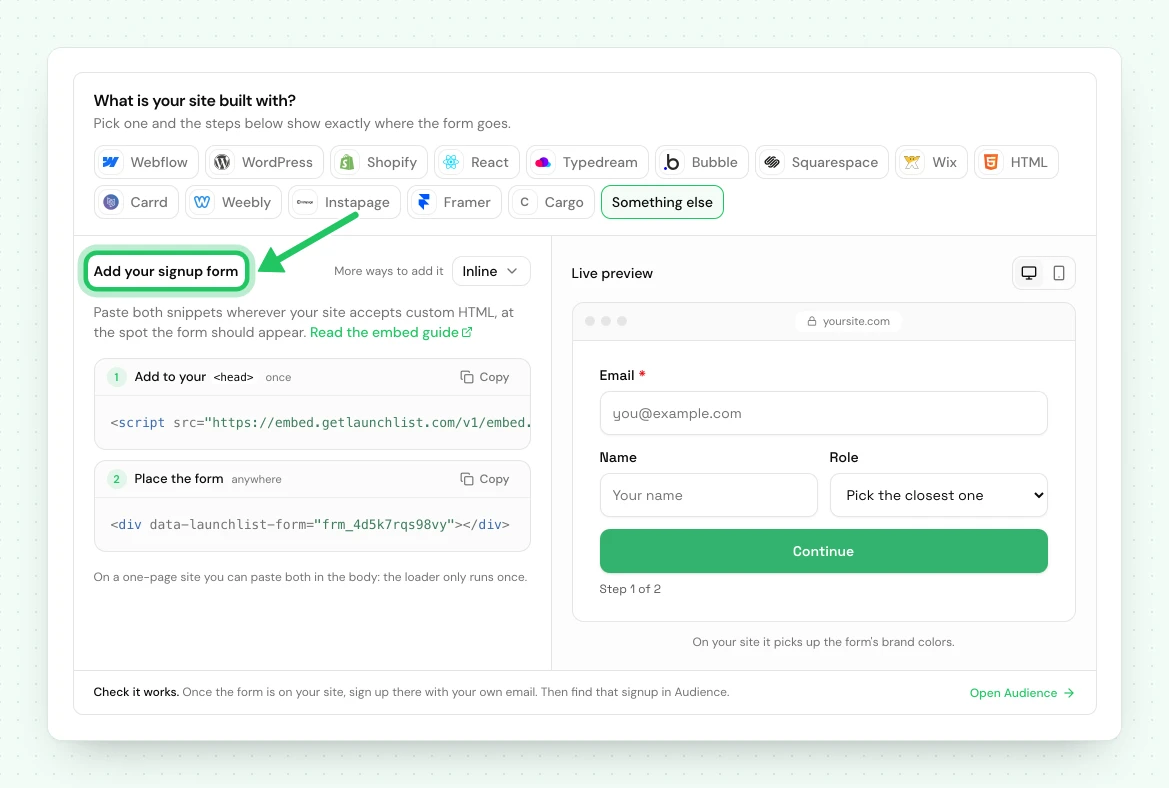
1. In LaunchList, open **Embed & API → Your website**, choose **Webflow** under **What is your site
built with?**, pick your form if you have more than one, and copy the snippet it shows.
2. In the Webflow Designer, open the **Add** panel and drag a **Code Embed** element where the form
should go.
3. Paste the snippet into it and click **Save & Close**.
```html
```
4. **Publish** the site. The Designer shows a placeholder; the published site shows the form.
5. Open the published page and sign up with your own email, then find that signup in **Audience**.
> [!NOTE] The form is isolated from your Webflow styles
> It renders inside a shadow root, so Webflow's CSS cannot reach it and your class styles will not
> apply. That is deliberate: a Webflow style change can never break the form. Restyle it under
> **Design** in the LaunchList form editor instead.
## If the form does not appear
| What you see | What to do |
| ------------------------------------- | --------------------------------------------------------------------------------------------------------------------------------------------------- |
| A placeholder in the Designer | Webflow does not run custom code on the canvas. Publish the site, or open its webflow.io address. |
| Nothing renders on the published site | Check the Code Embed saved, and that you published after adding it. |
| The Code Embed element is locked | Webflow limits it to a site with a Site plan or a paid Workspace. Check your plan in Webflow. |
| The form shows twice | The Code Embed is on the page twice, and each renders its own form. Remove the duplicate. |
## Using the classic LaunchList dashboard
A waitlist made in the classic LaunchList dashboard has its own snippet: a `` in an Embed element with `widget.js` in the site's head code, or a Webflow form whose action is `getlaunchlist.com/s/` with its form key. That snippet
keeps working for now and sends signups to the classic dashboard's waitlist, not to a project here.
A classic form key does not work with the snippet on this page.
To bring that waitlist here, [import it into a project](/help/docs/getting-started/import-from-v1),
then replace the classic snippet on your Webflow site with the one from **Embed & API → Your website**.
Your signups are copied, and the classic waitlist is not changed.
---
Next: [every way to integrate](/help/docs/integrations/overview).
## Common questions
### Does LaunchList work on Webflow?
Yes. Add a Code Embed element where the form should go and paste your form's two-line snippet into it. The form loads from LaunchList with the design you pick in the LaunchList form editor. Publish the site to see it.
### Why is the form not showing in the Webflow Designer?
Webflow does not run custom code on the Designer canvas, so the Code Embed shows a placeholder there. Publish the site, or open its webflow.io address, and the form appears.
### Do I need a paid Webflow plan?
Webflow limits the Code Embed element to a site with a Site plan or a paid Webflow Workspace (Core, Growth, Agency or Freelancer). If the element is locked, check your plan in Webflow.